The Best Mood Tracking Apps in 2026
The best mood tracking apps in 2026: Daylio, How We Feel, Bearable, OwnJournal and more compared on price, privacy, and what research says.
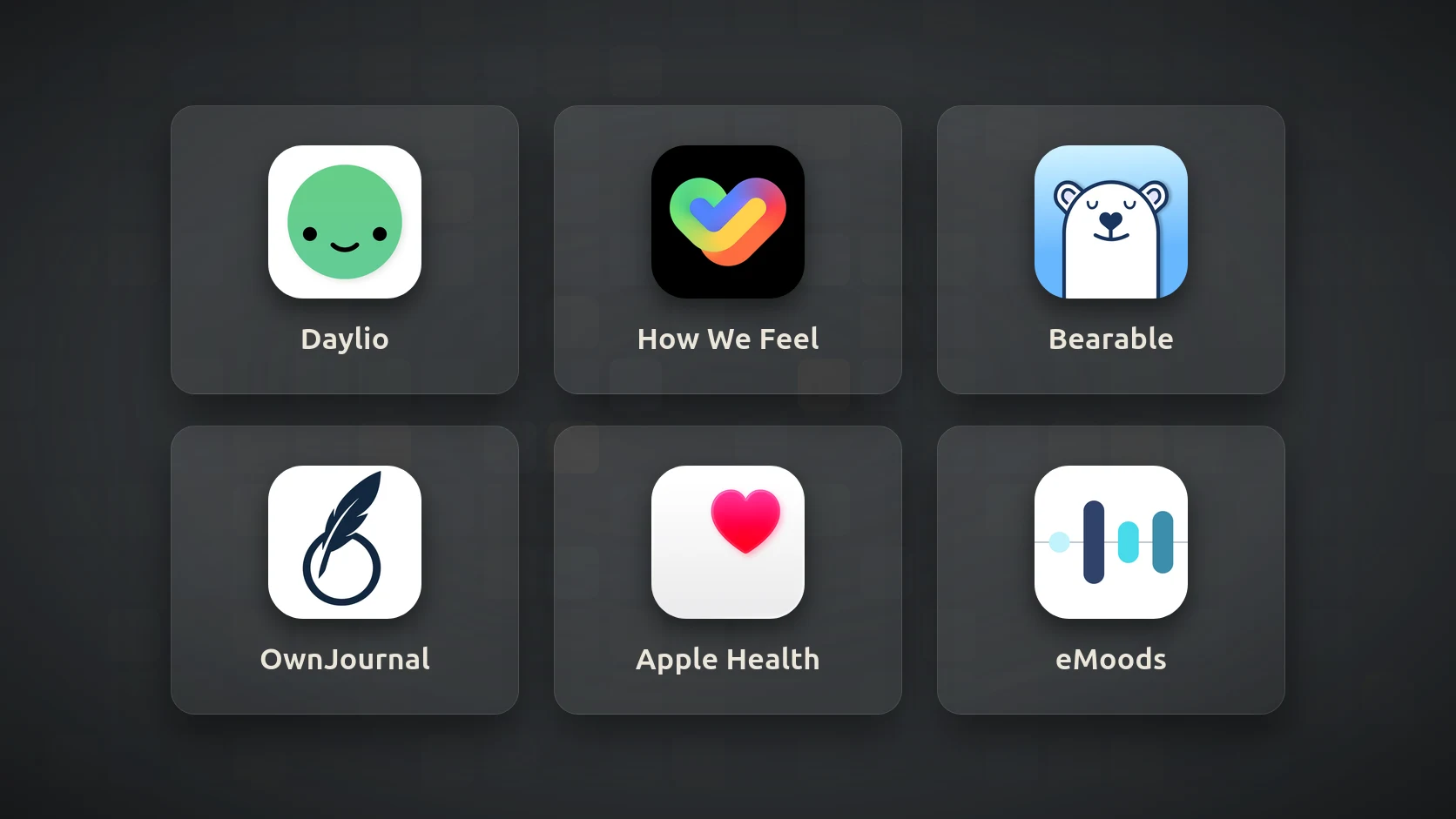
The best mood tracking app for most people is Daylio: two taps to log a mood, unlimited free entries, and data that stays on your phone by default. How We Feel is the best completely free option and the best for learning to name emotions precisely. Bearable wins if you want to connect mood with sleep, symptoms, or medication, and OwnJournal is the pick if you want mood tracking and private, long-form journaling in one open-source app.
The Winners at a Glance
- 🏆 Best overall: Daylio — fastest logging, local-first, generous free tier
- 🎨 Best free app: How We Feel — 144 emotion words, no paywall, nonprofit
- 🩺 Best for health correlations: Bearable — mood, symptoms, sleep, and medication in one place
- 🔒 Best for mood + private journaling: OwnJournal — open source, entries stay in your own cloud
- 🍎 Best built-in option (iPhone): Apple Health State of Mind — free, end-to-end encrypted, already installed
- 📈 Best for bipolar disorder: eMoods — highs and lows, sleep, medication, psychiatrist-ready reports
The right pick depends on why you are tracking. Someone spotting triggers for low mood needs something different from someone managing a diagnosis.
Jump to: Comparison table · How to choose · The research
⚠️ Not a substitute for professional care
A mood tracker can help you notice patterns, but it cannot diagnose or treat anything. If low mood, anxiety, or mood swings are affecting your daily life, please speak to a doctor or therapist.
Prices below are US App Store and official pricing pages as of November 2026. Privacy details come from each app’s own privacy policy and its App Store privacy label, which developers declare themselves.
How we judged the apps
Each app was assessed on five things that matter specifically for mood tracking:
- Speed to log — Can you record a mood in under ten seconds on a bad day?
- Emotional precision — Does it offer only a scale, or specific emotion words and context?
- Pattern insight — Does it show what correlates with better or worse days?
- Privacy — Where is your data stored, is it encrypted, and what does the App Store label say?
- Cost and platforms — How much is free, and does it work beyond one phone?
The best mood tracking apps in 2026
Daylio — Best overall
- Price: Free / Premium $35.99 per year or $59.99 lifetime (US App Store)
- Platforms: iOS, Android, Apple Watch
- Privacy: Entries stored on your device; optional backup to Google Drive or iCloud
Daylio is the app most people should try first. You pick a mood from a five-point emoji scale, tap the activities that filled your day, and you are done. On the days when even a sentence feels like too much, that low effort is what keeps the habit alive.
Two taps on a bad day beats a perfect entry you never write.
The free tier has no entry limits, and Daylio’s FAQ describes it as a free unlimited version of the app. Premium adds advanced statistics, note templates, PDF export, automatic backups, and a PIN lock. The free version shows ads on Android.
Its strongest feature is the Premium statistics view. Over a few weeks it shows which activities tend to appear on your better and worse days — exercise, seeing friends, poor sleep — which is the kind of pattern behavioural activation therapy relies on.
Recent updates in 2026 added an Apple Watch app, Siri logging, and “Scales” sliders for things like stress and sleep quality. There is still no web or desktop version.
Best for: Anyone starting mood tracking; people who want the lowest possible effort; Android users who want a mature, well-supported app.
Skip if: You want to write longer reflections (notes are there, but Daylio is not built for journaling). You need access from a computer. Five emoji levels feel too blunt to describe what you feel.
↓ See Daylio in the comparison table
How We Feel — Best free app
- Price: Free, funded by donations to a nonprofit
- Platforms: iOS (17 or later), Android
- Privacy: Without an account, check-ins stay on your device; the privacy policy says data is not sold, and research sharing is opt-in
How We Feel was built with Marc Brackett, founding director of the Yale Center for Emotional Intelligence, and it is designed around naming emotions precisely — a skill research links to better coping (more on that below). Instead of a smiley scale, you place yourself on a colour-coded grid of energy and pleasantness, then choose from 144 emotion words.
Built around the emotion-differentiation research — and it does not charge a penny.
After choosing a word, you can add who you were with, what you were doing, and how your body felt. The app also offers short strategies, such as breathing and reframing exercises, for when you want to shift how you feel.
The trade-off is speed. A check-in has more steps than a two-tap log, which some people will find too much on their worst days. Pattern reports are simpler than Daylio’s or Bearable’s.
Best for: People who want to get better at understanding what they feel; anyone who wants a capable tracker with no paywall at all.
Skip if: You want the fastest possible daily log. You need detailed correlation charts. Your iPhone cannot run iOS 17.
↓ See How We Feel in the comparison table
Bearable — Best for health correlations
- Price: Free / Premium $6.99 per month or $34.99 per year (pricing post; frequently discounted)
- Platforms: iOS, Android
- Privacy: States it “will never sell” user data; health data is encrypted before backup to Bearable’s servers (account required); its App Store label lists contact info and identifiers under “Data Used to Track You”
Bearable is a mood tracker for people whose mood is tangled up with their body. Alongside mood, energy, stress, and anxiety, you can log symptoms, medication, sleep, caffeine, cycle, and anything else you choose to define.
If you suspect your bad days have a physical cause, Bearable is built to help you find it.
Its Premium correlation reports are the most detailed here, showing which factors tend to move with your mood and symptoms. The free tier covers unlimited tracking, 30-day trend and comparison graphs, and CSV export, which is enough to bring to a GP or therapist.
The flexibility has a cost: setup takes time, and the daily check-in grows long if you track everything. There is a privacy wrinkle, too. Bearable says it never sells data, yet its own App Store label declares some data is used to track you across other companies’ apps — worth reading closely before you log anything sensitive.
Best for: People with chronic illness, ADHD, migraines, or hormonal mood changes; anyone preparing data for a doctor’s appointment.
Skip if: You want a quick, minimal log. Setting up dozens of factors sounds exhausting. The tracking disclosure on its App Store label is a deal-breaker.
↓ See Bearable in the comparison table
OwnJournal — Best for mood tracking plus private journaling
- Price: Free / Plus $19.99 per year (14-day trial)
- Platforms: iOS, Android, web, Windows, macOS, Linux
- Privacy: Entries encrypted on your device and stored in your own Google Drive, Dropbox, or Nextcloud (iCloud on iPhone and iPad); open source under AGPL-3.0
Disclosure
OwnJournal is developed by people connected to this site. It was judged on the same five criteria as every other app here, and its limitations are listed below.
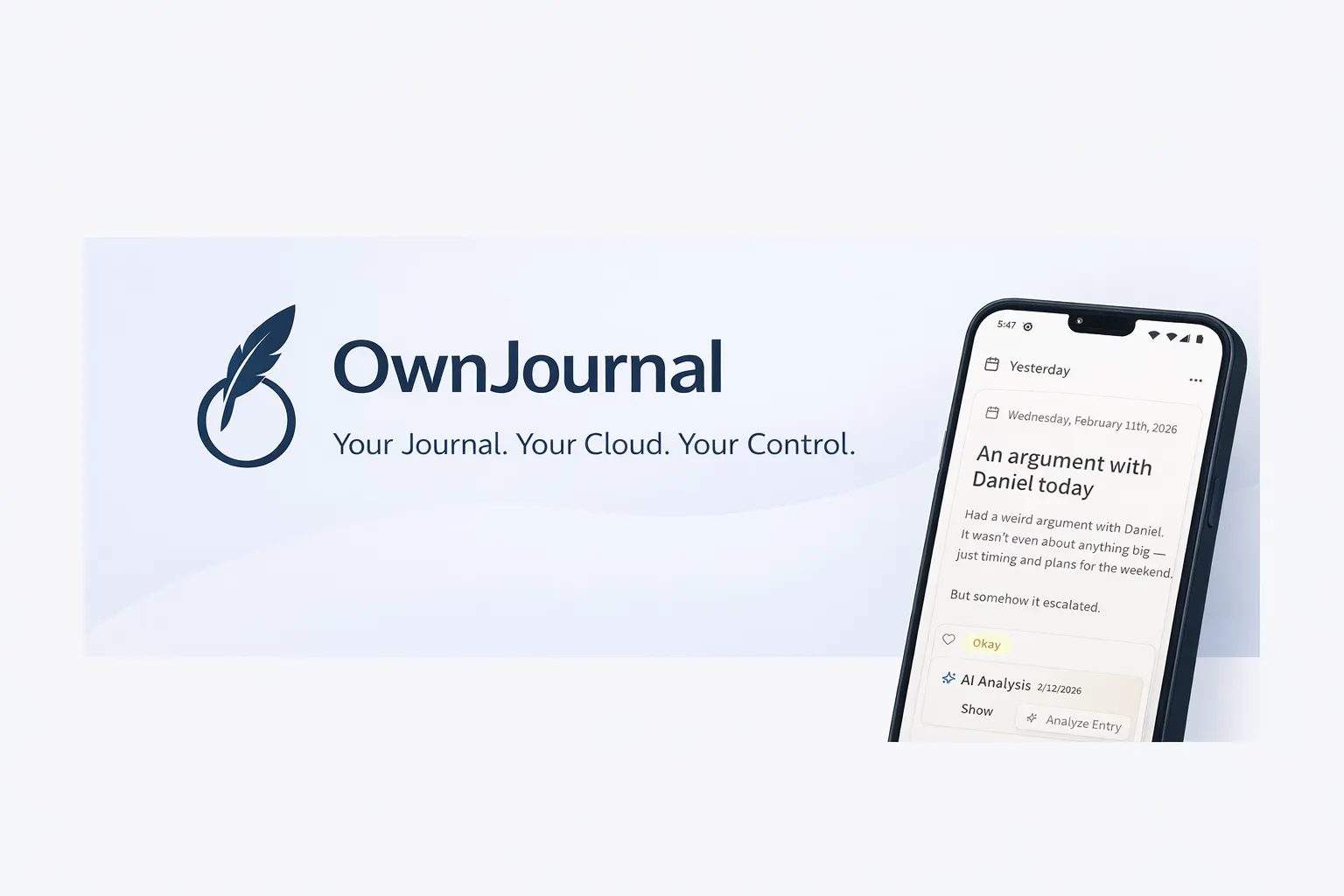
OwnJournal is a journaling app first, with mood tracking built into every entry. You choose one of five mood levels, tag from 15 preset activities, and then write as much or as little as you like. That combination matters, because research on expressive writing suggests that putting the “why” into words may do more than a mood rating alone.
The free tier includes a mood calendar heatmap and a statistics dashboard with mood distribution, a 7-day rolling average, best and worst weekdays, and streaks. Plus adds activity–mood correlations, AI trend summaries across weeks or months, and PDF and Word export.
Your entries are encrypted before they reach a cloud account you already own — and the code that does it is open for anyone to inspect.
Privacy is the other reason to choose it. Entries are encrypted on your device before they reach your cloud storage, and because the code is open source, those claims can be checked rather than taken on trust. Our journaling app privacy guide explains why that distinction matters.
There are honest trade-offs. The optional AI features in Plus send content off your device: per-entry analysis decrypts the entry locally and sends the text to OwnJournal’s AI service, while trend summaries are built mainly from aggregated statistics. The company says content is discarded after processing and never used for training.
Logging a mood also takes longer than Daylio’s two taps, and setup requires connecting a cloud storage account.
Best for: People who want mood tracking and real journaling in one place; anyone who wants to use the same app on phone and computer; privacy-conscious users who want verifiable, open-source encryption.
Skip if: You want the absolute fastest daily log. You do not want to connect a cloud storage account. You want detailed physical-symptom tracking (Bearable does this far better).
↓ See OwnJournal in the comparison table
Before you keep reading
If you are tracking mood because of anxiety, depression, or ADHD, these guides go deeper on the writing side:
Apple Health State of Mind — Best built-in option for iPhone
- Price: Free
- Platforms: iPhone, iPad, Apple Watch (iOS 17 or later)
- Privacy: Health data is end-to-end encrypted in iCloud
If you have an iPhone, you already own a decent mood tracker. In the Health app, or the Mindfulness app on Apple Watch, you can log your State of Mind on a slider from very unpleasant to very pleasant, then add feeling words and what had the biggest impact.
Apple Health charts these entries next to sleep, exercise, and time in daylight, so you can see whether your mood follows them. Apple Journal can log a State of Mind while you write an entry, once you enable Health access in the Journal settings.
The limits are the obvious ones. It only works on Apple devices, the insight views are basic, and there is no way to share a report with a clinician as neatly as Bearable or eMoods allow.
Best for: iPhone users who want zero setup and strong default privacy; anyone already using Apple Journal.
Skip if: You use Android or might switch. You want detailed correlation reports. You want custom activities or factors.
↓ See Apple Health in the comparison table
eMoods — Best for bipolar disorder
- Price: Free / Pro $1.99 per month or $9.99 per year (classic app); a separate web platform costs $5 to $10 per month
- Platforms: iOS, Android, web
- Privacy: The classic app says it “never stores any of your data in the cloud”; its App Store label reads “Data Not Collected”
eMoods was designed for people with bipolar disorder, and it records mood the way a psychiatrist would ask about it. Each evening you rate the day’s highest levels of depressed, elevated, irritable, and anxious mood, plus sleep hours and medication taken.
At the end of the month eMoods produces a colour-coded PDF report that you can print, email, or password-protect. For someone working with a clinician on medication, that one-page chart can say more than a long conversation.
The free tier has no entry limits; Pro adds extras such as multiple timestamped notes.
The interface is plain, and it is not designed for general wellbeing tracking. Keep in mind the MONARCA finding covered in the research section below: daily monitoring is a tool for you and your care team, not a treatment on its own.
Best for: People with bipolar disorder or other mood disorders; anyone who needs a clinician-friendly monthly report.
Skip if: You want a general wellbeing app. You want journaling or emotion words. You want polished design.
↓ See eMoods in the comparison table
Also considered
- Finch — A self-care app where checking in and completing small goals helps a virtual pet grow. It includes quick mood checks and guided journaling, and it suits people who are motivated by gentle rewards. It is less useful for pattern analysis.
- Moodfit — Combines mood logging with CBT exercises and medication tracking. Updates have slowed in 2026, and an archived Mozilla review flagged weak password rules in 2022, which Moodfit later fixed.
- DailyBean — A cheerful, very popular mood calendar. We left it out of the main list because its App Store label declares data used for third-party advertising, and unlike Bearable it offers no symptom-correlation features that might justify that trade-off for some readers.
- Pixels — Colours one square per day for a “year in pixels” view. Charming and actively maintained, but basic.
- Day One — Our favourite general journal in the best journaling apps roundup, but it has no built-in mood tracker.
Looking for apps that analyse your writing with AI rather than track mood? See our AI journaling apps guide.
Mood tracking apps compared
| App | Free tier | Paid | Mood input | Platforms | Data stored |
|---|---|---|---|---|---|
| Daylio | Unlimited entries | $35.99/yr or $59.99 lifetime | 5-point emoji + activities | iOS, Android, Watch | On device (optional cloud backup) |
| How We Feel | Everything | None | Energy/pleasantness grid + 144 words | iOS 17+, Android | On device without account |
| Bearable | Unlimited tracking, 30-day reports | $34.99/yr | Ratings + symptoms + custom factors | iOS, Android | Encrypted cloud backup |
| OwnJournal | Unlimited entries + mood stats | $19.99/yr | 5 levels + activities + full journal | iOS, Android, web, desktop | Your own cloud, encrypted |
| Apple Health | Everything | None | Slider + feeling words | Apple only | On device; iCloud sync end-to-end encrypted |
| eMoods | Mood charting + monthly PDF | $9.99/yr (classic Pro) | Daily highs/lows + sleep + meds | iOS, Android, web | On device (classic app) |
Which mood tracking app should you choose?
You just want to start, and you want it easy: Daylio. Install it tonight and log once before bed.
You want to understand your emotions, not just rate them: How We Feel. The emotion-word step is the point.
You think sleep, pain, hormones, or medication affect your mood: Bearable. Track three or four factors at first, not twenty.
You want to write about your day as well as rate it: OwnJournal, or pair Daylio with a writing app from our best free journaling apps guide.
You have an iPhone and want nothing new to install: Apple Health State of Mind, ideally alongside Apple Journal.
You are managing bipolar disorder with a clinician: eMoods, and bring the monthly report to appointments.
The bottom line
The app matters less than the habit. Research links the benefit of mood tracking to noticing and naming what you feel, so choose the app you will actually open on a bad day, and add a sentence about why whenever you can.
Does mood tracking actually help?
Modestly, according to the studies so far, and mostly through one route: it appears to make you more aware of what you feel. That is why the app’s design matters, because some designs build awareness better than others.
In a 2012 randomised trial in the Journal of Medical Internet Research, Sophie Kauer and colleagues at the University of Melbourne asked 114 young people aged 14 to 24, recruited through GPs for mild or greater mental health concerns, to log mood and stress on their phones. Participants who tracked mood showed greater emotional self-awareness than a comparison group who logged only daily activities.
That self-awareness was in turn linked to fewer depressive symptoms. The study is older and the effect was indirect, but later work points the same way.
David Bakker and Nikki Rickard’s 2018 study of the MoodPrism app in the Journal of Affective Disorders, run at Monash University, followed 234 adults for 30 days. Heavier engagement predicted falls in depression and anxiety; among people who started with clinical-level symptoms, that link ran through increased emotional self-awareness. The study had no control group.
The research suggests the benefit of mood tracking comes less from the chart and more from the moment of stopping to ask, “What am I actually feeling?”
Why naming the emotion matters
Psychologists call the ability to tell emotions apart emotion differentiation (sometimes “emotional granularity”). In a 2015 review in Current Directions in Psychological Science, Todd Kashdan, Lisa Feldman Barrett, and Patrick McKnight summarised evidence that people who distinguish “frustrated” from “disappointed” from “anxious” tend to cope better under stress.
A 2022 meta-analysis in Emotion by Seah and Coifman at Kent State University, pooling 17 studies, found finer differentiation of negative emotions was associated with fewer harmful coping behaviours.
The effect was small (r = −.15), so treat it as one helpful ingredient, not a cure.
This is why an app that asks you to choose a specific emotion word may give you more than one that offers five smiley faces. How We Feel and Apple’s State of Mind both lean into this. Daylio favours speed; OwnJournal pairs a quick five-level rating with free writing.
Where mood tracking falls short
The evidence base is thin. A 2018 systematic review in Psychological Medicine by Marwa Dubad and colleagues at the University of Warwick looked at 25 studies of mood apps in young people. They concluded the apps may reduce depressive symptoms by raising emotional awareness, but most studies were low quality and engagement ranged from 30% to 99%.
Tracking is also not treatment. In the MONARCA I trial, published in Psychological Medicine in 2015, Maria Faurholt-Jepsen and colleagues in Copenhagen gave 78 people with bipolar disorder a daily smartphone self-monitoring system, with clinician feedback, for six months. It produced no significant improvement in depressive or manic symptoms, and there was a non-significant trend towards more persistent depressive symptoms in the monitoring group.
A mood tracker is a mirror, not a medicine. It shows you patterns; what you do with them is where change happens.
Finally, apps are better at collecting data than helping you act on it. A 2017 analysis of 32 mood tracking apps in the AMIA Annual Symposium Proceedings, by Clara Caldeira and colleagues at the University of California, Irvine, found strong support for logging and reviewing, but weak support for turning insights into changes.
That gap is where a few lines of writing help. Our guide to how journaling affects mental health covers why putting the “why” into words appears to do more than logging the “what”.
How to get more from mood tracking
Log at the same time each day.
Attach the check-in to something you already do, such as brushing your teeth at night. A fixed anchor is more reliable than a reminder you will learn to swipe away.
Add one sentence of context.
A mood rating tells you what; a sentence tells you why. If you want a structure for that sentence, the 5-minute journaling method is a good fit.
Review weekly, not hourly.
Checking your chart several times a day can slide into monitoring for its own sake. Once a week, look for one pattern and choose one small change to try.
Know when to stop.
If tracking leaves you more anxious or self-critical, scale back to once a day or pause it. The NIMH’s guidance on mental health apps and the American Psychiatric Association’s app evaluation advice are useful checklists before you trust any app with sensitive data.
Frequently Asked Questions
What is the best mood tracking app?
Daylio is the best mood tracking app for most people: logging takes two taps, the free tier has no entry limits, and your data stays on your phone by default. How We Feel is the best completely free option, and Bearable is the best choice if you want to link mood with physical symptoms, sleep, or medication.
Is there a completely free mood tracker app?
Yes. How We Feel is free with no in-app purchases, funded by donations to the nonprofit behind it. Apple Health’s State of Mind logging is free on iPhone, and Daylio, Bearable, eMoods, and OwnJournal all have free tiers with unlimited daily entries (more in our best free journaling apps guide).
Does mood tracking actually help your mental health?
Studies suggest it can help modestly, mainly by increasing emotional self-awareness. A 2018 systematic review of 25 studies in young people found mood-monitoring apps may reduce depressive symptoms, but the evidence base is small and mostly low quality. A 2015 trial in bipolar disorder found no significant benefit from daily smartphone monitoring, even with clinician feedback.
Can mood tracking make anxiety worse?
For some people, yes. Constant self-monitoring can turn into checking and dwelling, and a 2018 review noted adult research suggesting mood apps could potentially increase negativity in some users. If logging leaves you more anxious, reduce it to once a day or pause it, and talk to a professional if symptoms are getting worse.
Which mood tracker is best for bipolar disorder?
eMoods is built specifically for bipolar disorder. It records daily highs and lows of depressed, elevated, irritable, and anxious mood alongside sleep and medication, then produces a monthly PDF report you can bring to a psychiatrist. The classic app stores data only on your device.
What is the difference between a mood tracker and a journal?
A mood tracker records how you felt, usually as a rating, emoji, or emotion word, so you can spot patterns over weeks. A journal records why, in your own words, which is where the research on expressive writing finds most of its benefit. Many people use both, or an app such as OwnJournal or Daylio that combines a mood log with free-text notes, and our guide to how to start journaling covers the writing side.
Further reading
- The Best Journaling Apps for Anxiety and Depression (2026) — how to choose a writing app when mental health is the main reason you journal
- How Journaling Improves Mental Health — the research behind expressive writing
- Is Your Journal Actually Private? — what encryption and data storage really mean for sensitive entries
- The Best Journaling Apps for Android — if you want a full journal rather than a tracker
Start tonight: install Daylio or How We Feel, set a reminder for 9pm, and log one mood with one sentence about why. After seven entries, open the statistics view and write down the single pattern that surprises you most.