The Best Journaling Apps for Android in 2026
The best journaling apps for Android in 2026 — evaluated for Material You, Google Drive, Wear OS, F-Droid, and privacy. Honest picks for every need.
Updated on: June 17, 2026
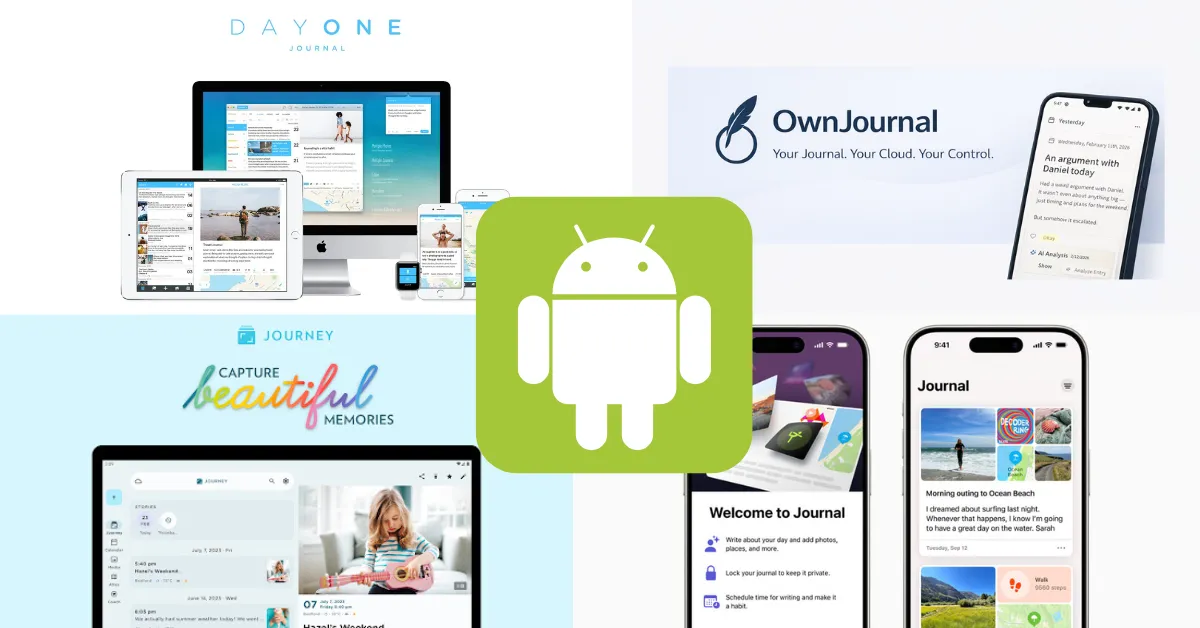
Android users searching for a journaling app face a problem iOS users don’t: there is no built-in option. Apple shipped Journal with iOS 17. Android — outside of Google’s Pixel-exclusive app — gives you nothing. That means every Android journaler is on their own, evaluating a crowded field of apps that were mostly designed for iPhone first.
This guide is specifically about Android. Not a generic “works on both platforms” list — we evaluated how each app actually performs on Android: whether it follows Material Design, whether it integrates with Google Drive and Google Fit, whether it has home screen widgets, and whether the Android version has features cut compared to iOS.
We also cover an angle almost no other comparison addresses: the open-source and F-Droid ecosystem, which gives privacy-conscious Android users options that simply don’t exist on iOS.
The Winners at a Glance
- 🏆 Best overall writing: Day One — richest multimedia experience, iOS-first trade-offs
- 🤖 Best Android-native + Wear OS: Journey — the only journaling app with a real smartwatch companion
- 🔒 Best for privacy: OwnJournal — BYOS architecture, open source, $19.99/yr Plus
- 📊 Best mood tracking: Daylio — biggest Android community, Google Play Pass included
- 💰 Best one-time purchase: Diarium — $9.99 once, Google Calendar + Fit auto-import
- 🆓 Best fully free: Easy Diary — no ads, no IAPs, open source
- 📄 Best minimalist / local-only: Diary by Bill Farmer — one plain-text file per day
- 🛠️ Other F-Droid options: Daily You — an open-source mood tracker iOS can’t offer
Prices verified April 2026. Check official sites before purchasing.
Jump to: Free tier · Privacy · Android features · How to choose
What we evaluated
Most journaling app comparisons ignore the platform gap entirely. Beyond the standard criteria — privacy architecture, E2EE, open source status, free tier, data portability — we evaluated each app on five Android-specific dimensions: Material Design compliance, Google ecosystem integration (Drive, Fit, Calendar), home screen widget support, Wear OS availability, and F-Droid/APK access.
These are the things that actually differ between platforms, and almost no other comparison covers them.
The apps
Day One — Best Writing Experience, But Clearly iOS-First
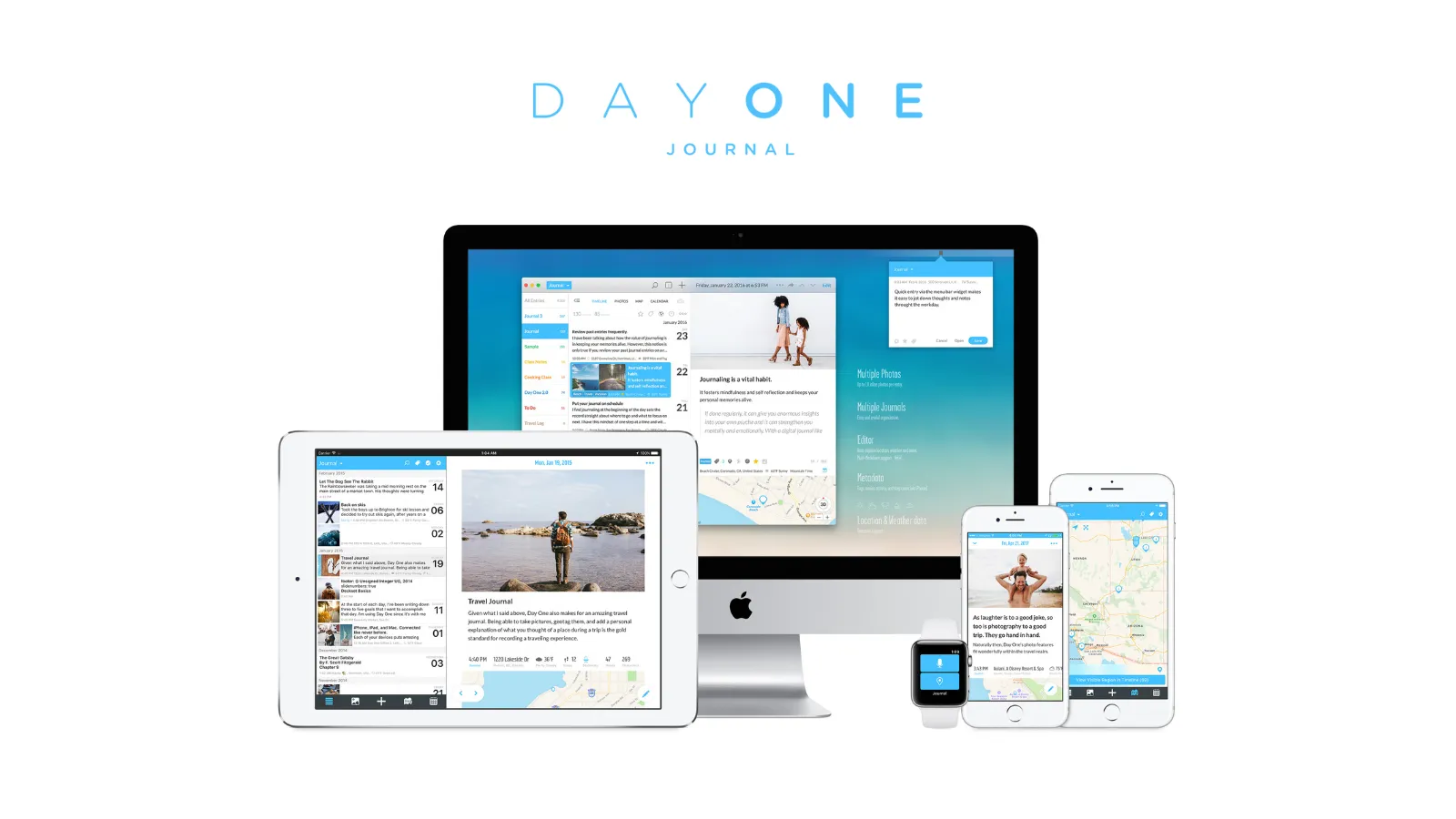
Day One is the most polished journaling app available, and the most honest thing we can say about the Android version is that you notice the iOS priority every time you use it. The writing experience is still excellent — multiple journals, rich text, photos, search, On This Day memory surfacing — but the features that make Day One special on iPhone either don’t exist on Android or lag behind.
The Android app lacks video entries, voice notes, and handwritten drawings. There is no home screen widget for quick entry — only a basic streaks display. There is no Wear OS app despite Day One offering Apple Watch support for years.
The Material Design implementation is functional but dated; Android Police described it as “nowhere near Material You.” Historically, the app was locked to portrait mode on tablets — a significant limitation for Samsung tablet users.
Day One is the best writing experience on Android — and also the clearest reminder that Android is not Day One’s first priority.
Day One restructured pricing in August 2025 and added the Gold tier with AI features on 8 April 2026. Many sites still list the old $34.99/year price — that tier no longer exists.
| ✅ Free tier includes | ⚠️ Watch out for |
|---|---|
| Unlimited text entries and journals | Single device only on free tier |
| E2EE on all tiers, AES-GCM-256 | No Wear OS app |
| 1 photo per entry | No quick-entry home screen widget |
| Rich search and On This Day | No Google Drive sync — proprietary only |
| 4.7★ · 24,000+ Play Store reviews | No mood tracking feature at all |
Silver ($49.99/yr) adds: multi-device sync, unlimited photos/video/audio, integrations.
Gold ($74.99/yr) adds: AI features including entry highlights, daily chat, and AI image generation (processed server-side).
E2EE is included on all tiers and has been enabled by default since 2019 using AES-GCM-256. The published independent audit dates to 2017, and the code is proprietary, so that report does not verify the current distributed build. Data is stored on Automattic’s servers.
Best for: Android users who want the richest media journaling experience and are willing to pay for Silver. The strongest choice if you journal across Android and other platforms.
Skip if: You need a home screen widget for quick entry, want Wear OS support, want free multi-device sync, want Google Drive as your sync backend, or want mood tracking.
↓ See Day One in the comparison table
Journey — Best Android-Native Experience and the Only App With Wear OS
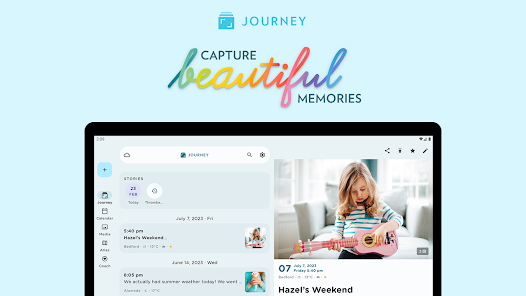
Journey was built for Android first, and it shows. The app uses Material You with dynamic colour theming — it adapts to your wallpaper and feels genuinely native in a way that Day One does not. It covers every platform: Android, iOS, Mac, Windows, Linux, Web, and Chrome OS.
The Wear OS companion app is a genuine differentiator. No other journaling app in this comparison supports Android smartwatches. If you use a Galaxy Watch, Pixel Watch, or any other Wear OS device, Journey is your only option for wrist-based journaling.
Journey is the only journaling app where your watch, your phone, and your laptop all talk to each other natively.
The default sync model is also notable: entries are stored directly in your Google Drive, not on Journey’s servers. Journey therefore does not hold the journal copy itself, but Google, the connected account, devices, and backups remain relevant. This reduces one storage exposure even when Journey’s optional E2EE is not configured; it does not make the data inaccessible to every other party.
What Journey gives with one hand, it takes with the other. The free tier is not genuinely usable.
⚠️ Not really free. Approximately 60 entries maximum, no text formatting, no export option. Multiple users report being locked out of their own entries without paying. In-app upsells use countdown discount timers, and Trustpilot shows 1.6 stars from 25 reviews.
| ✅ Membership includes ($49.99/yr) | ⚠️ Watch out for |
|---|---|
| Unlimited entries, full formatting | Free tier is a trial, not a free plan |
| All platforms incl. Wear OS | Pricing is confusing (per-platform, annual, lifetime) |
| Guided coaching (60+ programs) | E2EE disables Odyssey AI search |
| Basic mood tracking + trends | Media files briefly pass through Journey servers |
| Odyssey AI memory search | 4.3★ on Play but 1.6★ on Trustpilot |
E2EE is available but only through Journey Cloud Sync — not Google Drive sync — and only on paid plans. Media files also pass through Journey’s servers briefly for processing before encryption.
Best for: Android users who want native Material You design, Wear OS journaling, or Google Drive as their storage backend. The widest cross-platform coverage of any journaling app.
Skip if: You want a genuinely free tier, prioritise simple honest pricing, or want E2EE without paying.
↓ See Journey in the comparison table
OwnJournal — Best for Privacy and Data Ownership
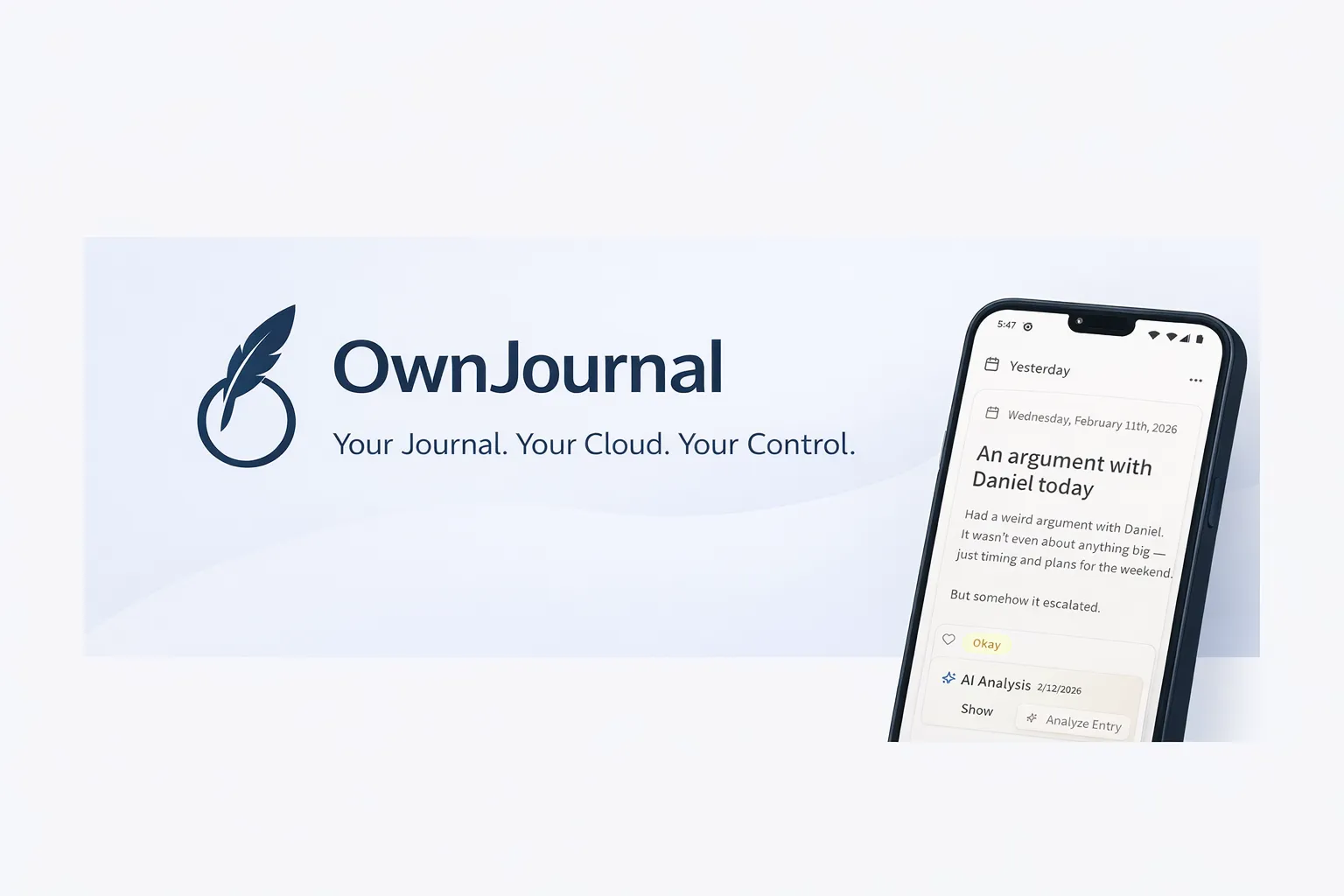
OwnJournal uses a structurally different privacy model. Rather than storing entries on OwnJournal’s servers, it writes them directly to your own cloud storage account: Google Drive, Dropbox, Nextcloud, or iCloud.
OwnJournal’s storage infrastructure does not hold your entries, though the connected cloud account, devices, backups, and app-delivery path remain relevant.
OwnJournal’s servers do not hold your entries. Enable its optional E2EE if the connected storage provider should receive only ciphertext.
On top of this bring-your-own-storage (BYOS) architecture, OwnJournal offers optional end-to-end encryption. When you enable it, every entry is encrypted before it leaves the device — AES-256-GCM, with the key derived from your password — so the storage provider holds only ciphertext. Without that option enabled, entries remain readable in the connected cloud account. The complete codebase is published under the AGPL-3.0 licence, so the implementation can be independently inspected.
| ✅ Free tier includes | ⚠️ Watch out for |
|---|---|
| Unlimited entries, unlimited devices | No physical book printing |
| Photos, full-text search, tags | Newer app, smaller community |
| 5-level emoji mood picker | No home screen widgets |
| 15 activity categories + custom | No Wear OS |
| Mood heatmap, charts, streaks | Cloud storage account required for sync |
Plus ($19.99/yr) adds: Activity-Mood Correlations (mood-activity correlation), PDF and Word export.
Best for: Privacy-conscious users who want user-owned storage and inspectable code, plus anyone who wants mood tracking without moving entries onto OwnJournal’s servers. At $19.99/year, Plus is the most affordable premium subscription here.
Skip if: You want a long-established app with a large community, or want home screen widgets.
↓ See OwnJournal in the comparison table
Daylio — Best for Mood Tracking, Biggest Android Community
Daylio is the most popular journaling app on Android by a significant margin, and its approach explains why. Instead of a blank page, you get a two-tap system: choose your mood from five emoji levels, select activities from a customisable icon grid, and optionally write a note. A full entry takes under 30 seconds.
For people who have tried traditional text journaling and abandoned it, Daylio’s micro-format is genuinely different.
Daylio is a mood and habit tracker that allows some writing, not a journaling app that happens to track mood. That distinction is the whole point.
The analytics are where Daylio earns long-term loyalty. Mood correlation statistics show which activities improve or worsen your emotional state over time. The “Year in Pixels” heatmap shows your entire year as a colour-coded grid.
Goals, achievements, and streaks gamify the habit without being obnoxious about it. Every element is fully customisable — moods, activities, icons, and colour schemes.
💡 Google Play Pass subscribers get Daylio Premium free
Daylio is included in Google Play Pass. If you already subscribe, Premium features are included at no extra cost. The $60 lifetime option is also among the better deals in this category if you plan to use it long-term.
| ✅ Free tier includes | ⚠️ Watch out for |
|---|---|
| Unlimited mood and activity entries | Ads on Android free tier |
| Up to 3 photos per entry | Only a basic notes field — not for long writing |
| Year in Pixels visualisation | No E2EE |
| Manual Google Drive backup | No Wear OS support |
| 4.7★ · 431,000+ reviews · 18M downloads | Basic backup relies on Google/Apple encryption |
Premium ($35.99/yr or $60 lifetime) adds: advanced correlation statistics, unlimited goals/moods/icons, automatic backup, PIN lock, weekly stability reports, PDF and CSV export, no ads.
On privacy: under Daylio’s documented model, entries remain on your device rather than being sent to Daylio’s servers. If you choose to back up to Google Drive or iCloud, those providers hold the data under their own encryption. This can reduce Daylio’s access, though it is a different model from app-level E2EE and still depends on the device, cloud account, and backup settings.
Best for: Users who want low-friction daily mood and activity tracking, people who have abandoned text-based journaling, and Google Play Pass subscribers.
Skip if: You want long-form writing (OwnJournal is the better fit if you want both journaling and mood tracking), you want E2EE, or you want Wear OS support.
↓ See Daylio in the comparison table
Before you keep reading
If privacy architecture or free-tier specifics matter most, these deep-dives are worth five minutes each:
Diarium — Best One-Time Purchase, Strongest Google Ecosystem Integration
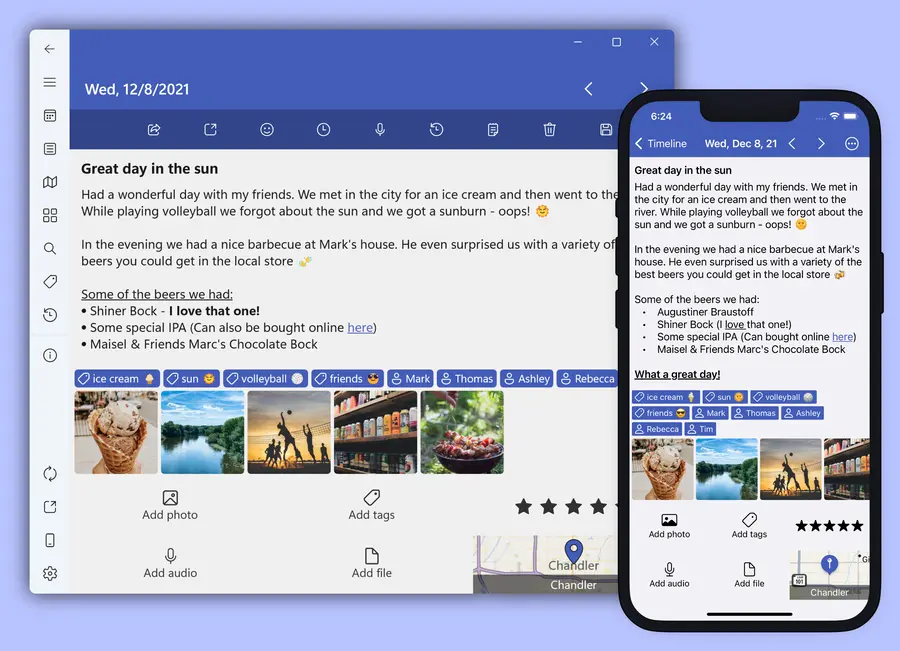
Diarium holds the highest Play Store rating in this comparison at 4.8 stars, built by a solo developer who is personally responsive to user feedback and won the Microsoft Store Award 2024. The most distinctive feature is the business model: a one-time purchase with no subscription, no recurring fees, and no pressure to keep paying.
At $9.99 on Android, Pro is a one-time payment — no renewals.
Diarium is the only app in this comparison that still believes in buying software once and owning it.
The Google ecosystem integration is Diarium’s standout Android feature. It automatically imports Google Calendar events directly into journal entries — every day’s calendar becomes part of your journal record without manual effort.
Google Fit, Fitbit, and Strava fitness data can be imported automatically, creating a passive health log alongside written entries. Social media import (Facebook, Instagram, Last.fm, Untappd) lets users pull in external activity.
Diarium works with no account required. Data stays on-device by default. Cloud sync is entirely opt-in, available to multiple providers once Pro is purchased.
| ✅ Free tier includes | ⚠️ Watch out for |
|---|---|
| Unlimited entries, basic formatting | No E2EE |
| 1 photo per entry | No browser-based access |
| Calendar view, tags, search | Minimal home screen widget |
| Password / fingerprint lock | No Wear OS |
| 4.8★ · 670,000+ downloads | Pro required for fitness integrations |
Pro adds: Cloud sync (Google Drive, OneDrive, Dropbox, iCloud, WebDAV), multiple photos, Google Fit/Fitbit/Strava integration, social media import, Google Calendar auto-import, export to DOCX/HTML/JSON/TXT, custom fonts.
Best for: Users who reject subscriptions, people who want automatic Google Calendar and fitness data integration, and Android users who want a native-feeling app at a low one-time cost.
Skip if: You need E2EE, want browser-based access, or want a rich quick-entry home screen widget.
↓ See Diarium in the comparison table
Easy Diary — Best Fully Free Journaling App
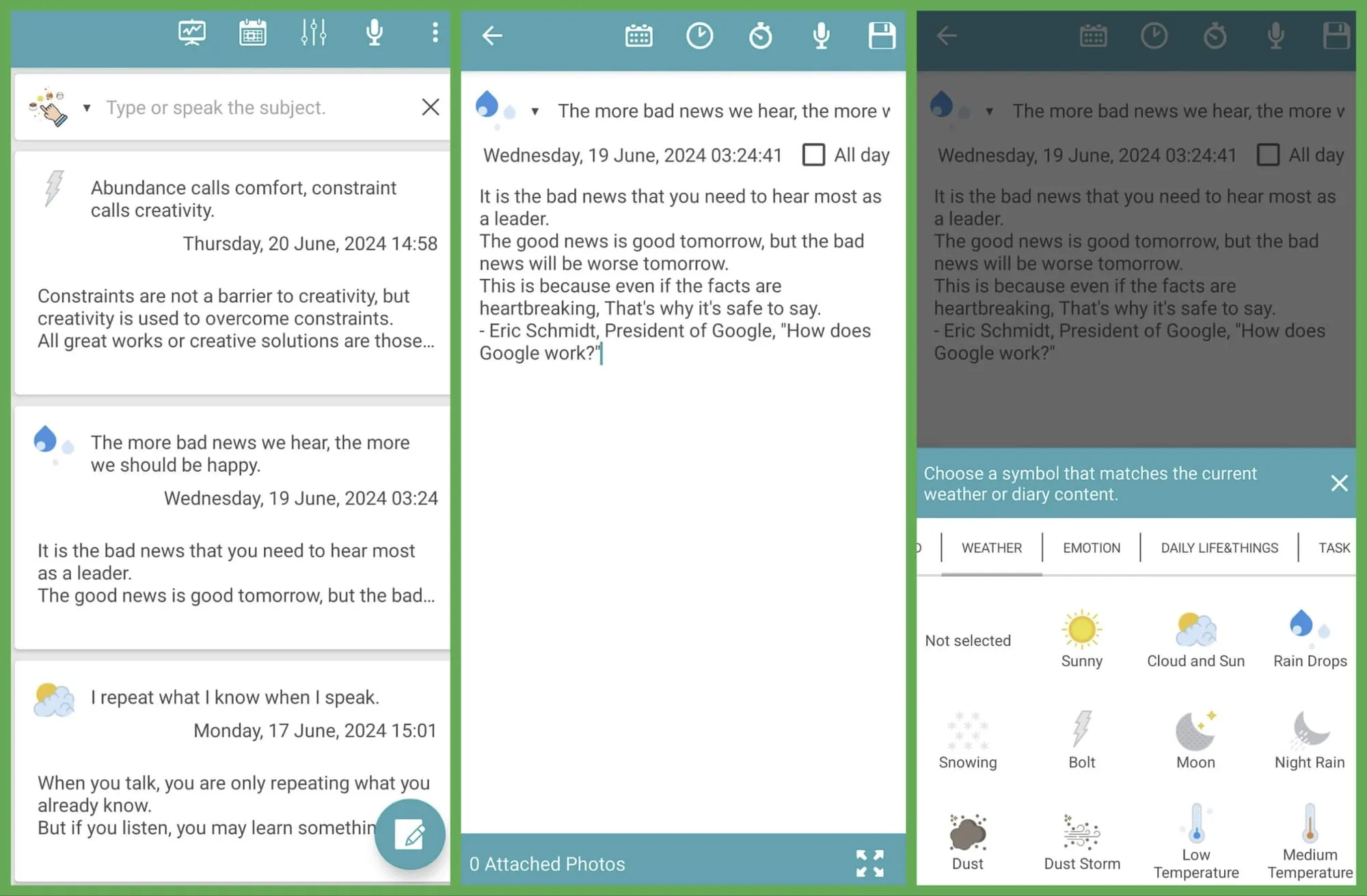
Easy Diary is the answer to the question “what if I just want a good journaling app for free, forever, with no catch?” It is fully open source, has no ads, charges nothing, and restricts nothing. Every feature is available to every user from the first launch.
The feature set is surprisingly comprehensive for a free app.
| ✅ Includes (all free) | ⚠️ Watch out for |
|---|---|
| Voice recognition for spoken entries | UI is functional, not polished |
| Timeline and calendar views | No home screen widget |
| Mood emojis, photo attachments | No cloud sync beyond manual backup |
| Location tagging | No E2EE |
| Google Drive manual backup | No Wear OS |
| Search across all entries | — |
| No account, works fully offline | — |
Actively maintained with a recent F-Droid update in March 2026.
Best for: Users who want a fully-featured journaling app at zero cost, people sceptical of freemium models, and anyone who wants F-Droid installation without Google Play.
Skip if: You want a polished modern design, need cloud sync beyond manual backup, or want E2EE.
↓ See Easy Diary in the comparison table
Diary by Bill Farmer — Best Minimalist Local-Only Option
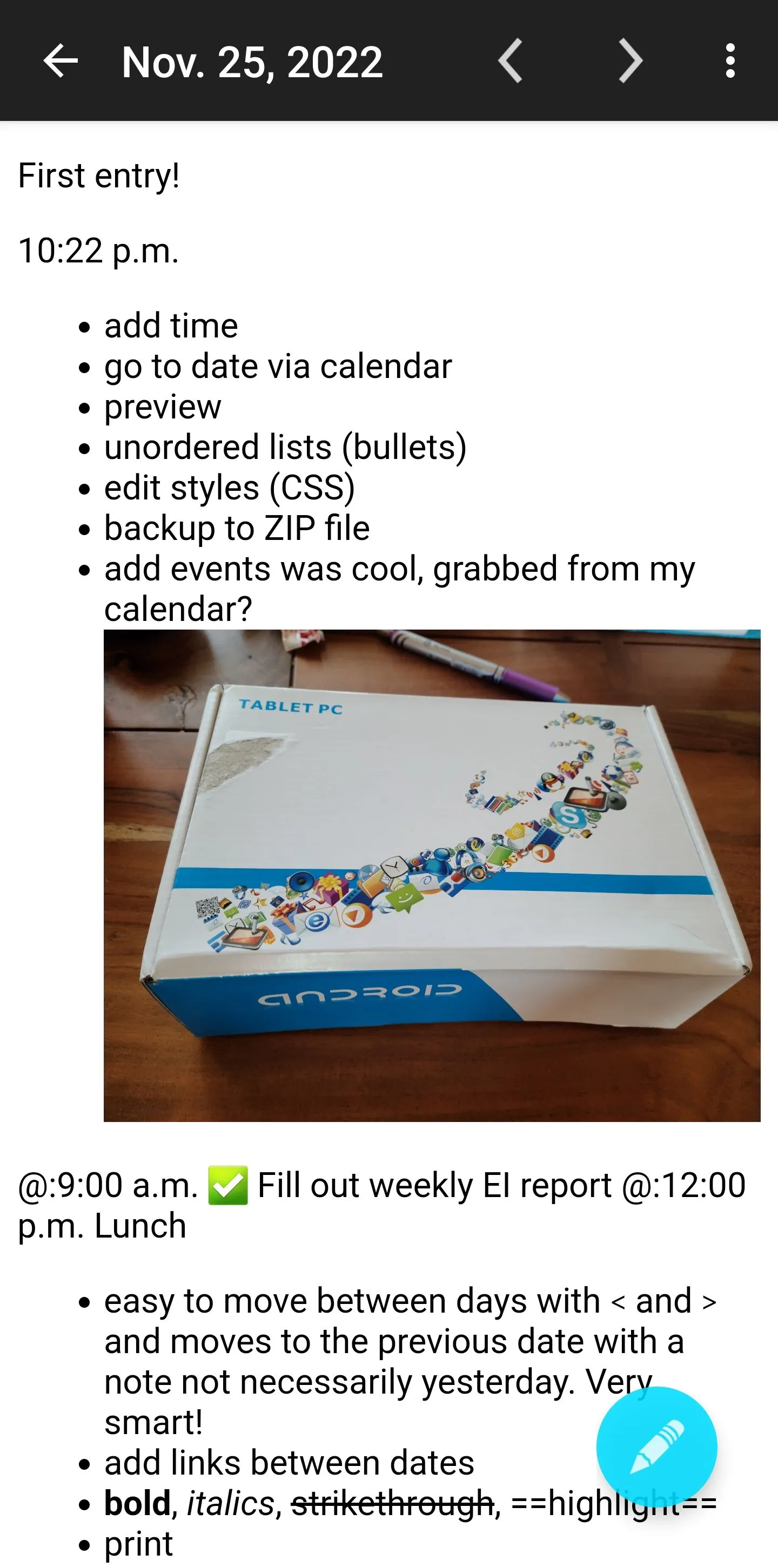
Diary by Bill Farmer takes a fundamentally different approach to every other app in this comparison. Each day’s entry is stored as a plain text file directly on your device — one file per day, readable forever by any text editor, with no proprietary format and no lock-in of any kind.
If the app disappears tomorrow, your entries are still there — one plain text file per day, readable by anything that can open a .txt file.
Features are deliberately minimal:
| ✅ Includes | ⚠️ Watch out for |
|---|---|
| Markdown formatting + inline photos | No mood tracking |
| OpenStreetMap location maps | No built-in sync service |
| Calendar event integration | Minimal UI |
| Home screen widget (today’s entry) | No E2EE (files are plain text) |
| No account, no cloud dependency | No guided features |
| Sync via Syncthing / Dropbox / file manager | — |
This is the right choice for users who have thought carefully about data ownership and concluded that plain text files are the most durable format.
Best for: Minimalists who want their journal to outlive any app, privacy-conscious users who want zero cloud dependency, and technically minded users comfortable with file-based sync.
Skip if: You want mood tracking or guided features, or you are not comfortable with manual file sync.
↓ See Diary by Bill Farmer in the comparison table
One more F-Droid option: Daily You
Android’s open ecosystem allows apps to be installed from F-Droid — an independent repository of free, open-source software — completely bypassing Google Play. The apps above (Easy Diary, Diary by Bill Farmer) are both on F-Droid. One more Android-first open-source option is worth knowing about.
Daily You — Android-only, open source, completely free, praised by Android Authority for modern design and mood tracking with image support. Available on IzzyOnDroid. Best for users who want open-source mood tracking with a cleaner UI than Easy Diary.
A note on Pixel Journal and the Android journal gap
Google’s Journal app works on Pixel 8 and later phones. Its AI features require Pixel 9 or later, excluding Pixel 9a, and are currently available in English and Japanese. The app integrates with Photos, Maps, and health data; Google says journal content used for suggestions and insights is processed on-device, while optional backups can be stored in your Google Account. It will not install on Samsung, OnePlus, or other non-Pixel Android hardware.
If you have a Pixel, it is worth trying. If you don’t, it does not exist for you.
The structural gap
There is no Android equivalent of Apple Journal that reaches all users. Apple shipped a system-level journal to every iPhone running iOS 17+. Android users on non-Pixel hardware must discover third-party options on their own — which is exactly the situation this article exists to help with.
Free tier comparison
| App | Entries | Devices | Sync | E2EE | Mood tracking | Cost |
|---|---|---|---|---|---|---|
| Day One | Unlimited text | 1 device only | No | ✅ | No | Free |
| Journey | ~60 entries | 1 mobile | Limited | No | Basic | Free |
| OwnJournal | Unlimited | Unlimited | ✅ (BYOS) | Optional (free) | ✅ Full | Free |
| Daylio | Unlimited | Multi | ✅ | No | ✅ Full | Free (ads) |
| Diarium | Unlimited | 1 | No | No | Basic | Free |
| Easy Diary | Unlimited | 1 | Manual backup | No | Basic | Free |
| Diary — Bill Farmer | Unlimited | 1 (files) | Manual (Syncthing) | No | No | Free |
Journey’s free tier is functionally a trial. Day One’s single-device restriction is the most significant limitation for Android users who journal across phone and tablet. OwnJournal offers the most capable free experience among syncing journaling apps.
Privacy comparison
| App | Data location | E2EE | Open source | F-Droid |
|---|---|---|---|---|
| Day One | Automattic servers | ✅ (default; published audit from 2017) | No | No |
| Journey | Your Google Drive / Journey servers | Paid only | Partial | No |
| OwnJournal | Your own storage (BYOS) | Optional | Yes | No |
| Daylio | Device (no Daylio servers) | Backup via Google/Apple | No | No |
| Diarium | Device / your cloud | No | No | No |
| Easy Diary | Device / your Drive | No | Yes | ✅ |
| Diary — Bill Farmer | Device only | No | Yes | ✅ |
OwnJournal’s BYOS model is structurally distinct: under its documented storage model, OwnJournal does not hold a journal-content copy to disclose. Your storage provider, account security, devices, backups, and encryption setting still matter. Easy Diary and Diary by Bill Farmer keep everything local by default — no company sync server is involved.
Android features comparison
| App | Material You | Google Drive | Google Fit | Widgets | Wear OS |
|---|---|---|---|---|---|
| Day One | No | No | No | Minimal | No |
| Journey | ✅ | ✅ (default) | No | Yes | ✅ Only one |
| OwnJournal | No | ✅ (via BYOS) | No | No | No |
| Daylio | Partial | Backup only | No | Basic | No |
| Diarium | Yes | ✅ (Pro) | ✅ | Minimal | No |
| Easy Diary | Functional | ✅ (backup) | No | No | No |
| Diary — Bill Farmer | Minimal | No | No | ✅ (today’s entry) | No |
Journey stands alone on Wear OS. Diarium stands alone on Google Fit integration. Diary by Bill Farmer is the only app in the main list with a genuinely useful home screen widget, despite being the most minimal app of the group.
How to choose
You want the best overall writing experience and will pay for it: Day One Silver at $49.99/year, or Gold at $74.99/year if you also want AI-assisted entry highlights and prompts (though Daily Chat voice mode is iPhone/iPad only). Accept the iOS-first trade-offs — no Wear OS, no Material You, minimal widgets — in exchange for the best multimedia journaling available.
You want Android-native design and Wear OS support: Journey’s Membership — discounted to $29.99/year on Google Play, $49.99/year on web. Understand that the free tier is not usable, pricing is complex, and the Google Drive sync default does not include E2EE (you have to opt in to Journey Cloud Sync, which is free but heavily capped). Go in with clear expectations.
You want to choose the storage and encryption model: OwnJournal’s free tier. Under its documented BYOS architecture, OwnJournal’s storage service does not hold an entry copy. Enable optional E2EE if your threat model includes readable copies in the connected cloud; account security, devices, backups, recovery, and app delivery still matter.
You want mood tracking without writing: Daylio free (or Premium for $35.99/year, or the $60 lifetime option). The largest Android journaling community, the lowest-friction entry system, and solid analytics. If you have Google Play Pass, Premium is included.
You want one-time purchase pricing: Diarium Pro at $9.99 for Android — a single payment, no renewals. The automatic Google Calendar and Google Fit integration is unique in this comparison.
You want everything free with no strings attached: Easy Diary for full-featured traditional journaling, or Daily You (F-Droid) for mood tracking. Both are open source, have no ads, and have no in-app purchases.
You want the most durable, lock-in-free option: Diary by Bill Farmer. Plain text files on your device, readable by anything, synced however you choose.
You use a Wear OS smartwatch: Journey is your only option with a native companion app.
The honest state of Android journaling
The Android journaling ecosystem in 2026 is good but not equal to iOS. No single app matches the overall polish of Day One on iPhone. The best Android journaling experiences come from iOS ports with varying degrees of parity (Day One, Daylio), a genuinely Android-first app with real trade-offs (Journey), and a strong free and open-source tier that iOS simply cannot match (Easy Diary, Diary by Bill Farmer).
That last point is worth emphasising. The F-Droid ecosystem — completely absent from iOS — gives Android users verifiably open-source journaling options at zero cost.
And OwnJournal’s BYOS model offers the most structurally sound privacy architecture in the entire journaling app category. Android’s openness is a genuine advantage for privacy-conscious users, not a consolation prize.
Pick one app from this list, install it today, and write your first entry. The best journaling app is the one where you actually write, and you will not know which one fits until you have tried it for two weeks.
Frequently Asked Questions
What is the best journaling app for Android in 2026?
It depends on what you need. Day One is the best overall writing experience. Journey is the most Android-native with Wear OS support. Daylio is the most popular and lowest-friction. OwnJournal is the strongest for privacy. Diarium is the best value as a one-time purchase. Easy Diary is the best fully free option.
Does Android have a built-in journal app?
Only on supported Pixel hardware. Google’s Journal app works on Pixel 8 and later phones; its AI features require Pixel 9 or later, excluding Pixel 9a, and are currently limited to English and Japanese. Other Android brands do not have this Google system journal, unlike iOS, which includes Apple Journal on supported iPhones.
Which journaling apps on Android have end-to-end encryption for free?
Day One includes E2EE on every tier, with a single-device limit on free. OwnJournal offers optional E2EE on its free tier; when enabled, entries are encrypted on the device with AES-256-GCM before they reach your own storage. Journey’s E2EE is tied to Journey Cloud Sync, which is free to enable but heavily capped on the free tier (~70MB / 60 entries). Daylio and Diarium do not offer E2EE.
Are there any journaling apps available on F-Droid?
Easy Diary, Diary by Bill Farmer, and Daily You are all available through F-Droid or IzzyOnDroid, allowing installation without Google Play.
Which journaling app works with Wear OS?
Journey is the only major journaling app with a confirmed Wear OS companion app. No other dedicated journaling app supports Android smartwatches natively. For quick capture on a Wear OS watch, Google Keep is the practical fallback.
Is Day One good on Android?
Day One works on Android and has received recent updates, but it is clearly designed for iPhone first. It lacks video entries, voice notes, handwritten drawings, home screen widgets beyond a basic streaks display, Wear OS support, and Material You design. If you primarily use Android, there are better-fitting alternatives.
What is the cheapest journaling app for Android?
Easy Diary, Daily You, and Diary by Bill Farmer are completely free with no in-app purchases. Among apps with cloud sync, OwnJournal’s free tier is the most generous. Diarium Pro is the best value paid option at $9.99 one-time.
Can I use a journaling app on Android offline?
Yes. Diarium, Easy Diary, Diary by Bill Farmer, and Daily You all work fully offline by default. Day One has a local mode. Daylio functions offline for entry creation with sync queued for reconnection. Journey requires connectivity for most features.