The Best Journaling Apps in 2026
The 5 best journaling apps in 2026 compared — Day One, Journey, OwnJournal, Apple Journal, and Grid Diary rated for privacy and features.
Updated on: July 21, 2026
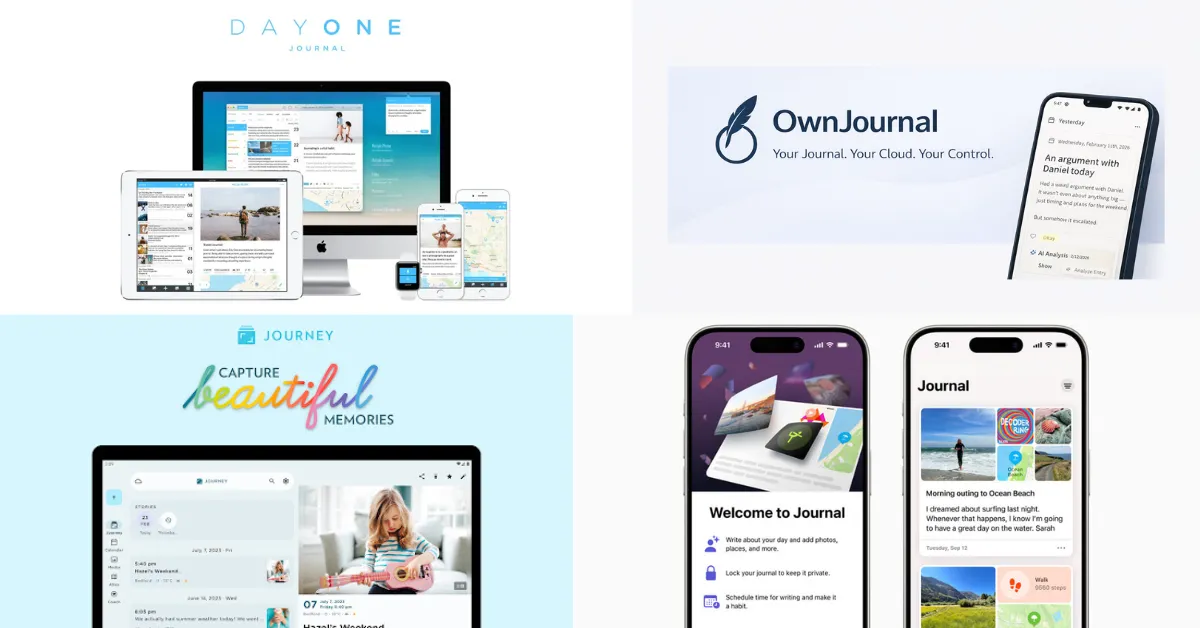
The Winners at a Glance
- 🏆 Best overall: Day One — richest writing experience
- 🌐 Best cross-platform: Journey — the only app with a native Linux client
- 🔒 Best for privacy: OwnJournal — open source, data stays in your cloud
- 🍎 Best free option: Apple Journal — free forever on Apple devices
- 📋 Best for structured prompts: Grid Diary — grid-based reflection
The right choice depends on how much you value privacy, platform coverage, and price — which is exactly what this guide covers.
Jump to: Free tier · Open source · Paid plans
Choosing a journaling app is harder than it should be. The app you trust with your most private writing needs to actually protect it — and most comparison articles never look at whether the encryption is real, what the free tier actually gives you, or whether the company that holds your entries will exist in three years.
This guide covers five apps in depth. For each one we checked the privacy architecture, tested the free tier honestly, and verified the open source status — because for an app that holds your most personal writing, “trust us” is not good enough. If privacy is particularly important to you — for example if you are dealing with anxiety or depression — we cover that in a dedicated guide.
Prices verified March 2026. All apps updated their pricing or features recently — check official sites before purchasing.
The Apps
Day One — Best Overall Writing Experience
- Price: Free tier available / $49.99 per year (annual only — no monthly option)
- Platforms: iOS, Android, macOS, Windows, web
- E2EE: Yes, default on all tiers — Day One’s current pricing page lists end-to-end encryption as a Basic (free) tier feature, with no paywall.
- Open source: No. Proprietary.
- Owner: Automattic (acquired June 2021 — the company behind WordPress.com and Tumblr)
- Data storage: Company servers (AWS)
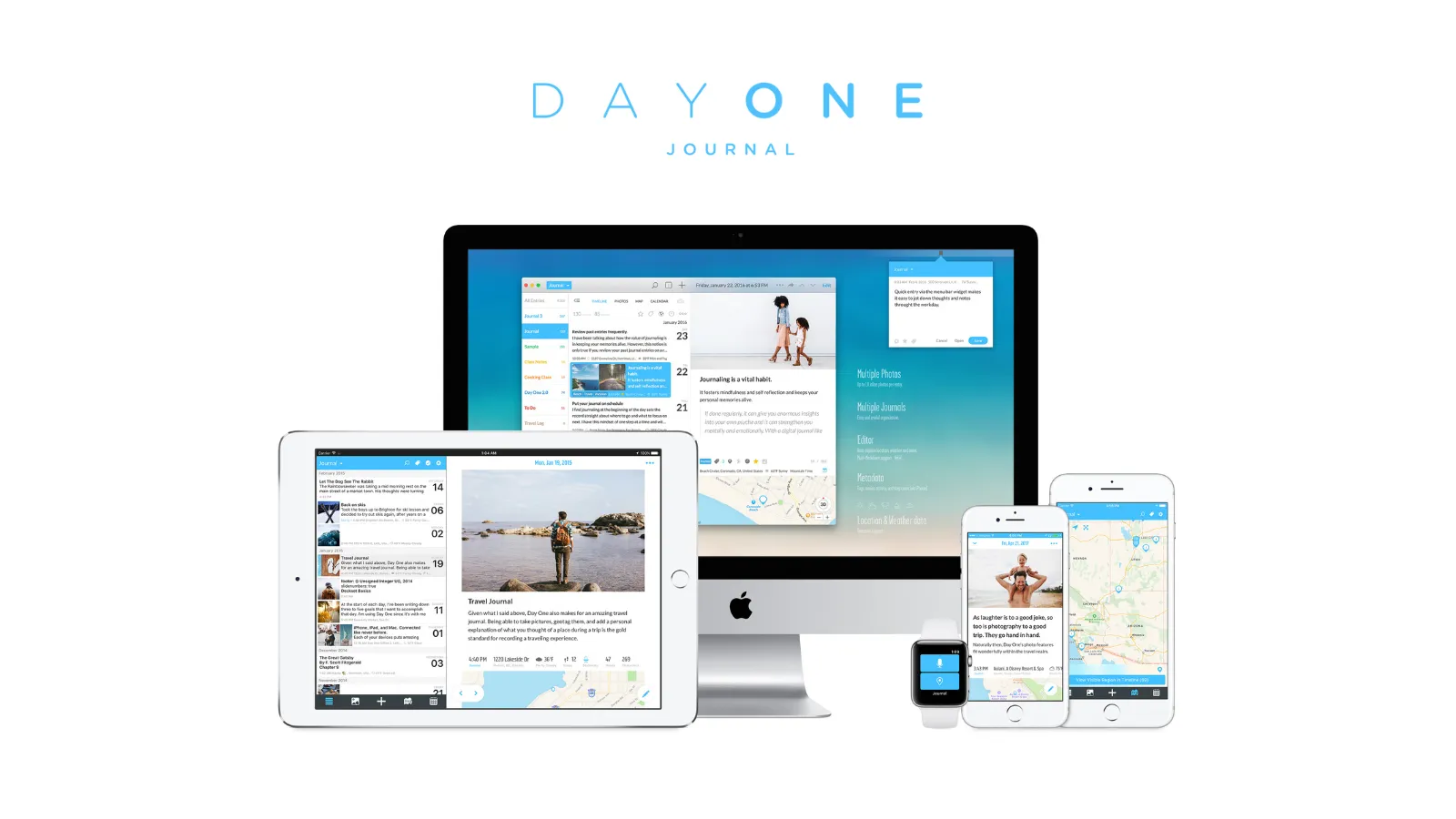
The writing experience is the best in the category — and has been since 2011. Clean interface, multiple journals, rich text formatting, and support for photos, video, audio recordings, and handwritten drawings.
”On This Day” surfaces entries from the same date in previous years — the kind of feature that becomes more valuable the longer you use it, and the one people miss most when they leave.
It is the only journaling app that offers physical book printing from your entries. Day One added a Windows app in March 2025, closing a long-standing gap. It now runs on iOS, Android, macOS, Windows, and web. The Android version is less capable than iOS, so if Android is your primary device, keep that in mind.
End-to-end encryption is default on and available on every tier — Day One’s pricing page now explicitly lists E2EE as a Basic (free) feature. The architecture uses AES-GCM-256 with RSA key wrapping and was audited by nVisium in 2017. See our journaling app privacy guide for the full architecture.
| ✅ Free tier includes | ⚠️ Watch out for |
|---|---|
| Unlimited journals | $49.99/year — most expensive here |
| Works on one device | No monthly option, annual only |
| One photo per entry | Proprietary — trust-dependent privacy |
| End-to-end encryption | Android version less capable than iOS |
| — | 2017 nVisium audit not refreshed |
Best for: Users who want the richest, most polished journaling experience and are primarily on Apple devices. The best all-around choice for most people.
Skip if: You want to journal on multiple devices without paying. You use Android as your primary device. You want open source or an implementation you can inspect.
↓ See Day One in the comparison tables
Journey — Best for Cross-Platform and Guided Journaling
- Price: Free tier available / ~$17.99 one-time per platform (Premium) or $49.99/year (Membership) or $199.99 lifetime
- Platforms: iOS, Android, macOS, Windows, Linux, web — all six major platforms
- E2EE: Available as opt-in through Journey Cloud Sync. Disabling Journey’s AI search features when enabled.
- Open source: Partial. The self-hosted sync server is published under CC-BY-NC-SA. Client apps are proprietary.
- Owner: Two App Studio Pte. Ltd. (independent, Singapore)
- Data storage: Your Google Drive or Journey Cloud Sync by default, or Journey’s own servers, or self-hosted
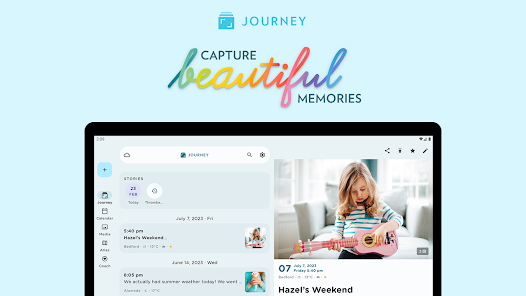
Journey is the only app here that ships a native client on every major platform — including Linux. If you move between iPhone, a Windows work laptop, and an Ubuntu home machine, no other app on this list covers all three.
60+ coached journaling programs, guided prompts, and an AI assistant that can answer questions about your own past entries. If you struggle with the blank page, Journey gives you more structure than any other app here.
Pricing is the most complex in the comparison. The Membership at $49.99/year covers all platforms. The cheaper Premium licence (~$17.99) is per platform — so if you write on both iPhone and Mac, you need to purchase twice, or upgrade to Membership. There is also a lifetime option at $199.99.
The default storage model is worth noting: entries sync via Google Drive or Journey Cloud Sync by default, which means Journey’s servers do not hold your data — your entries live in your own cloud account. This is a meaningful privacy benefit even without E2EE configured, though the full privacy picture is more nuanced than it first appears.
| ✅ Free tier includes | ⚠️ Watch out for |
|---|---|
| Basic text entries | No desktop app access on free tier |
| Limited photos | No text formatting, audio, or video |
| 10 AI queries/day | Per-platform licence pricing confusing |
| — | E2EE opt-in disables AI features |
| — | Lost passphrase = entries unrecoverable |
Best for: Android and Windows users, people who want guided prompts and structured programs, anyone who journals across multiple platforms and wants the Google Drive default storage model.
Skip if: Privacy is a top priority (Google Drive sync has no E2EE by default). You dislike complex pricing. You want a simple, distraction-free writing experience.
↓ See Journey in the comparison tables
OwnJournal — Best for Data Ownership and Source Transparency
- Price: Free tier available / $19.99 per year Premium
- Platforms: Web, Android, iOS (iPhone & iPad), Desktop
- E2EE: Yes (optional). Available alongside a bring-your-own-storage model.
- Open source: Yes — AGPL-3.0 (full stack: frontend, backend, infrastructure)
- Data storage: Your chosen cloud storage—Google Drive, Dropbox, Nextcloud, or iCloud—rather than an OwnJournal content store, under its documented model.
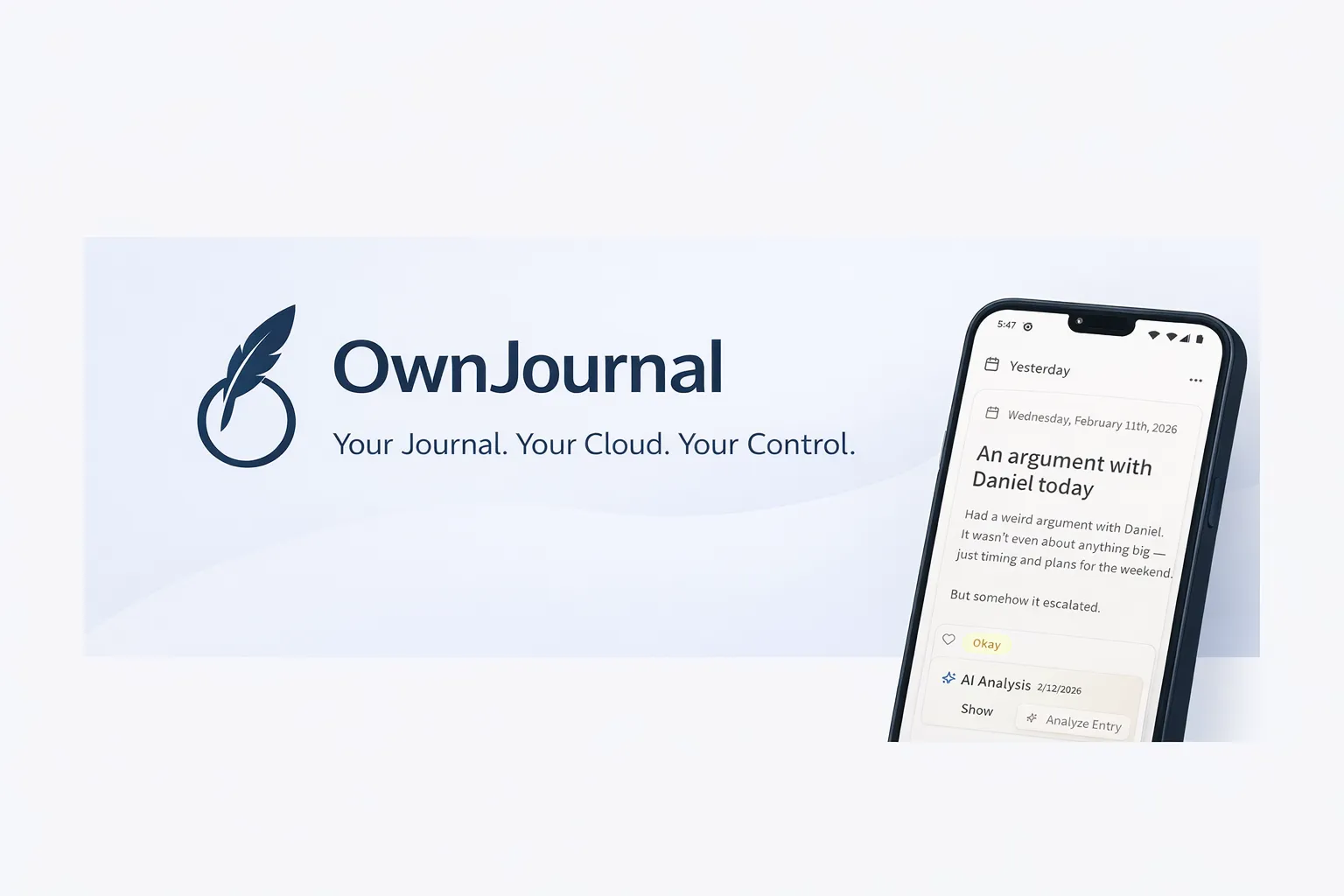
OwnJournal’s own storage servers do not hold your entries. Instead, the app writes them directly into your cloud account — Google Drive, Dropbox, Nextcloud, or iCloud. Local-only apps can also avoid a company-held copy, but OwnJournal combines that model with multi-device BYOS sync.
OwnJournal’s servers do not hold your entries. Your cloud account, devices, backups, and optional encryption setting still determine who else could reach them.
This is called a bring-your-own-storage (BYOS) model, and the implications are significant. The other distinguishing factor is open source: the complete codebase — frontend, backend, and infrastructure — is published under the AGPL-3.0 licence.
This means the implementation can be inspected by people with the relevant technical knowledge. Source availability does not replace a formal audit or prove which build is running, but it exposes evidence that closed-source apps do not. Our privacy deep-dive explains how that fits into the wider threat model.
The AGPL-3.0 licence has an additional consequence worth mentioning: anyone who forks the code and deploys it as a service must also publish their modifications under the same licence. The open source nature of the project cannot be stripped away by a commercial fork.
Because OwnJournal’s web app runs in any browser, it works on every platform — including Linux. OwnJournal also includes mood tracking and activity features that directly compete with dedicated mood apps like Daylio. Every entry has an emoji mood picker (five levels from Great to Terrible), and you can tag activities — exercise, social, work, meditation, and more — alongside each entry. A mood calendar heatmap shows your emotional patterns by day, and a statistics dashboard includes mood distribution charts, rolling averages, day-of-week analysis, and mood streaks. All of these features are free.
The paid Plus tier ($19.99/year) adds Trend Analysis — a hybrid AI that synthesises weeks or months of your entries into a narrative period review with an overall mood trend, three to five actionable insights, and suggested focus areas. Only aggregated metadata is sent to the backend; the raw text of your entries never leaves your device. Plus also unlocks per-entry AI analysis (extracting emotions, topics, and sentiment) and Activity-Mood Correlations that statistically identify which tracked activities line up with better or worse mood. For a deeper comparison against dedicated AI-first apps like Rosebud and Mindsera, see our best AI journaling apps roundup.
| ✅ Free tier includes | ⚠️ Watch out for |
|---|---|
| Unlimited entries | Younger than Day One or Journey |
| Optional E2EE for storage in your own cloud | Smaller user community than long-established apps |
| Cross-device access | No location tagging or book printing |
| Emoji mood tracking + activity tagging | Five-minute cloud-storage setup |
| Mood calendar heatmap + statistics | — |
Best for: Privacy-conscious users who want to choose their storage provider and inspect the published implementation, people who want mood tracking alongside optional E2EE, and anyone who values data portability. At $19.99/year it is also the most affordable premium option in this comparison — and the Plus tier adds Trend Analysis, per-entry AI analysis, and Activity-Mood Correlations.
Skip if: You want a highly polished, long-established app with a large user community.
↓ See OwnJournal in the comparison tables
Apple Journal — Best Free Option for Apple Users
- Price: 100% free. No purchases, no subscriptions, no upsells.
- Platforms: iPhone, iPad, and Mac. The iPad and Mac apps launched with Apple’s software releases on 15 September 2025. No Android, Windows, or web app.
- E2EE: Yes for Journal data synced through iCloud when two-factor authentication and a device passcode are enabled. Advanced Data Protection is not required.
- Open source: No. Proprietary Apple software.
- Owner: Apple Inc.
- Data storage: iCloud, with Journal data in Apple’s end-to-end-encrypted category under standard data protection when two-factor authentication and a device passcode are enabled
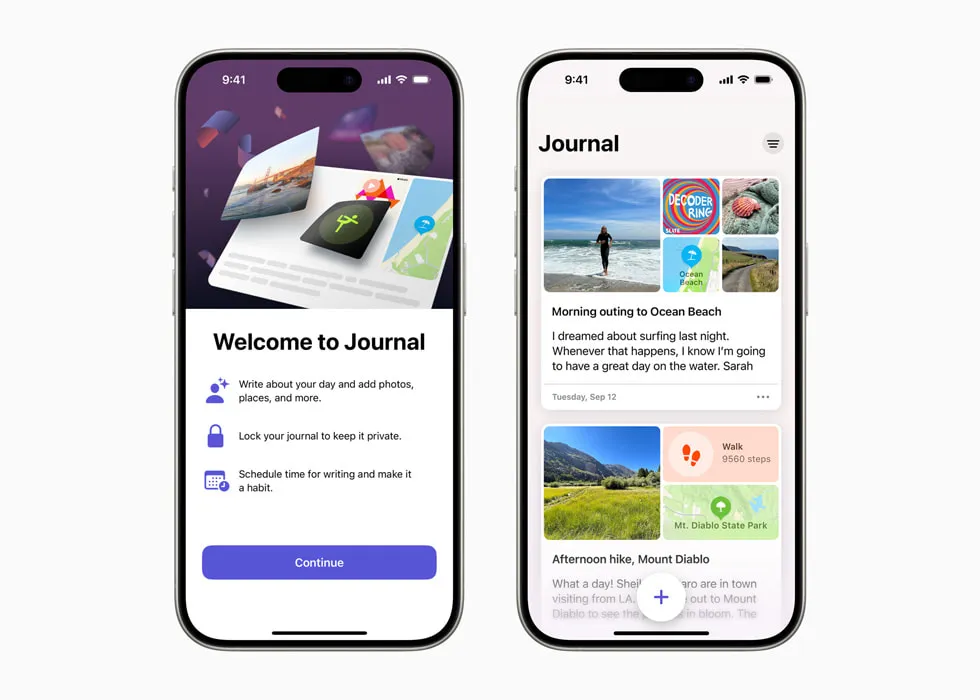
Apple Journal does not require Advanced Data Protection for end-to-end encryption. Apple lists Journal data in its end-to-end-encrypted category under standard iCloud protection when two-factor authentication and a device passcode are enabled.
Apple’s iCloud security documentation lists Journal data in the same encryption tier as Health data and passwords — keys stored only on trusted devices.
The app itself has improved substantially since launching with iOS 17.2 in December 2023. Apple added iPad and Mac versions on 15 September 2025. Features now include multiple journals, intelligent journaling suggestions based on your photos, workouts, music, and locations from the day, State of Mind mood tracking integrated with Apple Health, audio recordings with transcription, drawings, a map view, Mindful Minutes logging, and an Insights view with writing statistics and streaks.
For readers wondering how this compares to paper — we cover that trade-off in our paper vs apps comparison.
| ✅ Free tier includes | ⚠️ Watch out for |
|---|---|
| Every current feature is free | Apple ecosystem only — no Android/Windows/web |
| Default iCloud E2EE with 2FA | Export options are limited |
| All devices in the Apple ecosystem | Intelligence features need activity data access |
| State of Mind mood tracking | No tags or advanced organisation |
| Intelligent suggestions from photos/music/workouts | No “On This Day” flashbacks |
Best for: iPhone, iPad, and Mac users who want a private, free journaling app with little setup. It is best suited to people committed to the Apple ecosystem.
Skip if: You use Android or Windows. You want tags, advanced organisation, or On This Day memories. You might switch away from Apple devices in future.
↓ See Apple Journal in the comparison tables
Grid Diary — Best for Structured Reflection and Guided Prompts
- Price: Free tier available / $4.99 per month / $29.99 per year
- Platforms: iOS, macOS, Android, web. No Windows, no Linux.
- E2EE: Yes (text and photos encrypted end-to-end). Tags and custom prompts are not encrypted.
- Open source: No. Proprietary.
- Owner: Sumi Interactive (independent, self-funded, Xiamen, China. Founded 2013)
- Data storage: On-device in standalone mode. Encrypted servers with Grid Diary Sync (premium).
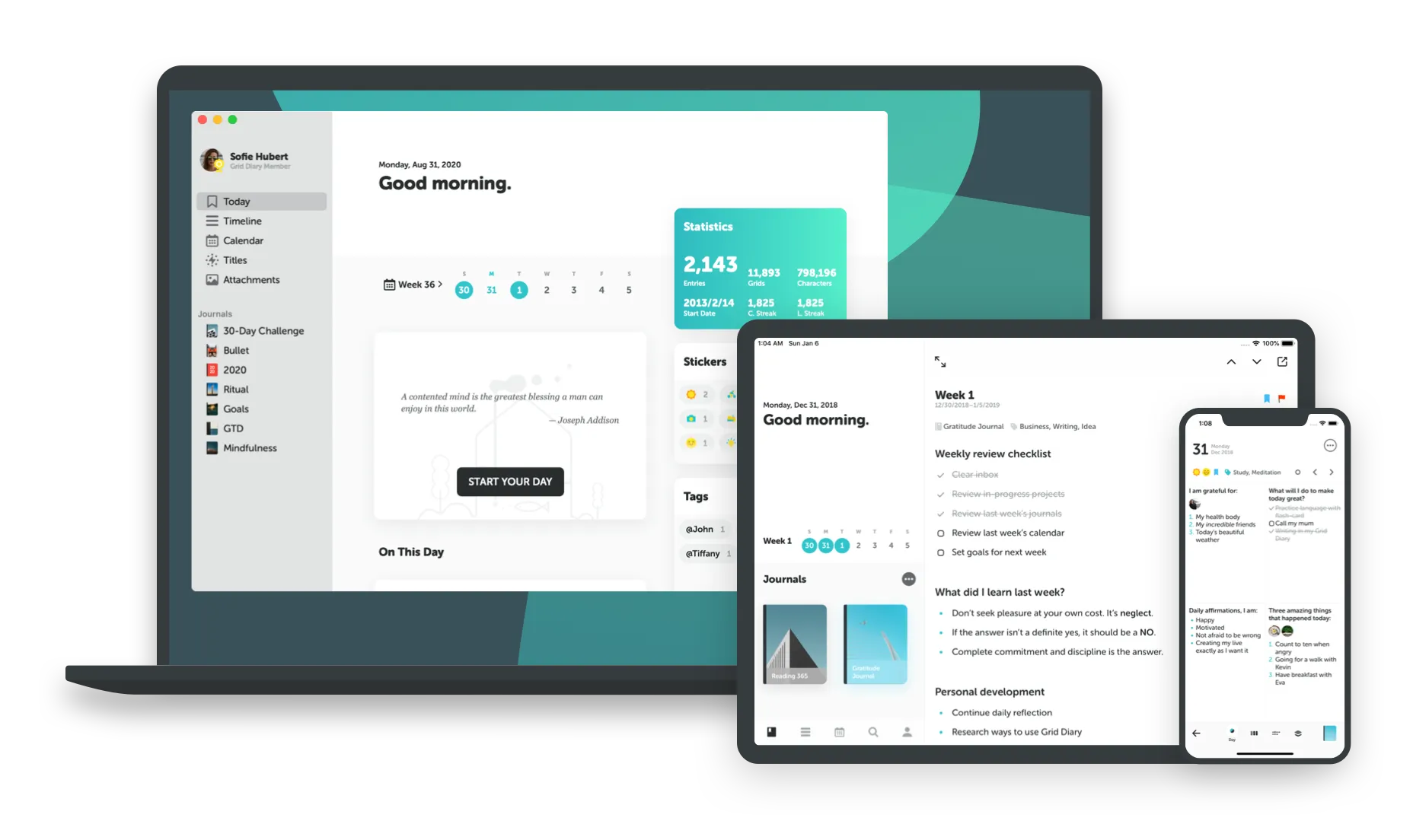
Grid Diary replaces the blank page with a grid of boxes, each containing a prompt you answer. Instead of staring at an empty screen wondering what to write, you respond to questions like “What am I grateful for today?”, “What did I accomplish?”, and “What could I improve?”
Where Day One, Journey, and OwnJournal give you a writing canvas, Grid Diary gives you a framework. For people who want consistency but struggle with open-ended writing, that structure can be the difference between journaling daily and abandoning the habit after a week.
You can customise the grid layout, create your own prompts, and combine journaling with daily planning. If you are unsure what to write about, our journaling prompts guide offers editorial questions and explains the limits of the adjacent research. For readers new to the habit, the 5-minute journaling method is another optional low-friction format.
Grid Diary offers end-to-end encryption for entry text and photos, though tags and custom prompts are not encrypted. In standalone mode (no sync), no data leaves your device. The three-person team at Sumi Interactive has been self-funded since 2013 with no advertisers — the app is funded entirely by subscriptions.
| ✅ Free tier includes | ⚠️ Watch out for |
|---|---|
| Basic grid journaling | No sync on free tier |
| Some built-in prompts | No passcode lock on free tier |
| Basic customisation | No PDF export on free tier |
| — | Tags and custom prompts not covered by E2EE |
| — | No Windows or Linux app |
Best for: People who prefer structured prompts over a blank page, users who want to combine journaling with daily planning, and anyone who has tried traditional journaling apps but struggled with consistency.
Skip if: You prefer long-form, open-ended narrative writing. You need Windows or Linux support. You want sync included on the free tier.
↓ See Grid Diary in the comparison tables
Before you keep reading
Still on the fence about whether a digital journal is even the right move? These two deep-dives are worth five minutes of your time:
How We Evaluated These Apps
Research does not establish that one app’s privacy architecture produces better therapeutic outcomes than another’s. Privacy belongs in this evaluation because journals can contain sensitive information and because people may reasonably want the service provider to be unable to decrypt it. The DOI previously cited here, 10.1037/0022-3514.63.1.75, is a 1992 paper by Greenberg and Stone — not work by Pennebaker and Smyth — and it reported no significant overall between-group differences in longer-term health-care use or physical symptoms.
That shapes our evaluation criteria. We assessed each app on five dimensions:
Privacy architecture — Who holds your encryption keys? Can the company or its employees access your entries? Is this verifiable?
Free tier generosity — What do you actually get before paying? Most apps restrict their free tiers in ways that make them practically unusable.
Open source status — Can reviewers inspect the intended implementation? Source access supplies evidence, but it does not by itself prove release integrity or replace a formal audit.
Platform availability — Which devices and operating systems are supported?
Writing experience and features — Does the app get out of the way and let you write?
Free Tier Comparison at a Glance
This is where the differences are starker than most people expect.
| App | Entries | Devices | Sync | E2EE | Editor | Attachments |
|---|---|---|---|---|---|---|
| Day One | Unlimited text | 1 device | No sync | Included | Full | 1 photo/entry |
| Journey | Unlimited | 1 (mobile) | Limited | No | Plain text only | Limited photos |
| OwnJournal | Unlimited | Unlimited | Yes (BYOS) | Yes (optional) | Full | Mood + activities |
| Apple Journal | Unlimited | All Apple devices | Yes (iCloud) | Yes with 2FA; no ADP required | Full | Unlimited |
| Grid Diary | Unlimited | 1 device | No (free tier) | No (free tier) | Grid prompts | Photos |
OwnJournal and Apple Journal stand out for offering genuinely complete free experiences. Grid Diary’s free tier lets you write with prompts but restricts sync to paid users.
Open Source Status at a Glance
| App | Open Source | What Is Published |
|---|---|---|
| Day One | No | Nothing |
| Journey | Partial | Self-hosted server code only (CC-BY-NC-SA) |
| OwnJournal | Yes (AGPL-3.0) | Full stack: frontend, backend, infrastructure |
| Apple Journal | No | Nothing |
| Grid Diary | No | Nothing |
OwnJournal is the only app in this comparison that publishes its complete source code under a copyleft licence. Security researchers can inspect the intended privacy and encryption implementation, which provides evidence beyond a marketing page. It does not by itself verify a distributed build or replace an independent audit. For the other apps, reviewers instead rely on public documentation, audits where available, and the company’s track record.
Paid Plan Comparison at a Glance
| App | Price/year | E2EE | Platforms | Open Source | Data Held By |
|---|---|---|---|---|---|
| Day One | $49.99 | Default (all tiers) | 5 (no Linux) | No | Automattic |
| Journey | $49.99 (Membership) | Opt-in | 6 (all) | Partial | Your Drive / their servers |
| OwnJournal | $19.99 | Yes (optional) | Web, Android, iOS, Desktop | Yes (AGPL-3.0) | You (BYOS) |
| Apple Journal | Free | With 2FA + device passcode; no ADP required | 3 (Apple only) | No | Apple (E2EE) |
| Grid Diary | $29.99 | Yes (partial) | 4 (no Win/Linux) | No | Sumi Interactive |
How to Choose
If you want the best writing experience and trust Automattic: Day One. Nothing else in this comparison comes close for media-rich journaling, design quality, and features like book printing and On This Day flashbacks. Just understand that the code is proprietary and you are trusting a large company’s infrastructure.
If you journal across Android, Windows, or Linux: Journey has the broadest native app coverage with dedicated clients on all six major platforms. OwnJournal’s web app also works on any platform, making it a strong alternative — especially if privacy matters more to you than guided prompts.
If user-owned storage and inspectable code are your top priorities: OwnJournal. Its servers do not hold your entries; they stay in your connected cloud account, and optional E2EE protects that cloud copy when enabled. Device security, account access, backups, and configuration still matter. At $19.99/year, it is also the most affordable premium option here.
If you are fully in the Apple ecosystem and want free: Apple Journal. Journal data in iCloud uses E2EE when two-factor authentication and a device passcode are in place, without requiring Advanced Data Protection. The app includes intelligent suggestions and State of Mind logging at zero cost. Just don’t plan on switching to Android.
If you prefer guided prompts over a blank page: Grid Diary. Its grid offers customisable questions and a predictable structure. You can also borrow from our journaling prompts guide, treating the questions as optional frames rather than validated interventions.
If you are not sure digital is right for you: Read our paper vs apps breakdown first. Paper still wins for some people — particularly those who find screens trigger rumination rather than relieve it.
The Privacy Question Is Not Optional
Choosing a journaling app is not just a features decision. A journal may contain information whose exposure could create personal, social, legal, or safety harm. Research does not establish total disclosure or privacy as a universal active ingredient, but perceived privacy can affect what people are willing to record.
Day One and OwnJournal ask you to trust different parts of the system. Day One documents always-on E2EE; OwnJournal keeps entries out of its own storage service and publishes the intended implementation. Neither model removes device, account, backup, recovery, or software-delivery risks, and source availability is not the same as an independent audit.
For people who want user-owned storage and inspectable code, OwnJournal offers a different set of evidence — provided its optional E2EE is enabled when the cloud provider is part of the threat model.
If you read this far, you now know more about journaling app privacy than the vast majority of people searching for the same thing. The next step is straightforward: pick the app that matched your situation in the ‘How to Choose’ section above, install it today, and write your first entry tonight. Give it seven days before deciding — the right app is the one where you actually write honestly, and that takes more than a single session to discover.
Frequently Asked Questions
What is the best free journaling app?
Apple Journal is entirely free with all features. Journal data stored in iCloud uses E2EE when two-factor authentication and a device passcode are in place; Advanced Data Protection is not required. It works only on Apple devices. OwnJournal offers a usable free tier with unlimited entries stored in your own cloud, and its web app works on platforms including Linux.
Which journaling apps are open source?
OwnJournal (AGPL-3.0, full stack) is the only fully open source journaling app in this comparison. Journey publishes only its self-hosted server code under a Creative Commons licence. Day One, Apple Journal, and Grid Diary are entirely proprietary.
Which journaling app has the best privacy?
OwnJournal is a strong option for user-owned storage and inspectable code: its servers do not hold entries, and optional E2EE protects the cloud copy when enabled. Day One and Apple Journal provide stronger encrypted defaults. The best choice depends on whether your threat model prioritises the app company, the storage provider, account recovery, devices, or backups.
Is Day One worth $49.99 per year?
For users who want the richest journaling experience — multimedia entries, On This Day flashbacks, physical book printing, deep Apple integrations — yes. For users whose main priority is writing and privacy, OwnJournal offers comparable value at $19.99/year with fewer restrictions on the free tier.
Can I export my journal entries?
Most apps offer export. Day One exports to JSON, PDF, and plain text. Journey supports multiple formats. OwnJournal keeps files in your own cloud and also provides backup/export tools. Grid Diary exports to PDF. Apple Journal can print, export, and back up entries. Always test both export and restore before committing years of writing to any app.
What happens to my journal if the company shuts down?
OwnJournal keeps entry files in your chosen cloud rather than its own storage, which reduces vendor-hosting dependence, but you should still keep a tested backup and the credentials or keys needed to read it. Day One, Journey, Grid Diary, and Apple Journal all provide different export or backup paths. No provider’s longevity is guaranteed, so verify a restore before relying on any one copy.