The Best Journaling Apps for Windows in 2026
The best journaling apps for Windows in 2026 — Day One, Diarium, Journey, OwnJournal and RedNotebook, compared on price, sync and privacy.
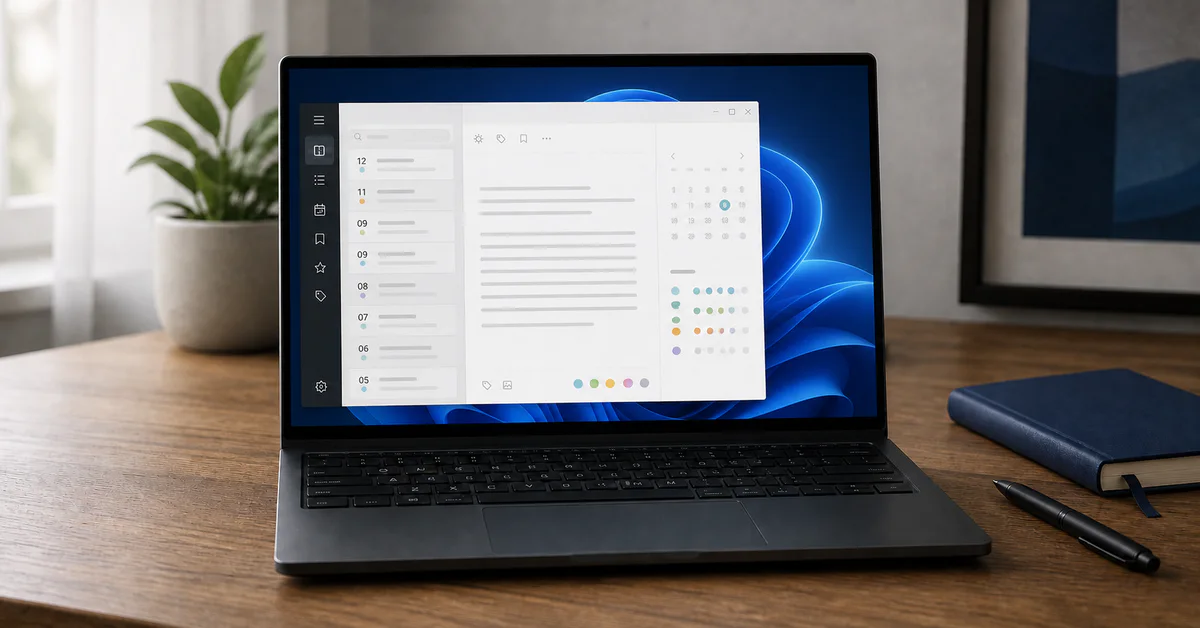
Windows spent years as the platform journaling apps forgot. That has changed: Day One reached the Microsoft Store in 2025, Journey has shipped a desktop app since 2024, and Diarium has quietly been building the most Windows-native diary in the category.
The short answer: Day One is the best overall writing experience and is free on Windows right now, Diarium is the best choice if you refuse subscriptions, Journey suits people who also use Linux, OwnJournal has the strongest free tier and the clearest privacy model, and RedNotebook is the best fully offline option.
The Winners at a Glance
- 🏆 Best overall: Day One — the most polished writing experience, and currently free on Windows
- 💾 Best one-time purchase: Diarium — a real native app, bought once in the Microsoft Store
- 🐧 Best if you also use Linux: Journey — the only pick here that covers Windows and Linux
- 🔒 Best free tier and privacy: OwnJournal — your own cloud storage, encrypted before it leaves the PC
- 📁 Best fully offline: RedNotebook — open source, plain text files, no account
Prices and availability verified August 2026 against each developer’s own pages and Microsoft Store listings. Store prices change without notice.
Jump to: Free tiers · Privacy and sync · Windows features · How to choose
What we evaluated
Most “best journaling app” lists are written from a phone and then have Windows bolted on. We looked at the things that only matter once the app is running on a PC.
Is it actually a Windows app? Some of these are native desktop software. Others are the developer’s web app in a desktop window, which is not a flaw in itself, but it changes how the app handles spell check, offline use and system integration.
Where do the entries live? Local-first apps keep a copy of your journal on the drive. That is good for speed and durability, and it makes Windows device encryption part of your privacy setup rather than an optional extra.
What does it cost on Windows specifically? Journaling app pricing varies by platform more than most categories, and the Microsoft Store price is often not the price you would pay on a phone.
How do you get out? Export formats and import support decide whether your journal is portable or trapped, so both are treated as first-class criteria here alongside privacy and price.
We did not score apps on the number of features. A diary you open every evening beats a more capable one you abandon in March.
Day One — Best Overall, and Free on Windows for Now
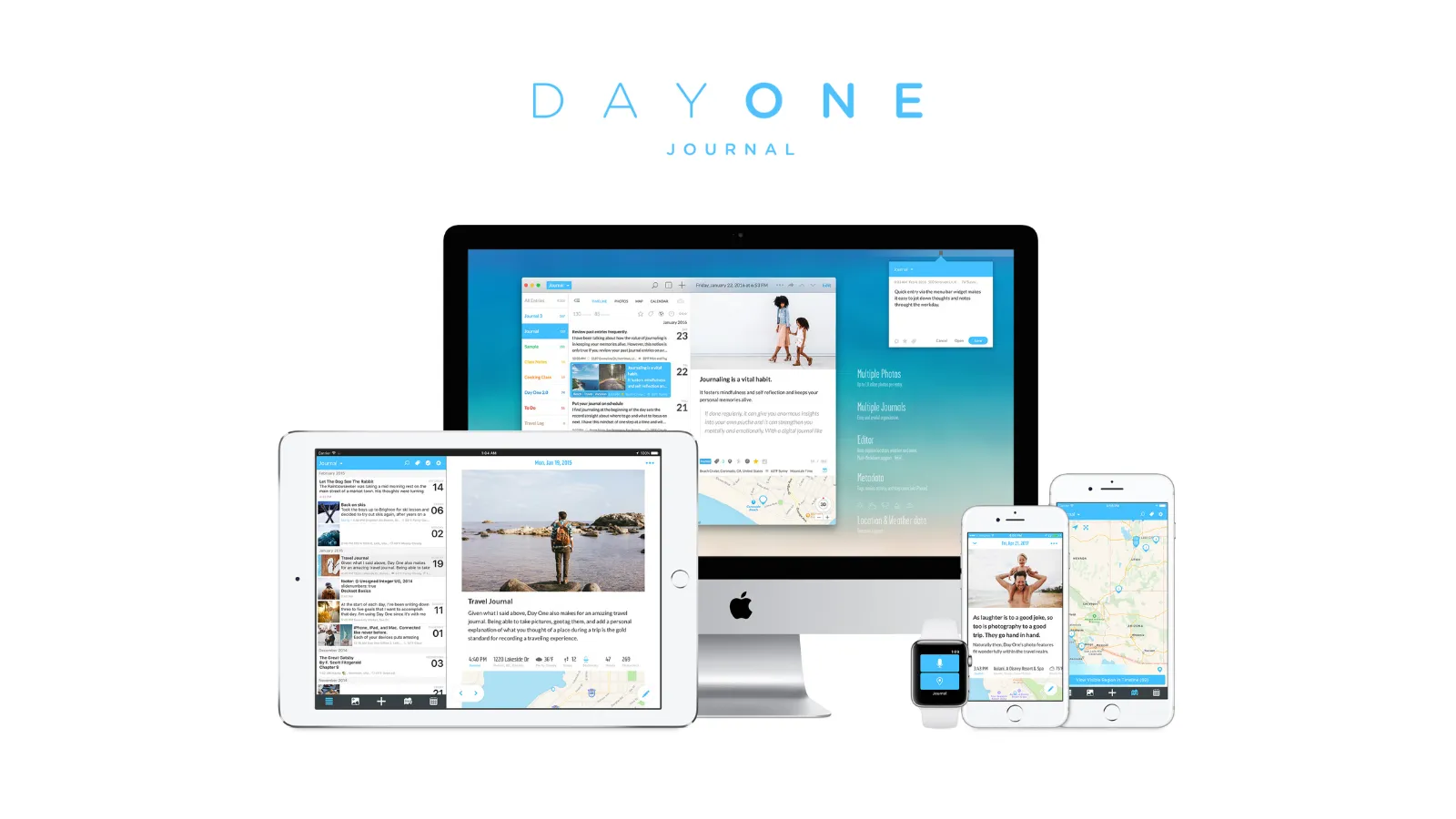
Day One came to Windows on 18 March 2025, fourteen years after the app first appeared on the Mac. The Windows client is published by Automattic in the Microsoft Store and is free to install.
The pricing is the interesting part. Day One’s free Basic plan normally allows one device, but its Windows getting-started guide states that access on Windows is currently free for all users and does not count against that limit.
Right now, a PC is the cheapest way into the most polished journaling app in the category — but Day One has called this limited-time access since launch day.
Treat that as a promotion rather than a permanent plan. If it ends, a Windows user who also journals on a phone is back to Silver at $49.99 a year.
Day One describes the Windows app as loading the Day One web app inside a desktop shell, which the company built with Electron. That has one clear benefit: journaling features arrive without waiting for a Microsoft Store update, so Windows got the 2026.7 release with Daily Chat and the AI tools at the same time as iPhone, Android and the web.
It also explains the app’s oddest limitation. Day One for Windows has its own built-in spell checker that cannot be switched off, and its dictionary follows the language Windows reports rather than the language you are writing in.
If you journal in a language other than your Windows display language, expect a screen full of red underlines. Day One’s own guidance is to write at dayone.me in a browser instead, where the browser’s spell-check settings apply.
Entries are stored locally first and then synced, so the app stays fast and works on a plane. End-to-end encryption is on by default for new journals across every plan, including the free one — the documented encryption model keeps the content key on your devices.
Export is the other place where the PC version trails. Day One’s export documentation shows the Windows app offering JSON only, with no PDF and no Markdown, and no way to export a date range rather than the whole journal.
| ✅ Free plan includes | ⚠️ Watch out for |
|---|---|
| Unlimited text entries and journals | One photo per entry |
| End-to-end encryption on every plan | One device — Windows is exempt only “for now” |
| Daily prompts, templates, search | No monthly billing; annual only |
| On This Day, streaks, local-first storage | Spell check cannot be disabled or switched language |
| Feature updates arrive without Store updates | JSON is the only export format on Windows |
| Free access on Windows today | Silver is $49.99/yr if the exemption ends |
Best for: People who want the best writing experience on a PC, anyone already in the Day One ecosystem, and readers who want to try a premium journal without paying anything yet.
Skip if: You write in a language other than your Windows display language, you want a subscription-free purchase, or you are uncomfortable building a habit on access that is explicitly temporary.
↓ See Day One in the comparison tables
Diarium — Best One-Time Purchase and the Most Windows-Native
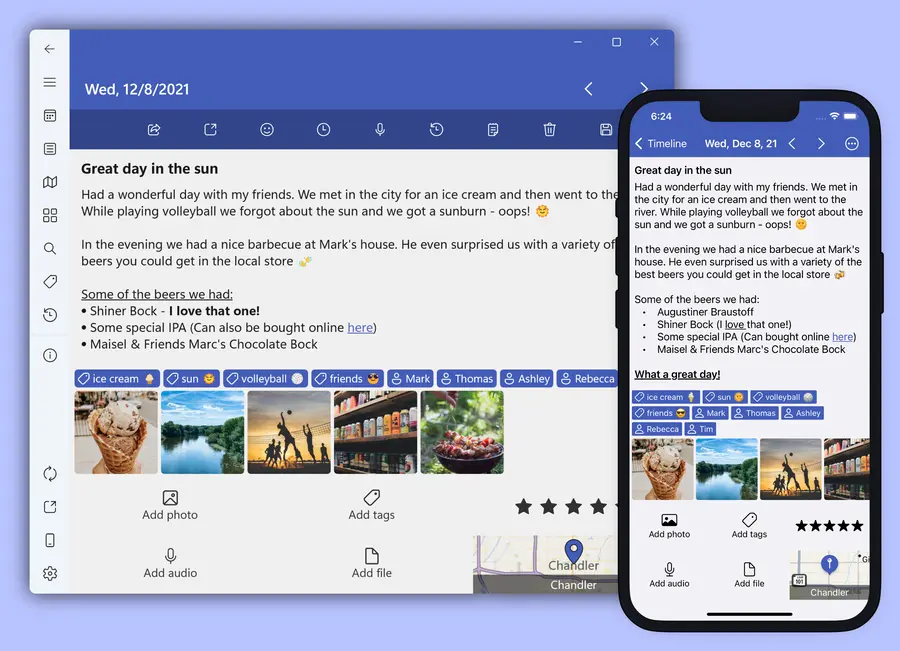
Diarium inverts the category’s business model. On Android, iPhone, iPad and Mac the app is free with an optional one-time Pro purchase; on Windows it is a paid Microsoft Store app that includes Pro from the start.
That means no subscription, no renewal date and no feature that quietly expires. It also means the price is whatever the Store says on the day — $19.99 list, discounted to $15.99 when we checked in August 2026.
There is a second route if your PC blocks the Microsoft Store: the developer sells Diarium directly through Gumroad, at $30 at the time of writing.
Diarium is the only app here that still believes you should be able to buy software once and own it.
It is also the most Windows-shaped app in this guide. You can lock the journal with Windows Hello, and the sync model uses storage you already pay for — OneDrive, Google Drive, Dropbox, iCloud or WebDAV — rather than a service of Diarium’s own.
There is no account and no sign-up, so your entries never pass through the developer’s servers. The developer’s own FAQ is explicit that a journal can simply stay on the device.
The feature list is deep for the money: rich text, unlimited attachments, tags used for mood or weight tracking, templates, calendar, timeline, map and gallery views, and On This Day notifications. Automatic integrations pull in weather, your Windows calendar, Microsoft To Do items and fitness data from Fitbit, Google Fit or Strava.
Import support is unusually broad — Day One, Journey, Daylio, Diarly, Daybook, Evernote and Apple Journal — and export covers DOCX, TXT, HTML and JSON. It is a genuinely easy app to leave, which is a compliment.
The trade-off is encryption. Diarium’s materials describe app-level protection with a password, PIN or Windows Hello, plus sync through your own cloud, but the developer does not claim end-to-end encryption, so treat the copy in your cloud drive as readable by whoever can read that drive.
| ✅ What the purchase includes | ⚠️ Watch out for |
|---|---|
| Pro features on Windows, no subscription | No end-to-end encryption claimed |
| No account, no sign-up required | Pro must be bought again per platform |
| Sync via OneDrive, Drive, Dropbox, iCloud, WebDAV | Price varies with Store promotions |
| Windows Hello lock, DOCX/JSON export | No browser access |
| Broad import from other journal apps | Smaller app, single developer |
Best for: Windows users who want a native app they own outright, anyone who already lives in OneDrive, and people migrating a long journal out of another app.
Skip if: End-to-end encryption is a requirement, you need to write from a borrowed PC through a browser, or you want the same purchase to cover your phone.
↓ See Diarium in the comparison tables
Journey — Best If Your Other Machine Runs Linux
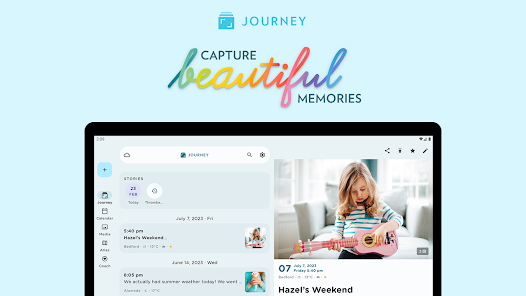
Journey has the widest platform coverage in journaling: Windows, macOS, Linux, Chrome OS, Android, iOS and the web. Journey Desktop has been in the Microsoft Store since August 2024 and was last updated in March 2026.
If your life spans a Windows laptop, an Android phone and a Linux box, no other app in this guide meets you on all three. That single fact carries most of Journey’s case.
The pricing needs care. Membership costs $4.17 a month billed annually — about $50 a year — and unlocks every platform, while the one-time Premium purchase applies only to the platform you bought it on and leaves out the Coach programmes.
⚠️ The free tier is not a real free tier. Journey’s free plan caps you at roughly 60 entries and strips text formatting, which is enough for a trial and not enough for a journal. Membership raises the primary Journey Cloud Sync drive to 10GB and 5,000 entries.
Membership also buys the things Journey is genuinely good at: more than 60 guided Coach programmes, shared journals, Odyssey AI for asking questions about your own entries, Zapier automation, email-to-journal capture and export to ePub or DOCX.
End-to-end encryption exists but is tied to Journey Cloud Sync. The Google Drive sync option that many people set up first does not provide it, so the encryption you assumed you had depends on which storage you chose.
One Windows-specific detail is easy to miss: the Store listing advertises self-hosting your entries on your own server, including Docker running on Windows. For a self-hoster that is a real differentiator; for everyone else it is noise.
| ✅ Free download includes | ⚠️ Watch out for |
|---|---|
| Windows, Linux, Chrome OS and mobile apps | ~60 entries on the free plan |
| Journey Cloud Sync with E2EE, capped on free | No E2EE on the default Google Drive sync |
| Self-hosting option, including Docker on Windows | Membership needed for formatting and export |
| 60+ Coach programmes on Membership | One-time Premium covers one platform only |
| Shared journals and web links | Pricing differs by store and platform |
Best for: People who move between Windows and Linux, anyone who wants guided programmes rather than a blank page, and self-hosters.
Skip if: You want a usable free tier, you dislike subscription pricing, or you assumed encryption was on by default.
↓ See Journey in the comparison tables
OwnJournal — Best Free Tier and the Clearest Privacy Model

OwnJournal takes the opposite approach to storage: instead of holding your journal on its own servers, it writes encrypted entries into a cloud account you already control — Google Drive, Dropbox or your own Nextcloud server.
Entries are encrypted on the device with AES-256 before they are uploaded, and the key is derived from your password, so the readable copy never leaves your PC. The company also publishes its source code under the AGPL-3.0 licence, which its security page presents as the point: claims you can inspect rather than promises you have to accept.
Nothing on the free tier is crippled. Unlimited entries, sync across as many devices as you like, offline writing and encryption all cost nothing.
The free plan also includes Markdown formatting, tags, emoji mood tracking, a mood calendar heatmap, statistics and streaks, and JSON backup export. Plus, at $19.99 a year with a 14-day trial, adds AI mood and theme analysis, smart title and tag suggestions, trend analysis, activity-mood correlations, and PDF and Word export.
Be clear about what “Windows support” means here. OwnJournal’s FAQ lists desktop coverage for Windows, macOS and Linux, but there is no Windows installer to download — on a PC you run it in the browser, which is why it also works on a locked-down work laptop where you cannot install software.
That browser-first design is the honest trade-off against Day One and Diarium. There is no Windows Hello lock, no system integration and no Store listing to update; what you get instead is a journal that is genuinely portable and a storage model where the vendor is not holding your writing.
| ✅ Free tier includes | ⚠️ Watch out for |
|---|---|
| Unlimited entries and unlimited devices | No installable Windows app — browser only |
| End-to-end encryption with AES-256 | You supply the storage account |
| Sync via Google Drive, Dropbox or Nextcloud | Lose the password and the entries stay encrypted |
| Offline writing, Markdown, mood tracking | No Windows Hello or system integration |
| JSON export, open source under AGPL-3.0 | AI features and PDF/Word export need Plus |
Best for: Privacy-minded writers, anyone on a managed PC who cannot install applications, and readers who want a serious free tier rather than a trial.
Skip if: You want a native desktop app with Windows integration, you would rather not manage your own cloud storage, or you need offline access without ever opening a browser.
↓ See OwnJournal in the comparison tables
Before you keep reading
If the privacy differences above are what brought you here, these two guides go deeper than a roundup can.
RedNotebook — Best Fully Offline, No-Account Option
RedNotebook is a desktop journal in the older sense: you install it, it writes plain text files to your drive, and nothing else happens. Version 2.42 arrived on 28 December 2025, and Windows builds are published alongside the Linux ones.
There is no account, no sync service and no company. Entries are stored as plain text, which the project treats as a feature — anything can read them in twenty years, including software that does not exist yet.
What you get is tags, templates, formatting, insert-anything support for images and links, search-as-you-type, automatic saving, backup to a zip file, a word cloud, and export to plain text, HTML or LaTeX. What you do not get is encryption, sync or a phone app.
⚠️ No encryption means device encryption matters
A RedNotebook journal is readable by anyone who can read the folder. If this is your pick, turn on Windows device encryption and use a strong account password — the section below explains why that applies to more apps than this one.
Best for: People who want their diary to be files on their own machine, Linux-and-Windows users who dislike cloud services, and anyone writing something they never want to sync.
Skip if: You want your journal on your phone, you need encryption inside the app, or you expect a modern interface.
↓ See RedNotebook in the comparison tables
How they compare
What you get without paying
| App | Free version | Paid tier | Billing model |
|---|---|---|---|
| Day One | Unlimited entries, 1 photo per entry, currently free on Windows | Silver $49.99/yr · Gold $74.99/yr | Annual subscription |
| Diarium | Free on other platforms; Windows app is paid | $19.99 list ($15.99 when checked) | One-time purchase |
| Journey | ~60 entries, no formatting | Membership $4.17/mo billed annually | Subscription or one-time per platform |
| OwnJournal | Unlimited entries, sync, encryption | Plus $19.99/yr | Annual subscription |
| RedNotebook | Everything | — | Free, GPL |
Privacy and sync
| App | End-to-end encryption | Where entries are stored | Account required |
|---|---|---|---|
| Day One | Yes, on by default for new journals | Local first, then Day One’s servers | Yes |
| Diarium | Not claimed | Your device, optionally your own cloud | No |
| Journey | Only with Journey Cloud Sync | Journey Cloud, Google Drive or self-hosted | Yes |
| OwnJournal | Yes, AES-256 on the device | Your Google Drive, Dropbox or Nextcloud | No |
| RedNotebook | No | Plain text files on your PC | No |
Windows-specific behaviour
| App | Type of Windows app | Offline | Windows Hello lock | Export formats |
|---|---|---|---|---|
| Day One | Store app hosting the web app | Yes, local-first | Not documented | JSON only |
| Diarium | Native Store app | Yes, fully | Yes | DOCX, TXT, HTML, JSON |
| Journey | Store app | Partly | Not documented | ePub, DOCX, PDF on Membership |
| OwnJournal | Browser, no installer | Yes, in the browser | No, browser only | JSON free, PDF and Word on Plus |
| RedNotebook | Installed desktop app | Yes, fully | No | TXT, HTML, LaTeX |
The Windows problem nobody mentions: your journal is a file
Three of the five apps here keep a plainly readable copy on your drive: the whole journal for Diarium and RedNotebook, and a local database for Day One, which relies on the operating system’s disk encryption rather than encrypting itself. OwnJournal keeps entries on the device too, so that it works offline.
That is good for speed and for surviving a dead internet connection. It also means the person who picks up your unlocked laptop is not stopped by an app password.
Windows has the answer built in. Microsoft’s BitLocker overview explains how full-disk encryption protects data at rest on Windows 11 and Windows 10, and on most modern PCs device encryption is either already on or one settings toggle away.
There is a timing point worth knowing too. Microsoft ended support for Windows 10 on 14 October 2025, so a PC still running it receives no security updates unless it is enrolled in the consumer Extended Security Updates programme, which Microsoft says runs until 12 October 2027.
None of the app-level encryption above helps if the machine underneath is unpatched and unencrypted. Sort the operating system first, then choose the app.
What we left out, and why
Microsoft Journal is free, made by Microsoft, and genuinely good — at a different job. It is an ink-first app for writing and sketching with a pen on a touchscreen, not a diary with dated entries, tags and sync, so it competes with note-taking tools rather than with the apps above.
Apple Journal does not exist on Windows and shows no sign of arriving. If you own an iPhone as well as a PC, our iPhone roundup covers it, but nothing you write there will reach your desktop.
Daylio and Grid Diary have no Windows app of any kind. Daylio is a mobile mood tracker and appears in our Android roundup; Grid Diary covers iPhone, Mac, Android and the web, and is reviewed in the main roundup.
Notion and Obsidian run on Windows and plenty of people journal in them, but they are note-taking tools with journal setups rather than journaling apps, so they are out of scope here. If that is the direction you want, start with our Notion journal setup or Obsidian journal setup guides instead.
Penzu works in any Windows browser and has a free tier with unlimited entries. Its paid plans describe password protection and “encryption locking” rather than end-to-end encryption, which puts it behind OwnJournal on the dimension a browser-based journal most needs to win.
How to choose
You want the best writing experience and are happy to test it for free: Install Day One from the Microsoft Store today. Just budget for $49.99 a year in case the free Windows access ends.
You never want to see a renewal notice: Buy Diarium. One payment, a native app, Windows Hello, and sync through storage you already own.
You use Windows and Linux: Journey is the only app here that covers both, and Membership is the only version worth having.
Privacy is the reason you are shopping: OwnJournal on the free tier. Encrypted on your PC, stored in your own cloud, and inspectable if you want to check the claims yourself.
You want files, not a service: RedNotebook, with Windows device encryption turned on.
You already pay for a journaling app on your phone: Check what it costs to extend rather than switching. Our Day One alternatives guide and the Day One versus Journey comparison both cover the cross-platform maths in more detail, and the free journaling apps roundup covers the zero-cost options across every platform.
The honest state of Windows journaling
Windows is no longer the neglected platform, but it is still the second one. Day One’s PC client is a web app in a desktop window, Journey’s desktop version trails its mobile apps, and the most Windows-native option in the category comes from a single independent developer.
The upside is that this is the cheapest platform to journal on right now. Day One is free on Windows while the promotion lasts, OwnJournal’s free tier is genuinely complete, and Diarium costs less than four months of most subscriptions.
Pick one this evening, write three sentences about today before you close the laptop, and check in a fortnight whether you actually opened it again. That answer matters more than any comparison table — and if you are not sure what to write, our guide to starting a journal has the first week covered.
Frequently Asked Questions
What is the best journaling app for Windows in 2026?
It depends on what you need. Day One is the best overall writing experience and is currently free on Windows. Diarium is the best one-time purchase and the most Windows-native. Journey is the best pick if you also use Linux. OwnJournal has the strongest free tier and the best privacy model. RedNotebook is the best fully offline, open-source option.
Is Day One free on Windows?
At the moment, yes. Day One’s own help guide states that access on Windows is currently free for all users and does not count against the one-device limit on the free Basic plan. Day One has described this as limited-time access since the March 2025 launch, so check the current terms before you rely on it.
Which journaling apps for Windows work offline?
Diarium and RedNotebook are offline-first and need no account at all. Day One for Windows stores entries locally first and syncs afterwards. OwnJournal works offline in the browser and syncs to your own cloud when you reconnect. Journey depends on connectivity for most of its features.
Which Windows journaling apps have end-to-end encryption?
Day One has end-to-end encryption on every plan, including the free one. OwnJournal encrypts entries on your device with AES-256 before they reach your own cloud storage. Journey offers it only when you enable Journey Cloud Sync. Diarium and RedNotebook do not claim end-to-end encryption; on those two, your protection is the app lock plus Windows device encryption.
Is there a journaling app for Windows without a subscription?
Diarium is a paid Microsoft Store app that includes its Pro features on Windows for a single purchase, with no renewal. RedNotebook is free and open source under the GPL. Journey sells a one-time Premium unlock, but it applies only to the platform you bought it on and excludes the Coach programmes.
Does Windows have a built-in journal app?
Not in the way iPhone does. Microsoft Journal is a free Microsoft app, but it is an ink-first note-taking tool for pen and touchscreen use rather than a diary with entries, tags and sync. Windows ships no equivalent of Apple Journal, which is why third-party apps matter more on a PC. See our main journaling app roundup for the cross-platform picture.