The Best Day One Alternatives in 2026
The best Day One alternatives in 2026 — Journey, OwnJournal, Apple Journal, Diarium, Obsidian, and Daylio compared on price, privacy, and features.
Updated on: July 21, 2026
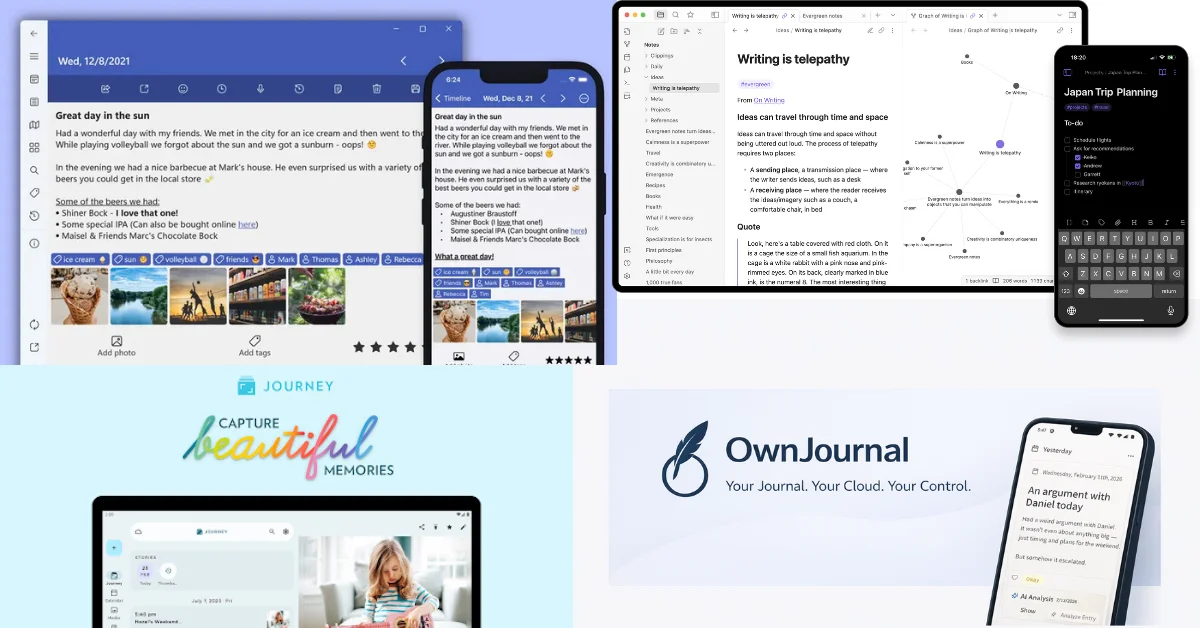
Day One restructured its pricing in August 2025 — Silver at $49.99/year, Gold at $74.99/year — and introduced AI features that many users did not ask for and do not want to pay for. If you are reconsidering Day One, or looking for something different before you ever commit to it, this guide is for you.
Quick recommendation
- 🌐 Cross-platform + guided programs: Journey — 7 platforms, 60+ coached journaling programs
- 🔒 Data ownership + lowest price: OwnJournal — open source, $19.99/yr, your cloud storage
- 🍎 Free on Apple devices: Apple Journal — iPhone, iPad, and Mac with no paid tier
- 🪟 Best for Windows: Diarium — one-time purchase, Microsoft Store Award 2024
- 📄 Plain text forever: Obsidian — Markdown files you own on disk
- 📊 Mood tracking without writing: Daylio — thirty-second daily check-in
The right alternative depends entirely on which gap in Day One matters to you — price, platform, privacy, or a fundamentally different approach.
Jump to: Why people leave · Comparison tables · How to choose
Day One is genuinely good. Its writing experience is the cleanest in the category, its encryption is always-on, and fifteen years of iteration shows. The reasons people look elsewhere are specific and legitimate: the price, the Automattic acquisition, the lack of mood tracking, the Android experience that still trails iOS, or simply wanting a different approach entirely.
Each of those reasons points to a different alternative. This guide covers six of them — honestly, including their limitations. For a broader comparison that goes beyond Day One alternatives, see our full journaling app roundup.
Why people look for Day One alternatives
Before the recommendations: it helps to be specific about what Day One does not do, because the right alternative depends entirely on which gap matters to you.
Pricing has increased and grown more complex.
Day One Silver ($49.99/year) is 43% more expensive than the previous $34.99/year Premium price. Gold ($74.99/year) adds AI features. There is no monthly billing, so the commitment is a full year at a time.
No mood tracking.
Day One has no mood or habit tracking at all — not even a basic emoji check-in. If you want to see patterns in how you feel over time alongside your writing, you cannot do that in Day One.
The Android experience trails iOS.
Day One was built Apple-first. The Android app works, but users consistently report it as a step behind — fewer features, less polish, slower updates. If Android is your primary device, this matters.
Automattic ownership.
Day One was acquired by Automattic — the company behind WordPress.com and Tumblr — in 2021. For users who care about who holds their data infrastructure, this is a real consideration. Automattic is a large commercial company, and the acquisition context is different from an independent small-team app.
AI features you did not ask for.
The new Gold tier at $74.99/year is built around AI. If you want a simple, private journal and have no interest in AI chat features, Day One is pricing in features that are not relevant to you.
⚠️ Worth knowing if you use AI features
Day One’s AI features (Gold tier) route some processing through third-party services including OpenAI. Journey’s Odyssey AI also requires provider-readable processing. If your threat model excludes third-party processing of journal content, leave those features disabled; otherwise, compare each app’s consent, retention, and data-use terms before opting in.
None of these are criticisms that undermine Day One’s quality. They are genuine reasons why it is not the right fit for everyone. Here are the six alternatives that cover the most ground.
Journey
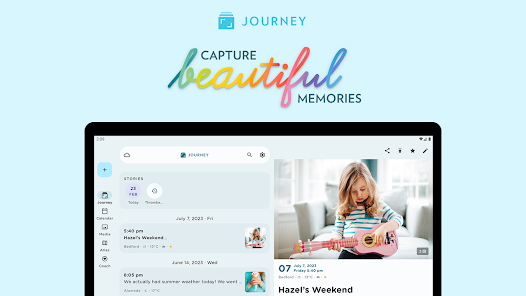
Journey is the most direct Day One competitor and the most natural first alternative to consider. It covers seven platforms including Linux and Chrome OS — more than any other journaling app — and was built Android-first rather than Apple-first.
If you journal across a mix of devices, Journey is built for that in a way Day One is not. For a deeper head-to-head between just these two, see our Day One vs Journey comparison.
The standout differentiator is over 60 structured multi-day coached programs — the opposite of Day One’s blank canvas approach.
Topics range from gratitude and mindfulness to relationships, pregnancy, fitness, and grief. Each program provides daily prompts and guidance. If you want structure rather than an empty page, this is genuinely valuable and Day One offers nothing comparable.
Journey also includes a mood tracker — a simple emoji-based system with a 30-day view — and an Atlas map view that plots geotagged entries visually, which is excellent for travel journaling. It is also the only mainstream journaling app with a Wear OS companion, making it the natural choice for Android users who want Apple Watch-equivalent quick-capture from their wrist.
On privacy, Journey’s default storage model puts your entries in your own Google Drive or OneDrive rather than Journey’s servers. This is meaningfully different from Day One because you choose the storage account, although the connected provider and account remain part of the threat model.
The trade-off is that Journey’s default Google Drive or OneDrive storage is not end-to-end encrypted, so the provider may retain the ability to read the cloud copy. Journey Cloud Sync is also unencrypted unless you opt into its E2EE mode; that mode disables search and Odyssey AI.
The AI feature — Odyssey, powered by GPT-4 — analyses your historical journal entries and answers questions about your patterns, moods, and recurring themes. It requires Journey Cloud Sync (unencrypted) to function.
| ✅ Strengths | ⚠️ Watch out for |
|---|---|
| 7 platforms including Linux, Chrome OS, Wear OS | Platform-dependent pricing (Apple in-app costs more) |
| 60+ coached multi-day programs | E2EE is opt-in, not default |
| Entries stored in your Google Drive or OneDrive | Journey Cloud Sync is unencrypted |
| Mood tracker and Atlas geotagged map | AI features require unencrypted sync |
Best for: Android, Linux, or Chrome OS users who need genuine cross-platform coverage. Anyone who wants guided programs that Day One does not offer, or Wear OS quick-capture alongside mobile journaling.
Skip if: Privacy is a top priority and you want always-on E2EE. You use Apple devices exclusively and do not need cross-platform coverage. You want mood-activity correlation analysis rather than just basic mood logging.
↓ See Journey in the comparison table
OwnJournal
OwnJournal takes a structurally different approach to privacy than any other app in this list. Rather than storing your entries on company servers — encrypted or otherwise — OwnJournal writes your entries directly to your own Google Drive, Dropbox, Nextcloud, or iCloud account.
The app provides the interface; your cloud storage holds the data. OwnJournal’s servers do not hold a copy of the journal. In the default simple mode, however, entries remain readable in the connected cloud account; optional E2EE encrypts them before sync.
OwnJournal’s servers do not hold your entries. Your cloud account, devices, backups, and optional encryption setting still determine who else could reach them.
That is a meaningfully different storage model. OwnJournal is also open source under AGPL-3.0, so reviewers can inspect the intended implementation. Source availability is useful evidence, but it is not a security audit and does not prove that every distributed build matches the repository.
For users who want inspectable code and control over storage, this matters. Our journaling app privacy guide covers what that distinction means in practice across all the major apps.
At $19.99/year for the Plus tier — less than half of Day One Silver — OwnJournal is the cheapest paid option in this comparison. The free tier is genuinely generous, with no device restrictions: unlimited entries, full multi-device sync, mood tracking, photos, tags, and search all included.
Day One’s free tier limits you to one device. OwnJournal’s does not.
The mood tracking built into the free tier includes an emoji mood picker (five levels), 15 predefined activity categories plus custom ones, a mood heatmap, distribution charts, rolling averages, and mood streaks. The Plus tier adds mood-activity correlation analysis, PDF and Word export, and AI mood and theme analysis.
For guidance on which journaling features matter most for mental health use specifically, see our guide to journaling apps for anxiety and depression.
| ✅ Strengths | ⚠️ Watch out for |
|---|---|
| Entries stay off OwnJournal servers; optional E2EE | No book printing or Apple Watch app |
| Open source (AGPL-3.0) and inspectable | Newer than Day One, smaller community |
| $19.99/yr — less than half of Day One Silver | Writing UI less polished than Day One |
| Unlimited entries and devices on free tier | Requires connecting a storage provider first |
ℹ️ On the setup friction
Connecting a storage provider takes about two minutes — pick Google Drive, Dropbox, Nextcloud, or iCloud, authorise the connection, and you are done. After that, OwnJournal works like any other journaling app, except your entries appear in a folder in your own cloud account rather than on a company’s server.
Best for: Users who want their own cloud storage, optional E2EE, and inspectable open-source code. Android and web users who want full journaling features without paying $49.99/year. Anyone who wants mood tracking built in at no cost.
Skip if: You want the most polished writing experience in the category. You need Apple Watch, book printing, or 15 years of product maturity.
↓ See OwnJournal in the comparison table
Apple Journal
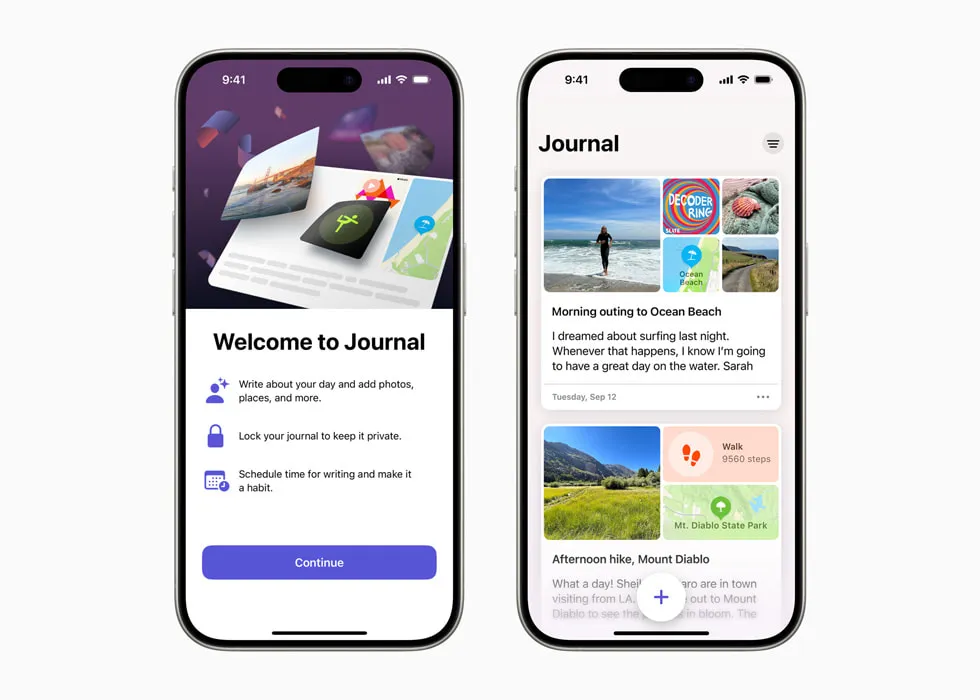
Apple Journal is the simplest answer for iPhone, iPad, and Mac users who do not want a subscription. It is completely free — no premium tier exists — and built into Apple’s operating systems.
Apple processes Journaling Suggestions on-device. When Journal data syncs through iCloud, Apple lists it as end-to-end encrypted under standard data protection, provided two-factor authentication and a device passcode are enabled; Advanced Data Protection is not required.
Apple added iPad and Mac versions on 15 September 2025, removing the app’s original iPhone-only limitation.
The feature set is deliberately minimal — Apple Journal is built for writing, not analysis. If Day One felt like too much and you use Apple devices, this is the cleanest possible alternative.
| ✅ What you get | ⚠️ What it leaves out |
|---|---|
| Free — no paid tier exists | No cross-entry mood analytics |
| On-device AI suggestions | No tags, no On This Day |
| Default iCloud E2EE; no Advanced Data Protection needed | No templates or custom structure |
| iPhone, iPad, and Mac coverage | No Android, Windows, or web |
| State of Mind logging, Insights, and streaks | Apple ecosystem only |
| Face ID and passcode lock | Limited export options |
Best for: iPhone, iPad, and Mac users who want zero cost and maximum simplicity. Anyone who has avoided journaling apps because of subscription pricing, or users who already trust Apple’s privacy infrastructure.
Skip if: You need Android, Windows, or web access. You want custom tags, On This Day, detailed cross-entry analytics, or export in a portable standard format.
↓ See Apple Journal in the comparison table
Before you keep reading
If you have narrowed your decision to one or two apps already, these deeper dives may help:
Diarium
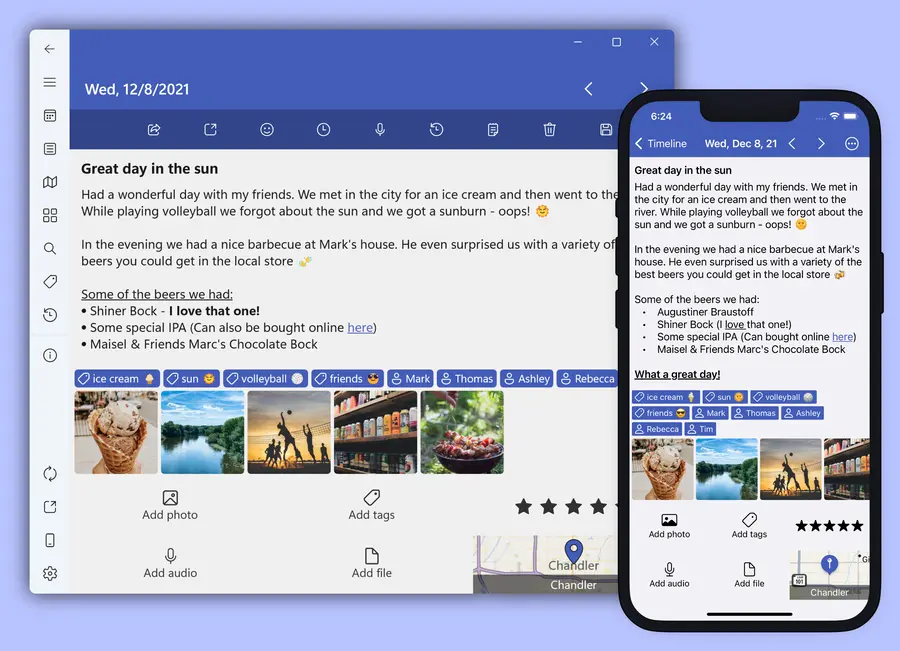
Diarium is the answer for Windows users, who are underserved by the mainstream journaling app market. It won the Microsoft Store Award in 2024 and has built the strongest reputation of any journaling app for Windows native experience — something neither Day One nor Journey can match despite their Windows presence.
One-time purchase per platform rather than a subscription — a genuine differentiator for users tired of recurring annual fees.
The feature set is comprehensive. It covers multiple media types with dictation and speech recognition, automatic integrations with Google Fit, Fitbit, Instagram, and the system calendar, an On This Day equivalent, password and biometric protection, and cloud sync via OneDrive, Google Drive, Dropbox, iCloud, or WebDAV.
You use your own cloud storage for sync, giving you data-location control comparable to OwnJournal’s approach, though without OwnJournal’s combination of open source and optional E2EE. Diarium does not hold a server-side journal copy, but the connected cloud provider and account still matter. There is no app-level end-to-end encryption in the same sense Day One provides it.
The weakness compared to Day One is polish. Diarium’s interface is functional but less refined, and the iOS app is adequate rather than excellent. Whether the one-time purchase model sustains the same pace of development as subscription-funded apps is a reasonable question to hold.
| ✅ Strengths | ⚠️ Watch out for |
|---|---|
| One-time purchase — no subscription | Less polished UI than Day One |
| Genuinely good Windows native experience | iOS app is adequate, not excellent |
| Auto-integrations: Fitbit, Google Fit, Instagram | No end-to-end encryption by default |
| Cloud sync via your own storage | Separate purchase per platform |
Best for: Windows users who want a genuinely good native journaling experience. Anyone who resents subscription models and prefers a one-time purchase, or users who want automatic integration with fitness apps and social services.
Skip if: You want the cleanest, most focused writing experience in the category. You need end-to-end encryption rather than storage-level protection. You primarily use Apple devices, where Day One’s native experience is significantly better.
↓ See Diarium in the comparison table
Obsidian
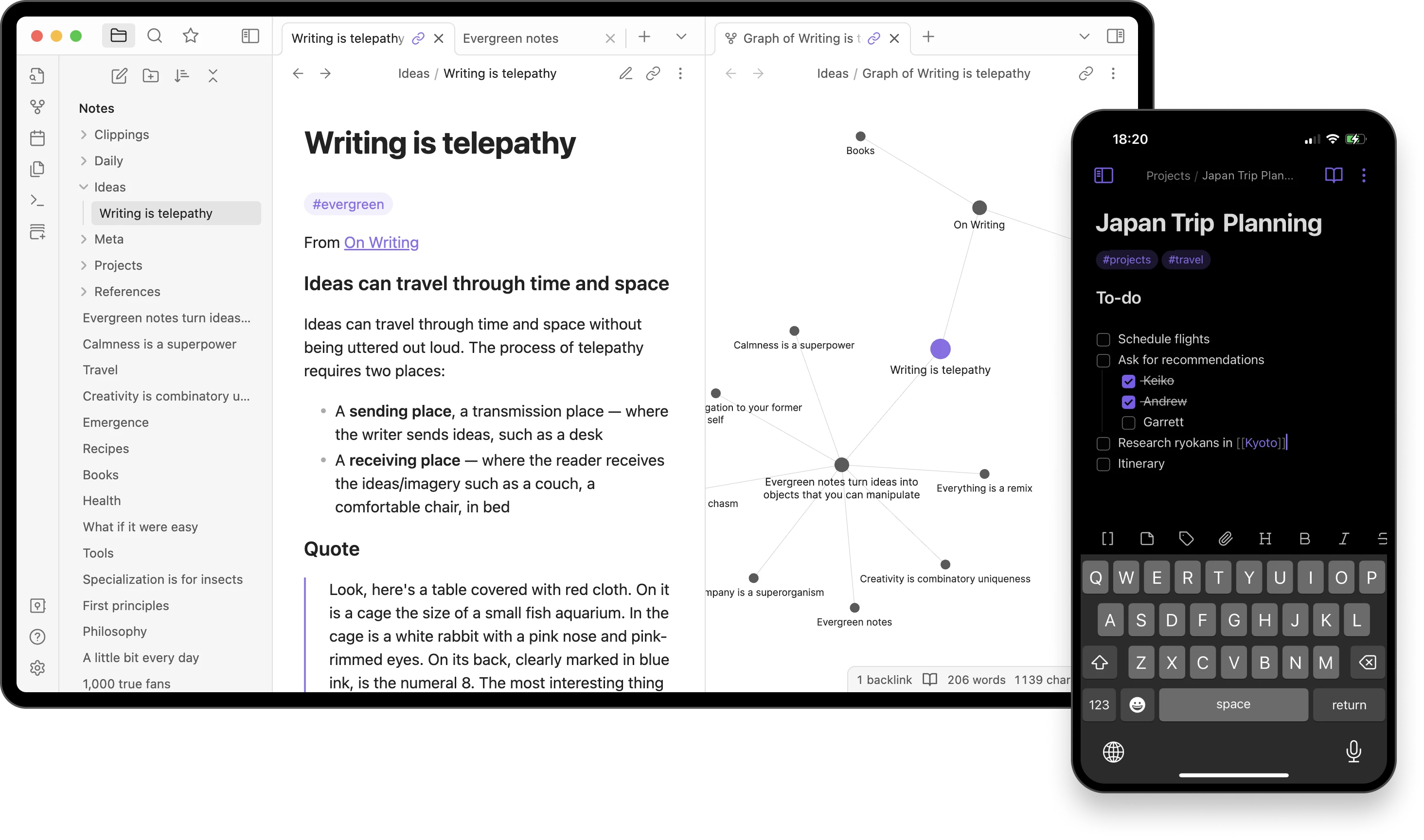
Obsidian is not a journaling app. It is a note-taking and knowledge management tool that many people use as a journaling app — and for a specific type of user, it is the best option available.
Your journal is a folder of plain Markdown files on your device — readable in any text editor in fifty years, with no vendor to shut down.
There is no proprietary format, no company that could change its pricing model or shut down and take your data with it. For long-term writers who are serious about data longevity and ownership, this is a genuine advantage no other app here can match.
The free tier is fully functional — all core features work without paying. Obsidian Sync ($4/month, billed annually) adds end-to-end encrypted sync across devices. Many users choose to sync via iCloud, Dropbox, or their own WebDAV server instead, keeping the full setup free.
The journaling experience requires setup. Obsidian does not have a journal mode out of the box — you configure one using templates, plugins, and folder structures.
The community has built excellent free plugins specifically for journaling (the Daily Notes and Periodic Notes plugins are the standard starting points). But this is meaningful friction compared to opening Day One and writing.
Privacy is strong for local-first users. Obsidian’s business is selling sync and publishing services; the app itself is free and the files are local. If you use your own sync solution, Obsidian has no visibility into your content at all.
| ✅ Strengths | ⚠️ Watch out for |
|---|---|
| Plain Markdown — no vendor lock-in ever | No journaling mode out of the box |
| Free core app on all platforms | Requires setup with plugins and templates |
| Optional E2EE Sync at $4/month | No mood tracking, multimedia, or On This Day |
| Works with your own sync (iCloud, Dropbox, WebDAV) | Learning curve is real |
Best for: Writers who want absolute data longevity with no vendor dependency. Power users comfortable with setup and customisation. People who already use Obsidian for notes and want their journal in the same system.
Skip if: You want to open an app and immediately start writing without any configuration. You want mood tracking, multimedia entries, or On This Day. You need an E2EE cloud journal rather than local-first files.
↓ See Obsidian in the comparison table
Daylio
Daylio occupies a different category from every other app here — it is not a journaling app in the traditional sense. It is a mood and habit tracker with an optional notes field.
An entry takes thirty seconds: pick a mood, tap your activities, optionally type a note. No blank page, no minimum.
Daylio has 20 million users. That number reflects how many people found traditional journaling unsustainable and wanted something with significantly lower friction.
The analytics are the strongest in this list — mood trends and weekly reports, habit tracking with goal setting, activity correlation analysis, and custom activities with a large icon library. If what you want from a journaling app is primarily emotional and behavioural pattern analysis rather than reflective writing, Daylio does this better than anything else here.
Privacy is local-first: under Daylio’s documented model, entries remain on the device rather than being sent to Daylio’s servers. Optional cloud backup routes to your own Google Drive or iCloud, where the provider and account security still matter.
The limitation is obvious: Daylio is not a journaling app in the way Day One is. If you want to write paragraphs, process difficult experiences through narrative, or search your writing by theme, Daylio is the wrong tool. The notes field exists but is minimal.
| ✅ Strengths | ⚠️ Watch out for |
|---|---|
| Thirty-second daily check-in | Minimal text writing |
| Strongest mood and habit analytics | No desktop or web version |
| Local-first storage, cloud backup optional | Not a replacement for narrative journaling |
| 20M users, mature and well-maintained | No insights from your writing |
Best for: People who tried traditional journaling and found it unsustainable. Anyone who wants daily mood and habit tracking with strong analytics, or users who want a thirty-second daily check-in rather than a reflective writing session.
Skip if: You want to write prose or process experiences through narrative. You need desktop or web access. You want mood-activity insights derived from your writing rather than from taps.
↓ See Daylio in the comparison table
Comparison tables
Pricing and platforms
| App | Free tier | Paid tier | Platforms |
|---|---|---|---|
| Day One | 1 device, 1 photo/entry | Silver $49.99/yr · Gold $74.99/yr | iOS, Mac, Android, Windows, Web |
| Journey | 60 entries, basic features | $29.99–$49.99/yr | iOS, Android, Mac, Windows, Linux, Chrome OS, Web |
| OwnJournal | Unlimited, multi-device | $19.99/yr | Web, Android, iOS, Desktop |
| Apple Journal | Fully free — no paid tier | — | iPhone, iPad, Mac |
| Diarium | Trial available | $9.99 one-time per platform | iOS, Mac, Android, Windows |
| Obsidian | Fully functional | Sync $4/mo ($48/yr, optional) | Windows, Mac, Linux, iOS, Android |
| Daylio | Core features free | $35.99/yr | iOS, Android |
Privacy
| App | Encryption | Who holds your data | Open source |
|---|---|---|---|
| Day One | E2EE on by default | Automattic servers | No |
| Journey | Opt-in E2EE (breaks AI/search) | Your Google Drive / OneDrive | No |
| OwnJournal | Optional E2EE; no entries on OwnJournal servers | Your own cloud storage | Yes (AGPL-3.0) |
| Apple Journal | iCloud E2EE with 2FA + device passcode (no ADP required) | iCloud ciphertext; keys on trusted devices | No |
| Diarium | Your cloud’s encryption | Your cloud storage | No |
| Obsidian | Local files / E2EE Sync optional | Local or your sync provider | No |
| Daylio | Local + Google Drive / iCloud backup | Local on device | No |
Key features
| App | Mood tracking | Guided prompts | On This Day | Offline | Export |
|---|---|---|---|---|---|
| Day One | ❌ None | Basic templates | ✅ Yes | ✅ Yes | ✅ JSON, PDF |
| Journey | ✅ Basic emoji | ✅ 60+ programs | ❌ No | ✅ Yes | ✅ PDF, DOCX |
| OwnJournal | ✅ Full (free) | ❌ None | ❌ No | ✅ Yes | ✅ PDF, Word (Plus) |
| Apple Journal | ⚠️ State of Mind logging | ⚠️ Journaling Suggestions | ❌ No | ✅ Yes | ⚠️ Limited |
| Diarium | ⚠️ Basic | ❌ None | ✅ Yes | ✅ Yes | ✅ PDF, HTML |
| Obsidian | ⚠️ Via plugins | ⚠️ Via plugins | ⚠️ Via plugins | ✅ Yes | ✅ Markdown |
| Daylio | ✅ Full analytics | ❌ None | ✅ Yes | ✅ Yes | ✅ CSV, PDF |
How to choose
You are on Apple devices and want the best writing experience.
Day One Silver at $49.99/year remains the strongest option. No alternative matches its writing quality, E2EE implementation, and feature depth for Apple users. The price is real but it is what the product is worth.
You want cross-platform and do not mind some setup cost.
Journey at $29.99/year (on Android) covers more devices than any other app and is the most complete alternative to Day One for users who need Linux, Windows, or Chrome OS alongside mobile.
Privacy and data ownership are your primary concern.
OwnJournal at $19.99/year — or free — is the strongest option for user-owned storage and inspectable code. Enable its optional E2EE if you need the cloud copy encrypted against provider access. The honest caveat: it is a newer product with fewer multimedia features.
You use Apple devices and do not want to pay anything.
Apple Journal. It is free, it is private, and it requires no decisions beyond downloading it.
You primarily journal on Windows.
Diarium. Day One’s Windows app exists but is still maturing; Diarium was built with Windows as a first-class platform.
You care about data longevity above everything.
Obsidian with local files. Plain Markdown that will outlast every app on this list.
You want to track your mood but find writing unsustainable.
Daylio. It does one thing — emotional and habit tracking — better than anything else in this list.
A note on switching
If you are currently on Day One and considering switching, your data is exportable. Day One’s JSON export is comprehensive and well-documented, and several apps including Diarium support importing Day One exports directly.
Journey and OwnJournal do not have native Day One import, but the JSON format is readable and community tools exist.
Your journal entries are not locked in. The switching cost is the time to move, not the loss of your history.
Frequently asked questions
What is the best Day One alternative in 2026?
It depends on the gap you want filled. Journey is the closest direct replacement with wider platform support and guided programs. OwnJournal is the strongest choice for privacy and costs less than half of Day One Silver. Apple Journal is the best free option for iPhone, iPad, and Mac users.
Is there a cheaper alternative to Day One?
Yes. OwnJournal Plus is $19.99 per year — less than half of Day One Silver at $49.99 per year. Apple Journal and Obsidian are free. Diarium is a one-time purchase rather than a subscription.
Which Day One alternative works best on Android?
Journey was built Android-first and has the most complete Android experience among cross-platform journaling apps. OwnJournal also runs on Android and has a more generous free tier.
Which Day One alternative has end-to-end encryption?
Apple Journal uses default iCloud E2EE when two-factor authentication and a device passcode are enabled. Obsidian offers E2EE through its optional Sync service. OwnJournal offers optional E2EE on top of user-owned storage, and Journey offers opt-in E2EE through Cloud Sync; Journey disables search and Odyssey AI when it is enabled.
Can I export my Day One entries to another app?
Yes. Day One’s JSON and PDF export is comprehensive and well-documented. Diarium supports Day One import directly. For Journey or OwnJournal the JSON is readable and community tools exist, but there is no one-click import.
Which Day One alternative has mood tracking?
OwnJournal and Journey both include mood tracking. Daylio is built entirely around mood and habit tracking if writing is not your primary interest. Day One itself has no mood tracking at all.
The right alternative depends entirely on which gap in Day One matters to you — price, platform, privacy, or a fundamentally different approach. There is no universal best; there is only best for your situation.
Pick the one that solves your actual problem, open it today, and write your first entry before you close this tab — that single action is what separates the people who find a journaling app that works from the people who spend another year comparing. If none of the six here feel quite right, our full journaling app roundup covers the category more broadly.
Pricing verified April 2026. Day One restructured its subscription tiers in August 2025 — most comparison articles still show outdated $34.99/year figures. All figures in this article were verified directly against official sources.