The Best Journaling Apps for iPhone in 2026
The best journaling apps for iPhone in 2026 — Apple Journal, Day One, OwnJournal and more, tested for widgets, iCloud, privacy and Apple Watch.
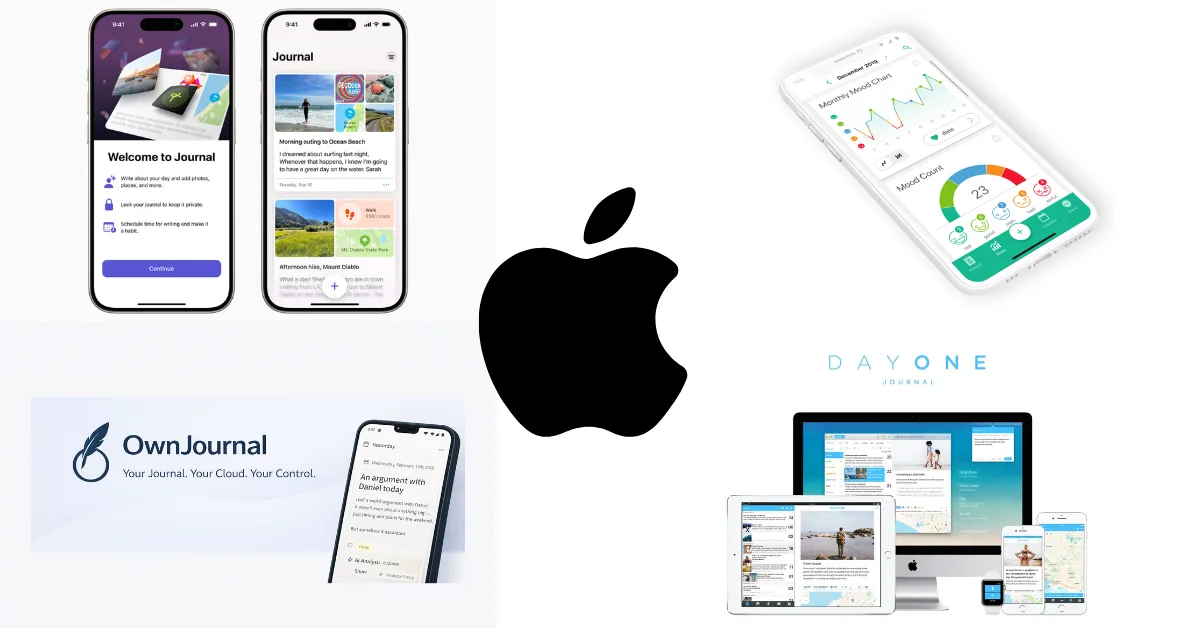
iPhone owners have it easier than anyone else: Apple ships a free journaling app whose iCloud entries use E2EE under documented account conditions, and the iOS App Store has a deep catalogue of alternatives. The hard part is not finding an app — it is choosing between a built-in option that is genuinely good and paid apps that do more.
The short answer: Apple Journal is the best free starting point, Day One is the best overall writing experience, and OwnJournal is the best choice if privacy is your priority. Beyond those three, the right pick depends on whether you want mood tracking, guided prompts, or cross-platform sync.
This guide is specifically about iPhone. Not a generic “works everywhere” list — we evaluated how each app uses the things that make an iPhone an iPhone: Lock Screen and Home Screen widgets, the Apple Watch, Shortcuts and Siri, iCloud sync, and Apple’s on-device Journaling Suggestions.
The Winners at a Glance
- 🍏 Best free / built-in: Apple Journal — free forever, iCloud E2EE with 2FA and a device passcode, on-device suggestions
- 🏆 Best overall writing: Day One — the deepest, most polished iPhone integration
- 🔒 Best for privacy: OwnJournal — open source, entries stored in your own cloud, $19.99/yr Plus
- 📊 Best mood tracking: Daylio — two-tap entries and the best analytics
- 🧘 Best guided reflection: Stoic — AM/PM routines, Apple Watch app, Editors’ Choice
- 🌐 Best cross-platform: Journey — for people who also use Android, Windows, or the web
- ✍️ Best for prompts / beginners: Grid Diary — a structured grid of questions instead of a blank page
Prices verified June 2026. Check official App Store listings before subscribing.
Jump to: Free tier · iPhone features · Privacy · How to choose
What we evaluated
Most journaling app comparisons ignore the platform entirely. Beyond the standard criteria — privacy architecture, end-to-end encryption (E2EE), open-source status, free tier, and data portability — we evaluated each app on the iPhone-specific dimensions that actually differ between apps.
Those are: Lock Screen and Home Screen widgets, Apple Watch support, Shortcuts and Siri automation, iCloud sync, Apple Health integration, App Tracking Transparency behaviour, and whether the app taps into Apple’s on-device Journaling Suggestions API.
That last point matters more than it sounds. Apple built a system-level engine that surfaces photos, workouts, music, and places as writing prompts while doing the suggestion processing on-device. Third-party apps can request suggestions through Apple’s API with the user’s permission; Apple’s own Journal app simply provides the most direct integration.
The apps
Apple Journal — Best Free and Built-In
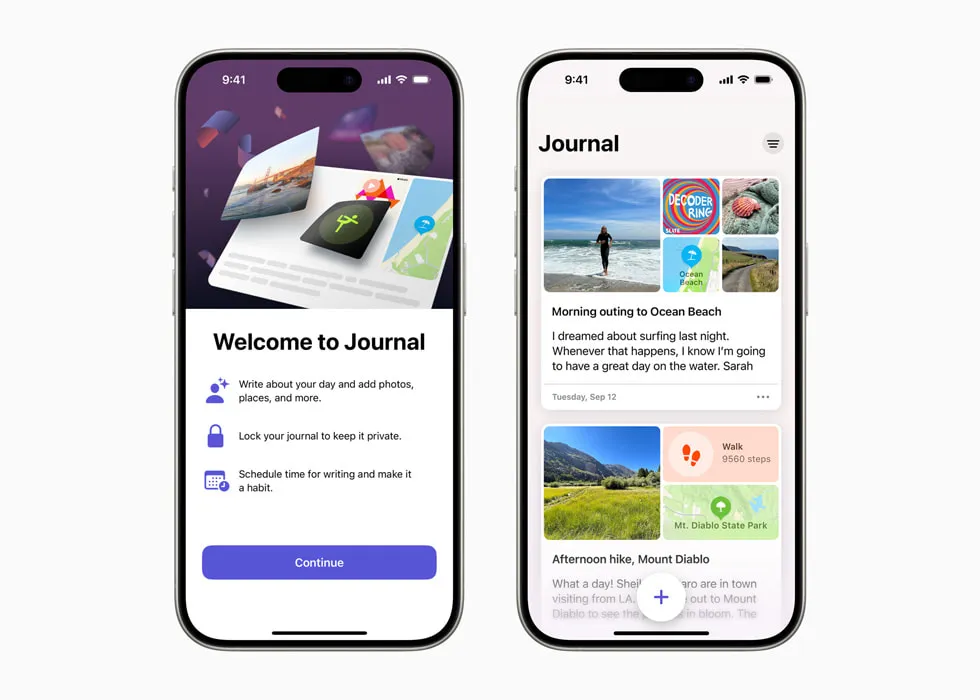
Apple Journal is already on current Apple devices and costs nothing. Its closest integration is Journaling Suggestions: on-device intelligence draws on photos, workouts, music, location, and contacts to offer gentle prompts such as “Write about your walk this morning.” Other apps can use Apple’s suggestions API too, but only after you choose what to share.
The writing experience itself is clean and unhurried. You get text, photos, video, voice recordings, multiple journals, a map view, and search. Entries stored in iCloud are end-to-end encrypted when the Apple Account uses two-factor authentication and the device has a passcode.
Apple Journal pairs the closest Journaling Suggestions integration with on-device suggestion processing; third-party apps can also use the API with your permission.
Apple launched Journal on iPhone in December 2023, and in the iOS, iPadOS and macOS 26 cycle it expanded to iPad and Mac. The trade-off is the same one every Apple app makes: it never leaves the Apple ecosystem.
| ✅ Free tier includes | ⚠️ Watch out for |
|---|---|
| Unlimited entries, multiple journals | Apple devices only — no Android, no web |
| On-device Journaling Suggestions | No mood tracking or analytics |
| Always-on E2EE | No Apple Watch app |
| Photos, video, audio, drawings | No built-in mood analytics |
| 4.8★ · 285,000+ App Store ratings | No guided prompts or coaching |
The Journaling Suggestions engine is exposed to developers through Apple’s Journaling Suggestions API, which is why a few third-party apps can also offer activity-based prompts. But Apple Journal is where the feature is most tightly integrated.
Best for: Anyone who wants a genuinely good journal at zero cost, people who like being prompted by their own day, and users happy to stay inside the Apple ecosystem.
Skip if: You want mood analytics, access outside Apple devices, an Apple Watch app, or a more configurable journaling workflow.
↓ See Apple Journal in the comparison table
Day One — Best Overall Writing Experience
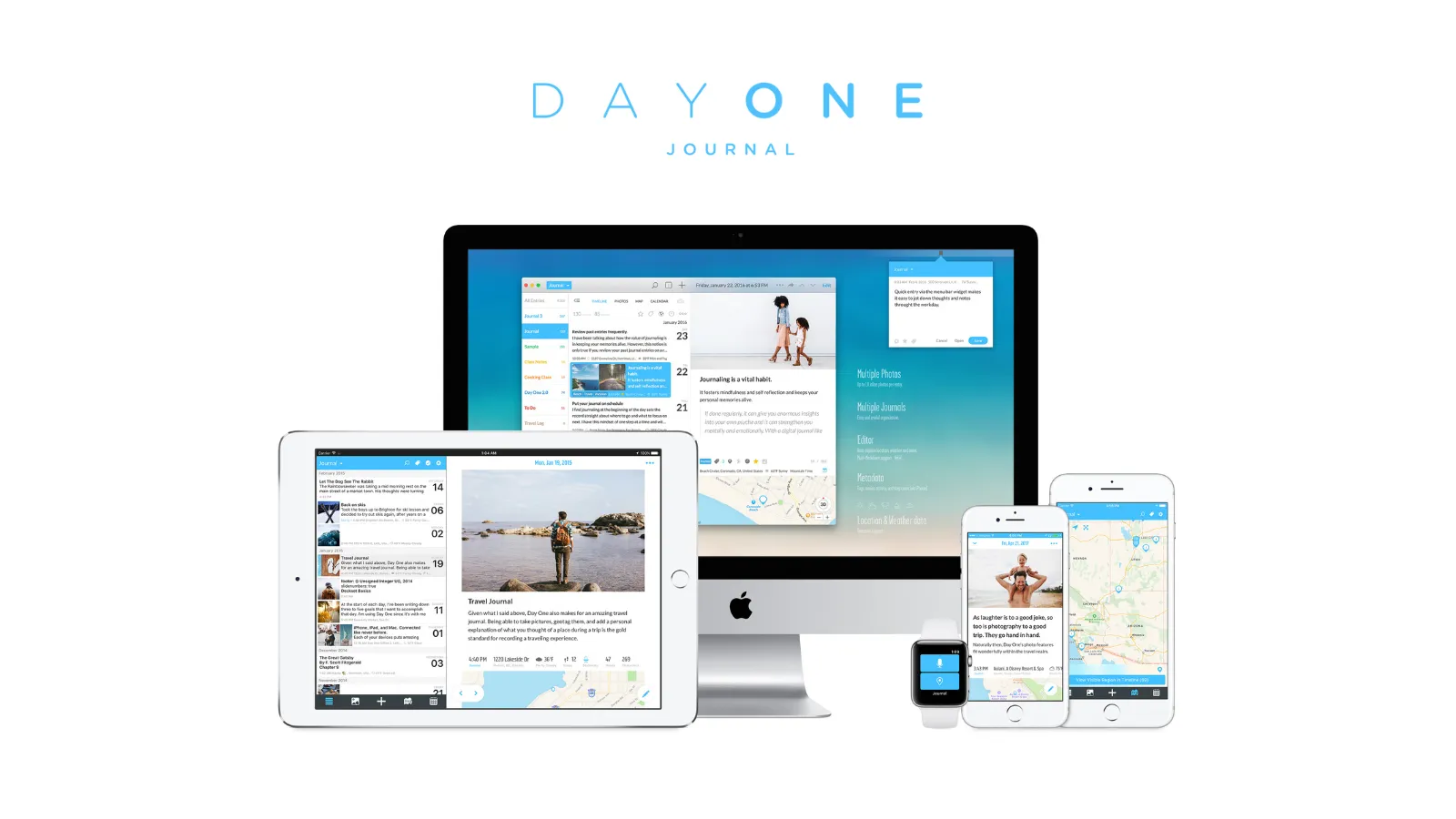
Day One is the most polished journaling app available on any platform, and the iPhone is where it shines brightest. This is the app Day One was built for first — every feature lands on iOS before it reaches anywhere else.
The writing experience is excellent: multiple journals, rich text, unlimited photos and video on paid tiers, voice entries, location and weather metadata, and the On This Day memory feature. The iPhone integration is the deepest in this guide — capable widgets, an Apple Watch app, Shortcuts and Siri support, and Apple Health data woven into entries.
If you want the best multimedia journaling experience on an iPhone and are willing to pay for it, Day One is still the one to beat.
Day One restructured its pricing: the old $34.99/year tier is gone. The free Basic tier now allows unlimited entries but limits you to one photo per entry and a single device with no sync.
Day One also added a Gold tier with AI features in April 2026 — Daily Chat, entry highlights, and summaries.
| ✅ Free tier includes | ⚠️ Watch out for |
|---|---|
| Unlimited text entries and journals | Single device only on free tier |
| E2EE on all tiers; published audit from 2017 | 1 photo per entry on free |
| Rich search and On This Day | No mood tracking feature |
| Apple Watch app + Shortcuts | Sync is proprietary, not iCloud-based |
| 4.8★ · 117,000+ App Store ratings | Silver is among the most expensive here |
Silver ($49.99/yr) adds: multi-device sync, unlimited photos, video and audio, and integrations. Gold ($74.99/yr) adds: AI features including Daily Chat, entry highlights, and summaries, processed server-side.
E2EE has been on by default since 2019 using AES-256-GCM. The published independent audit dates to 2017, so it does not verify today’s distributed build. Your data sits on Automattic’s servers, and the code is proprietary.
Best for: iPhone users who want the richest media journaling experience and will pay for Silver, especially if they journal across iPhone, iPad, Mac, and Apple Watch.
Skip if: You want a free multi-device option, mood tracking, open-source transparency, or you would rather keep your data in your own cloud.
↓ See Day One in the comparison table
OwnJournal — Best for Privacy and Data Ownership
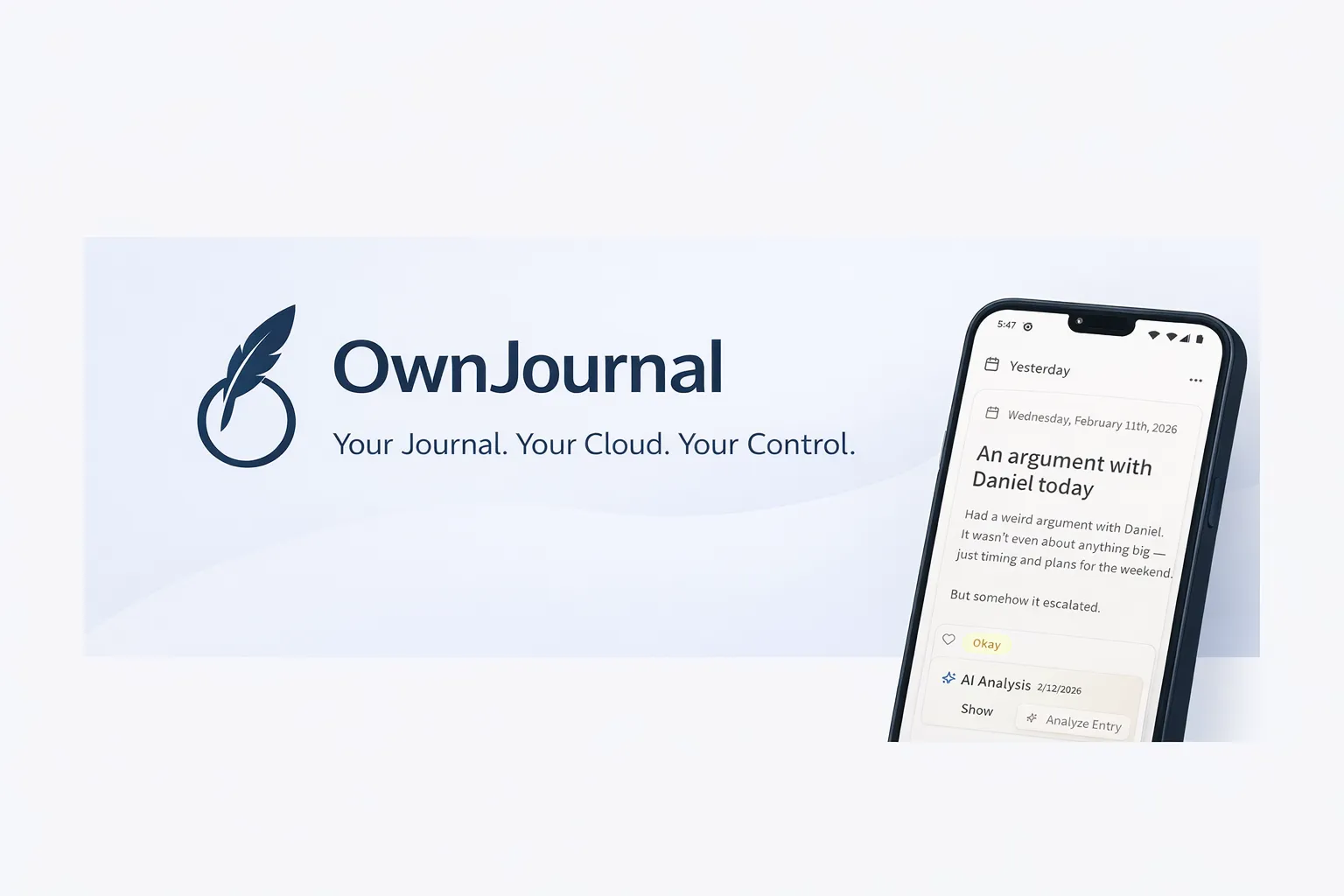
OwnJournal arrived on the iPhone App Store in June 2026, and it uses a structurally different privacy model. Rather than storing entries on OwnJournal’s servers, it writes them directly to your own cloud storage: iCloud, Google Drive, Dropbox, or Nextcloud.
On iPhone, OwnJournal can sync natively through iCloud, so your journal lives in the same account as the rest of your Apple data. If you enable OwnJournal’s optional end-to-end encryption, the synced entries are protected by that extra layer; otherwise their confidentiality depends on your connected cloud account and device security.
OwnJournal’s servers do not hold your entries. Your connected cloud account, devices, backups, and encryption setting still determine who else could reach them.
On top of this bring-your-own-storage (BYOS) model, OwnJournal offers optional end-to-end encryption. When you turn it on, entries are encrypted before sync so the storage provider receives ciphertext; with it off, entries remain readable in the connected cloud account. The complete codebase is published under the AGPL-3.0 licence, so the implementation can be inspected independently.
| ✅ Free tier includes | ⚠️ Watch out for |
|---|---|
| Unlimited entries, unlimited devices | No Apple Watch app |
| Optional E2EE on the free tier | Newer app, smaller community |
| Multi-device sync via your own cloud | Cloud storage account required for sync |
| Mood tracking + statistics | No on-device Journaling Suggestions |
| Works fully offline | — |
Plus ($19.99/yr) adds: AI mood and theme analysis, smart title and tag suggestions, activity insights, and PDF and Word export.
At $19.99/year, Plus is the most affordable premium subscription in this guide — less than half the price of Day One Silver. The free tier is genuinely usable on its own, which is rare among syncing journaling apps.
Best for: Privacy-conscious iPhone users who want structural data protection rather than a promise, anyone who wants their journal in their own iCloud or Dropbox, and people who want mood tracking without surrendering data ownership.
Skip if: You want an Apple Watch app, prefer a large established community, or want Apple’s on-device writing suggestions.
↓ See OwnJournal in the comparison table
Before you keep reading
If privacy or the difference between “free” apps matters most, these deep-dives are worth five minutes each:
Daylio — Best for Mood Tracking
Daylio flips the journaling format on its head. Instead of a blank page, you get a two-tap system: pick your mood from five levels, tap the activities that filled your day, and optionally add a note. A full entry takes under 30 seconds.
For people who have tried traditional writing and abandoned it, Daylio’s micro-format is genuinely different — and on iPhone its widgets make logging a mood from the Home Screen effortless.
Daylio is a mood and habit tracker that allows some writing, not a journaling app that happens to track mood. That distinction is the whole point.
The analytics are where Daylio earns long-term loyalty. Mood-correlation statistics show which activities lift or lower your mood over time, and the “Year in Pixels” view shows your whole year as a colour-coded grid.
| ✅ Free tier includes | ⚠️ Watch out for |
|---|---|
| Unlimited mood and activity entries | Only a basic notes field — not for long writing |
| Up to 3 photos per entry | No E2EE |
| Year in Pixels visualisation | No Apple Watch app |
| Strong Home Screen widgets | Ads on the free tier |
| 4.8★ · 60,000+ App Store ratings | Backup relies on iCloud/Google encryption |
Premium ($35.99/yr) adds: advanced correlation statistics, unlimited goals and custom moods, automatic backup, PIN lock, and PDF/CSV export.
On privacy, Daylio keeps entries on your device and does not send them to its own servers. If you back up to iCloud, Apple holds that data under its own encryption — a reasonable model in practice, though different from apps with their own E2EE.
Best for: iPhone users who want low-friction daily mood tracking, people who have abandoned long-form journaling, and anyone who loves charts and streaks.
Skip if: You want long-form writing (OwnJournal fits better if you want both writing and mood tracking), E2EE, or an Apple Watch app.
↓ See Daylio in the comparison table
Stoic — Best for Guided Reflection
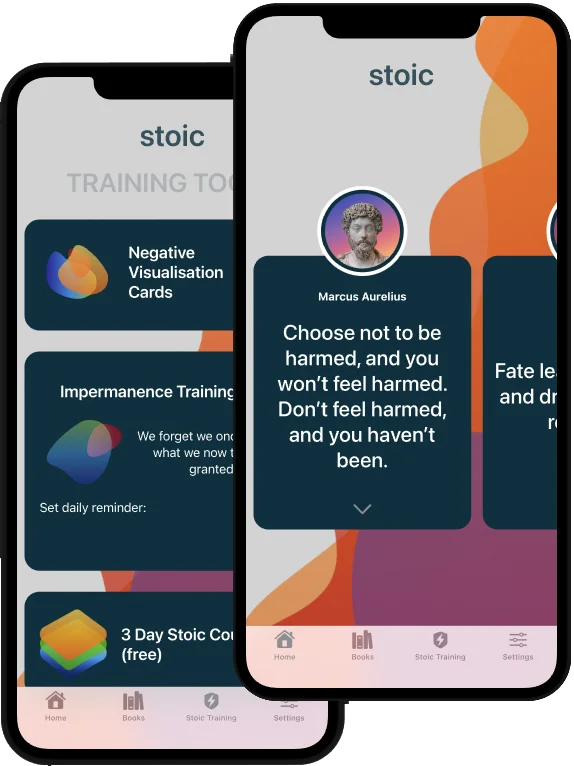
Stoic is built around routine rather than the blank page. It structures your day into morning and evening sessions, pairing guided prompts with mood check-ins, breathing exercises, and reflections drawn from stoic philosophy. It is an Apple Editors’ Choice app and one of the most polished guided journals on iOS.
The iPhone fit is strong: clean widgets, Shortcuts support, and — unusually for this category — a genuine Apple Watch app for logging a mood or a quick reflection from your wrist.
Stoic is for people who do not want to stare at an empty page — it hands you a question and a routine instead.
The AI layer adds prompts and insights, though it is guided reflection rather than deep cross-entry memory. The free tier is meaningful on its own; Premium unlocks the full library of guided journals and analytics.
| ✅ Free tier includes | ⚠️ Watch out for |
|---|---|
| Guided morning/evening routines | No E2EE |
| Mood tracking + breathing exercises | Data practices not prominently disclosed |
| Apple Watch app | Best features need Premium |
| Widgets + Shortcuts | Not built for long-form writing |
| 4.8★ · 35,000+ App Store ratings | — |
Premium ($39.99/yr) adds: the full guided-journal library, advanced insights, and AI prompts.
Stoic does not prominently document whether it uses your entries to improve its models, so if that matters to you, weigh it before committing. For privacy-first journaling, OwnJournal or Apple Journal are clearer choices.
Best for: iPhone users who want structure and prompts, fans of stoic philosophy, and anyone who wants to journal from an Apple Watch.
Skip if: You want long-form freeform writing, end-to-end encryption, or clear data-use disclosures.
↓ See Stoic in the comparison table
Journey — Best Cross-Platform
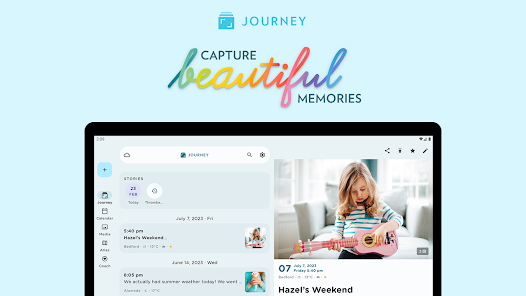
Journey is the app to choose when the iPhone is not your only device. It runs on iOS, Android, Mac, Windows, Linux, web, and ChromeOS — the widest platform coverage of any journaling app — so your journal follows you regardless of what you are using.
On iPhone it covers the basics well: text, photos, video, audio, automatic weather and location, widgets, and guided coaching programmes. By default your entries sync to your own Google Drive rather than Journey’s servers, which is a privacy point in its favour.
Journey is the journaling app for people who refuse to be locked into one operating system.
What Journey gives with one hand it takes with the other: the free tier is closer to a trial than a usable plan.
⚠️ Not really free. The free tier caps entries and strips formatting and export. Pricing is also confusing — it varies by platform and store — so confirm the price before you subscribe.
| ✅ Membership includes ($49.99/yr) | ⚠️ Watch out for |
|---|---|
| Unlimited entries, full formatting | Free tier is a trial, not a free plan |
| Every major platform | E2EE is opt-in and off by default |
| Guided coaching programmes | E2EE disables some AI search features |
| Google Drive storage option | Pricing varies by store |
| Basic mood tracking + trends | Media briefly passes through Journey servers |
E2EE is available but only through Journey Cloud Sync — not the default Google Drive sync — and it is off unless you turn it on.
Best for: People who journal across an iPhone plus Android, Windows, or the web and want one app everywhere.
Skip if: You want a genuinely free tier, simple pricing, or E2EE on by default.
↓ See Journey in the comparison table
Grid Diary — Best for Prompts and Beginners
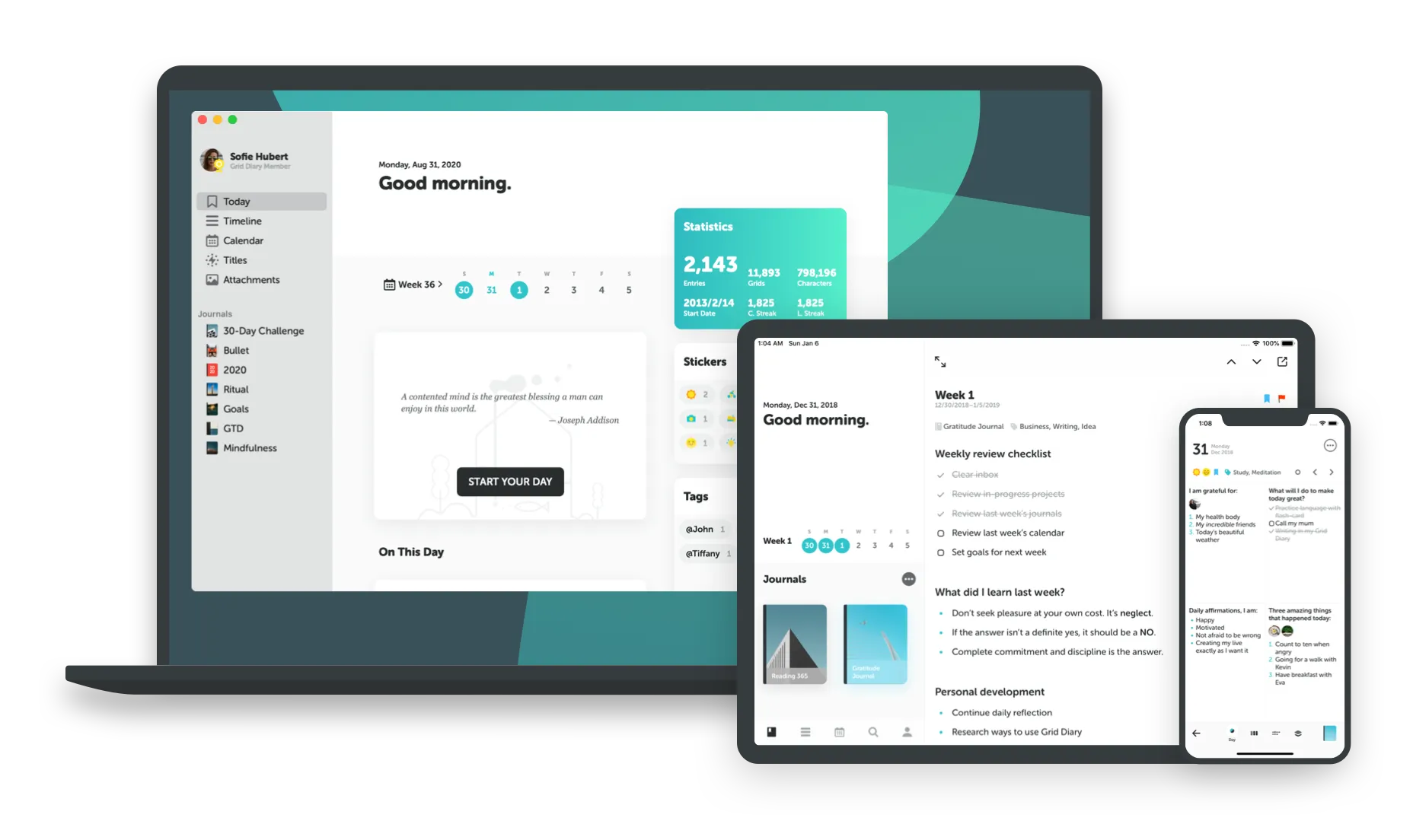
Grid Diary solves the single biggest reason people quit journaling: the blank page. Instead of an empty screen, it gives you a grid of questions — “What am I grateful for?”, “What did I learn today?” — that you fill in box by box. The structure makes starting almost effortless.
That makes it one of the best on-ramps for beginners on iPhone. You can customise the question set, add photos, and build a daily habit without ever wondering what to write.
Grid Diary turns journaling into filling in a few boxes — which is exactly what gets hesitant writers to keep going.
The free tier covers the core grid experience. The paid Membership adds sync across devices, a passcode lock, and more themes.
| ✅ Free tier includes | ⚠️ Watch out for |
|---|---|
| Customisable question grids | No E2EE |
| Photos and basic formatting | Sync and lock require Membership |
| Daily habit reminders | Export is behind the paid tier |
| Prompt templates | iPhone and Android only — no Mac or web |
| Beginner-friendly design | No Apple Watch app |
Membership ($2.99/month or $22.99/year) adds: multi-device sync, passcode lock, additional colour themes, and export.
Best for: Beginners, anyone who freezes at a blank page, and people who prefer answering questions to freewriting.
Skip if: You want long-form freeform writing, end-to-end encryption, or desktop and web access.
↓ See Grid Diary in the comparison table
A note on the apps we left out
Two wildly popular iPhone apps are often called journals but are not really journaling apps, and including them would muddy an honest comparison.
Finch is a delightful gamified self-care app built around a virtual pet, and How We Feel is an excellent free emotion-labelling tool from a nonprofit. Both are worth your time — but neither is built for writing entries, so they sit outside this roundup. If mood logging is all you want, they are fine companions to a real journal.
Free tier comparison
| App | Entries | Devices | Sync | E2EE | Mood tracking | Cost |
|---|---|---|---|---|---|---|
| Apple Journal | Unlimited | Apple devices | ✅ iCloud | ✅ | No | Free |
| Day One | Unlimited text | 1 device only | No | ✅ | No | Free |
| OwnJournal | Unlimited | Unlimited | ✅ (BYOS) | ⚙️ Optional | ✅ Full | Free |
| Daylio | Unlimited | Multi | ✅ backup | No | ✅ Full | Free (ads) |
| Stoic | Unlimited | Multi | ✅ | No | ✅ | Free |
| Journey | ~60 entries | 1 mobile | Limited | No | Basic | Free |
| Grid Diary | Unlimited | 1 (free) | Paid only | No | Basic | Free |
Apple Journal and OwnJournal offer the most capable free experiences. Day One’s single-device limit is the biggest catch on its free tier, and Journey’s “free” plan is really a trial.
iPhone features comparison
| App | Widgets | Apple Watch | Shortcuts | iCloud sync | Suggestions API |
|---|---|---|---|---|---|
| Apple Journal | ✅ | No | ✅ | ✅ | ✅ (native) |
| Day One | ✅ Rich | ✅ | ✅ | Backup | ✅ |
| OwnJournal | Basic | No | — | ✅ (BYOS) | No |
| Daylio | ✅ Strong | No | ✅ | Backup | No |
| Stoic | ✅ | ✅ | ✅ | — | No |
| Journey | ✅ | No | ✅ | No | No |
| Grid Diary | ✅ | No | — | Paid | No |
Day One has the deepest iPhone integration overall. Stoic is the standout for the Apple Watch alongside Day One, and Apple Journal is the only app with native, first-party Journaling Suggestions.
Privacy comparison
| App | Data location | E2EE | Open source | Notable |
|---|---|---|---|---|
| Apple Journal | Your iCloud | ✅ Under documented account conditions | No | On-device suggestions |
| Day One | Automattic servers | ✅ (default; published audit from 2017) | No | Proprietary sync |
| OwnJournal | Your own storage (BYOS) | ⚙️ Optional | Yes (AGPL-3.0) | Company servers do not hold entries |
| Daylio | Device + your cloud | No | No | No company servers |
| Stoic | Stoic account | No | No | Data use not disclosed |
| Journey | Your Google Drive | Opt-in only | Partial | E2EE off by default |
| Grid Diary | App sync | No | No | Sync is paid |
OwnJournal’s BYOS model is structurally distinct: under its documented storage model, OwnJournal does not hold a journal-content copy to disclose, although your storage provider, account security, devices, backups, and encryption setting still matter. Apple Journal is a strong alternative — iCloud E2EE under Apple’s documented account conditions and on-device suggestion processing — as long as you are happy staying in Apple’s ecosystem. For a deeper look at how these models differ, see our guide to journaling app privacy.
How to choose
You want a great journal for free, right now: Apple Journal. It is already installed, its iCloud entries use E2EE when 2FA and a device passcode are enabled, and its on-device suggestions are useful. Start here before paying for anything.
You want the best writing experience and will pay: Day One Silver at $49.99/year, or Gold at $74.99/year if you also want AI summaries and Daily Chat. Accept the proprietary sync in exchange for the deepest iPhone integration available.
Privacy is your top concern: OwnJournal’s free tier, provided you enable its optional E2EE if your threat model includes the cloud provider or account access. The company does not hold your entries, the code is inspectable, and at $19.99/year Plus is the cheapest upgrade in this guide.
You want mood tracking over writing: Daylio free, or Premium for $35.99/year. The lowest-friction entry system and the best analytics, with excellent Home Screen widgets.
You want structure and prompts: Stoic for guided morning and evening routines (and the only Apple Watch option besides Day One), or Grid Diary if you would rather answer a grid of questions. Both are the friendliest on-ramps for hesitant writers.
You also use Android, Windows, or the web: Journey. The widest platform coverage of any journaling app — just go in knowing the free tier is a trial and pricing varies by store.
The honest state of iPhone journaling
The iPhone has one of the strongest journaling selections of any platform in 2026. Apple Journal gives every iPhone owner a capable journal at no cost, with iCloud E2EE when the Apple Account has 2FA and the device has a passcode — a built-in combination that most Android phones do not match, as our Android guide explains.
For most people, the honest recommendation is to start with what you already have. Open Apple Journal, accept one of its suggestions, and write three sentences about your day. If after two weeks you find yourself wanting cross-platform sync, deeper privacy, or richer analytics, you will know exactly which app on this list to graduate to — and you will not have spent a penny finding out.
Pick one app, write your first entry today, and give it two weeks. The best journaling app is simply the one where you actually keep writing.
Frequently Asked Questions
What is the best journaling app for iPhone in 2026?
It depends on what you need. Apple Journal is the best free starting point and comes built in. Day One is the best overall writing experience. OwnJournal is the strongest for privacy. Daylio is the best for mood tracking. Stoic is the best for guided reflection. Grid Diary is the best for prompts and beginners.
Is Apple Journal good enough, or do I need another app?
Apple Journal is genuinely good for many Apple users: it is free, built in, and its Journaling Suggestions processing runs on-device. Journal entries stored in iCloud use E2EE when the account has two-factor authentication and the device has a passcode. Third-party apps can also use Apple’s suggestions API with your permission. Choose another app if you want cross-platform sync, mood analytics, guided prompts, or to journal outside the Apple ecosystem.
Which iPhone journaling apps have end-to-end encryption?
Apple Journal (for iCloud Journal data under Apple’s documented account conditions), Day One (on by default, with a published audit history), and OwnJournal (optional, layered on bring-your-own-storage) all offer E2EE. Daylio, Stoic, and Grid Diary do not provide E2EE; Journey offers it only when you enable encrypted Cloud Sync.
What is the best free journaling app for iPhone?
Apple Journal is the best fully free option for iPhone — no tier, no limits, built in. OwnJournal has the most capable free tier among syncing apps: unlimited entries, multi-device sync, and encryption at no cost. Daylio’s free tier is excellent for mood tracking.
Which journaling apps have an Apple Watch app?
Day One and Stoic both have dedicated Apple Watch apps for capturing entries or check-ins from your wrist. Apple Journal, OwnJournal, Daylio, Journey, and Grid Diary do not currently offer a native Apple Watch app.
Does Apple Journal work on iPad and Mac?
Yes. Apple Journal launched on iPhone in late 2023 and expanded to iPad and Mac in the iOS, iPadOS and macOS 26 cycle. It still stays within the Apple ecosystem — there is no Android or web version.