Day One vs Journey: An Honest Comparison (2026)
Day One vs Journey compared on privacy, pricing, features, and platform support. Includes a third option for privacy-first users.
Updated on: June 17, 2026
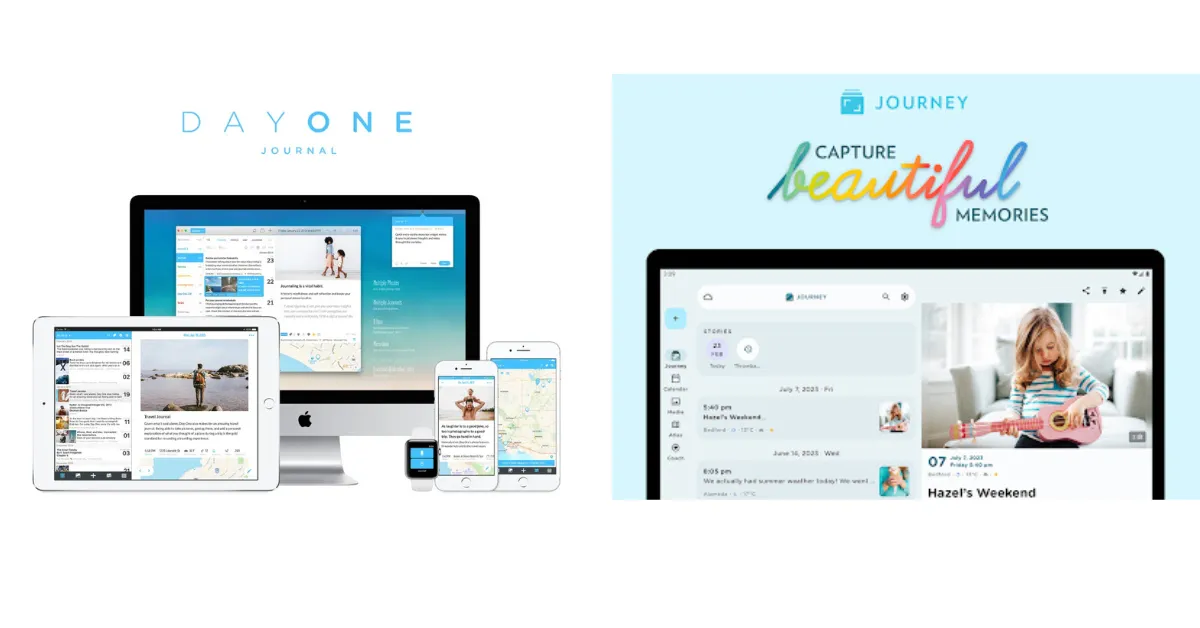
Day One just restructured its pricing. Most comparison articles still cite outdated $34.99/year figures and miss the new Silver/Gold split — so if you already researched this, some of what you read was wrong.
⚠️ If you already researched this elsewhere
Day One restructured pricing in August 2025: Silver is $49.99/year and Gold $74.99/year. Most articles still show the old $34.99/year figure. We verified all pricing and features directly against official sources for this post.
Verdict at a Glance
🏆 Day One
Best if you’re on Apple devices and want the most polished writing experience with always-on E2EE.
🌐 Journey
Best for Android, Linux, or Chrome OS users — and anyone who wants coached programs and structured prompts.
Best for user-owned storage and inspectable code — with optional E2EE and the cheapest paid tier.
All three make meaningfully different choices on privacy, structure, and platform support. The right one depends on who you are.
Jump to: Essentials table · Full comparison · How to choose
The essentials
| Day One | Journey | OwnJournal | |
|---|---|---|---|
| Price (full features) | $49.99–$74.99/yr | $29.99–$49.99/yr | $19.99/yr |
| E2EE on by default | ✅ Yes — all tiers | ❌ Opt-in, breaks search+AI | ❌ Optional — enable it in settings |
| Free tier | 1 device, unlimited text | 60 entries, no formatting | Unlimited, multi-device |
| Platforms | 5 (iOS, Mac, Android, Win, Web) | 7 (+ Linux, Chrome OS) | 4 (Web, Android, iOS, Desktop) |
| Best for | Apple users + polish | Android/Linux + guidance | BYOS + inspectable source |
For a broader look at more apps beyond these three, see our full journaling app roundup.
Day One
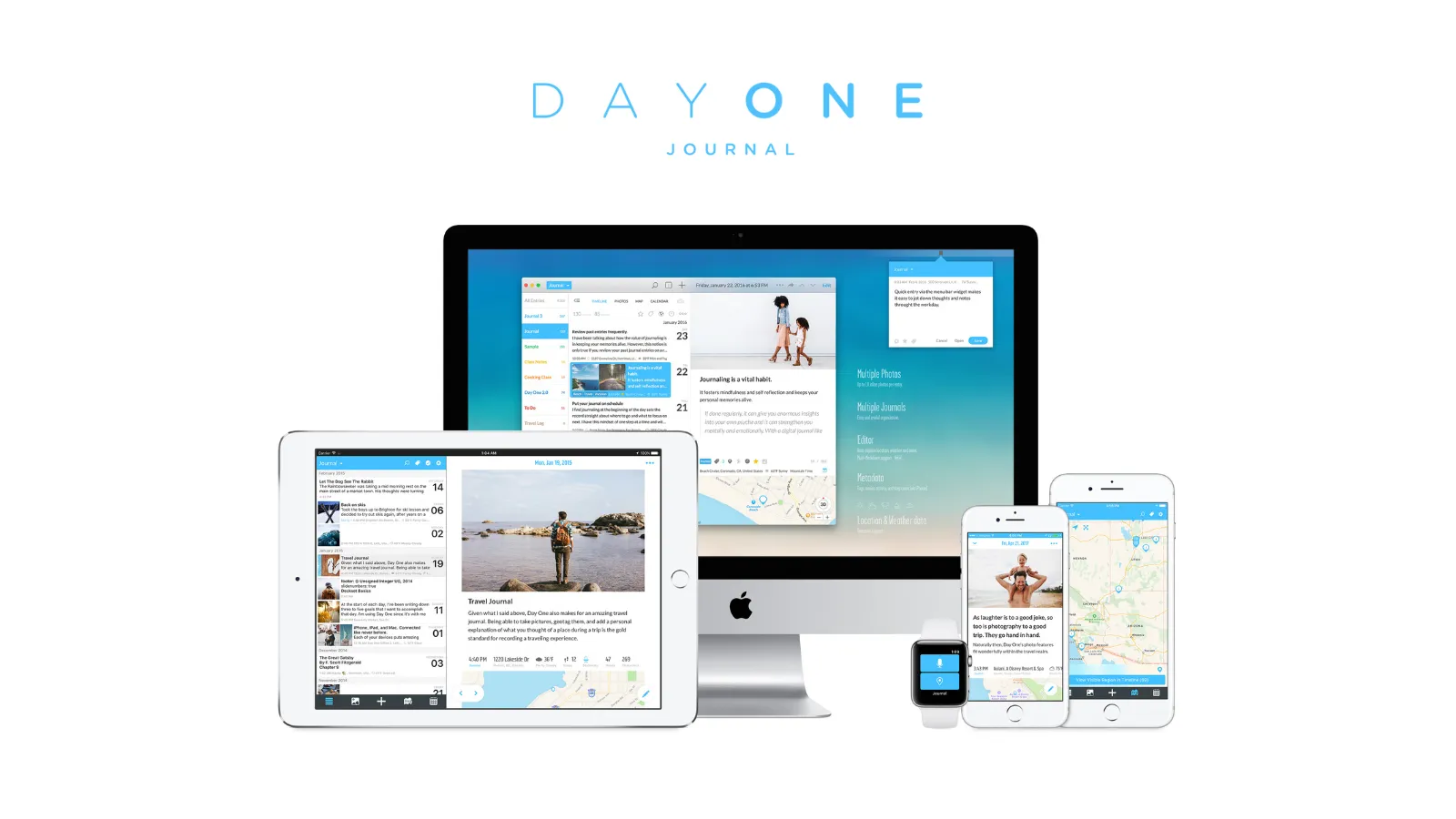
Day One has been around since 2011 — built by a small team in Utah, bootstrapped for a decade, and acquired by Automattic (WordPress.com and Tumblr) in June 2021. The acquisition brought resources without changing the product’s direction; the founding team remains.
Pricing
Day One restructured its pricing in August 2025 when it introduced new tiers. Many review sites still show the old price of $34.99/year — that is no longer accurate.
Basic (free): Unlimited text entries, unlimited journals, end-to-end encryption, daily prompts, templates, On This Day, export, one photo per entry — but limited to one device only. The single-device restriction is the most significant free-tier limitation.
Silver ($49.99/year): Everything in Basic, plus unlimited photos and videos, audio recordings with transcription, multi-device sync, email journaling, Strava integration, and physical book printing.
Gold ($74.99/year): Everything in Silver, plus AI features — Daily Chat, Go Deeper prompts, entry summaries, title suggestions, and AI image generation.
No monthly billing option exists. You pay annually or not at all.
Privacy and encryption
End-to-end encryption, by default, since 2019 — with no functional trade-offs. Day One’s servers store only ciphertext, and the keys live on your device.
End-to-end encryption has been enabled by default for all new Day One journals since September 2019, across all tiers including the free Basic plan. In Day One’s documented encryption model, its servers store journal content as ciphertext and the company does not hold the content key. Account information, metadata, devices, backups, and any other data the company holds remain separate parts of the threat model.
The encryption key is stored locally on your device and backed up to your iCloud Keychain. If you enable Apple Advanced Data Protection, even Apple cannot access the key stored in iCloud.
One caveat worth knowing: the local database on your device is not separately encrypted at rest — Day One relies on the operating system’s disk encryption. And if you lose your encryption key, your data is gone permanently. Day One cannot recover it.
The security audit situation deserves honest mention. A third-party audit was conducted by nVisium and found several medium-severity issues, which Day One addressed. The audit dates from 2017 — nearly nine years ago.
Day One staff have noted that improvements to the encryption process are planned and a new audit would follow. No new audit has yet been published. This is a legitimate concern, and one that other review sites do not raise.
There is also no two-factor authentication available for email/password sign-in. Day One recommends Sign in with Apple or Google instead.
For a deeper look at encryption claims across all major journaling apps, see our privacy deep dive.
Platform coverage
iOS, macOS, Android, Windows (launched March 2025), and web. Apple Watch for quick entries. Five platforms in total.
The Android experience is functional but consistently rated lower than iOS by both users and reviewers. The Windows app is newer and less mature — it currently lacks a passcode lock, for example. The web app is missing some features available on desktop.
For Apple-primary users, the experience is genuinely excellent. For everyone else, it varies.
Writing experience
Day One’s writing experience is widely regarded as the best in the category. The interface is clean and focused, the entry flow is minimal, and there is very little friction between wanting to write and actually writing. Automatic metadata — weather, location, moon phase — attaches to entries without any input required.
The rich media support for Silver and Gold subscribers is comprehensive: photos, video, audio with transcription, drawings, PDF embedding, and handwriting scanning. The physical book printing feature is unique among journaling apps — you can order a printed hardcover or paperback of your journal, which many long-term users cite as one of their favourite things about the app.
The On This Day feature surfaces entries from past years on the current date. Most users love it.
ℹ️ Worth knowing if you write about difficult periods
”On This Day” is content-unaware — a panic attack entry surfaces alongside a holiday memory without distinction. It can be disabled in settings, which we recommend for anyone using the app for therapeutic writing. See our guide to journaling for anxiety and depression for more.
AI features (Gold tier)
Day One launched Daily Chat as a general availability feature in late March 2026. It is a conversational AI journaling mode where an AI asks follow-up questions, engages with what you write, and converts conversations into journal entries. It also has a voice mode and a memory system that builds knowledge of the people, places, and patterns in your life.
Additional Gold features include Go Deeper prompts (AI-generated reflective follow-ups on entries), entry summaries, title suggestions, and image generation.
All AI features are clearly opt-in and can be disabled. Day One states that conversations are processed temporarily, deleted after use, and never used for training.
However, some processing routes through third-party services including OpenAI. Before enabling AI, check which entry text leaves the device, who processes it, how long it is retained, and whether it is used for training.
What Day One has and doesn’t
| ✅ Strengths | ⚠️ Gaps and genuine weaknesses |
|---|---|
| Always-on E2EE across all tiers | No mood tracking or habit tracking |
| Cleanest writing experience in the category | No guided programs or therapeutic frameworks |
| Physical book printing (unique among journaling apps) | Android experience trails iOS |
| Automatic metadata (weather, location, moon phase) | No monthly billing option |
| On This Day + 15 years of iteration | Security audit from 2017 (not yet updated) |
| Rich media: photos, video, audio with transcription | Typing lag reported by some users in early 2026 |
| — | Gold tier ($74.99/yr) is expensive for AI |
If you want the app to guide you on what to write rather than just provide a canvas, Day One is not the right choice. For more on how these gaps affect mental health use specifically, see our comparison of journaling apps for anxiety and depression.
Halfway through — worth a detour
Read this if you’re about to pick a side:
Journey
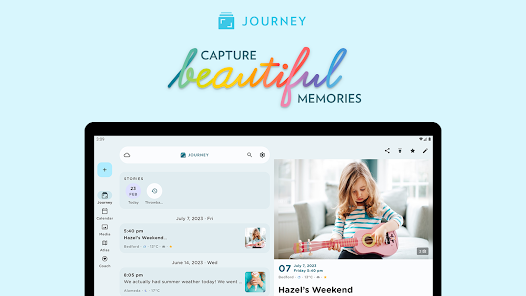
Journey has been in development since around 2009 and is the Android-first journaling app in a category dominated by iOS-first products. It is developed by Two App Studio Pte. Ltd., a small independent company based in Singapore, and has received multiple Editors’ Choice designations from both Google Play and Apple.
Pricing
Journey’s pricing is more complex than Day One’s and is a frequent source of user confusion.
Free: Very limited. Sync via Google Drive or Journey Cloud (capped at 70MB and 60 entries), no text formatting, no desktop access, 10 AI questions per day, limited coach program access. The free tier is restrictive enough that most regular users will need to upgrade.
Premium (one-time purchase, per platform): Approximately $17.99 per platform, purchased separately for each. Unlocks that platform’s features without a subscription — but does not give you access to other platforms or Odyssey AI.
Membership (subscription): This is the recommended tier for most users. Prices vary by platform — approximately $29.99/year on Google Play and $49.99/year on iOS App Store. Membership unlocks all features across all platforms, including Odyssey AI, all coached programs, custom templates, and unlimited cloud storage.
Lifetime: Approximately $199.99, available through some channels.
The pricing inconsistency between platforms is notable: the same Membership that costs $49.99/year on iOS costs $29.99/year on Android. If you primarily use Android and can purchase through Google Play, Journey Membership offers significantly better value than Day One Silver.
Privacy and encryption
Enabling encryption disables search and AI. You choose between privacy and functionality — a trade-off Day One does not impose.
Journey’s privacy architecture is more complicated than Day One’s, and the complexity matters.
By default, Journey syncs either to your Google Drive account or to Journey’s own cloud servers. Neither option is end-to-end encrypted.
With Google Drive sync, Journey’s servers do not store your entries — but your data is subject to Google’s data handling policies. With Journey Cloud Sync (without E2EE enabled), your entries are stored on Journey’s servers and are readable by the company.
End-to-end encryption is available, but only through Journey Cloud Sync, and requires deliberately opting in when setting up a sync drive. Journey’s E2EE documentation details the process. Once enabled, E2EE cannot be turned off — it is irreversible for that drive.
The critical limitation: Enabling E2EE in Journey disables search entirely. It also disables Odyssey AI, because the AI requires access to your plaintext entries to analyse them. You are choosing between privacy and functionality — a trade-off Day One does not impose.
For Odyssey AI to work, readable entry text is processed by Journey’s systems, with queries routing through OpenAI’s servers. Journey states that queries are deleted after processing and not used for training. Journey’s opt-in E2EE mode and Odyssey therefore cannot be used together.
Journey’s self-hosting option is a meaningful alternative for technical users who want more control. A Docker image is available for running your own Journey Cloud Sync server, with E2EE support. The full source code is labelled as coming soon on their GitHub repository.
For more on what encryption actually means for your journal entries, see Is Your Journal Actually Private?.
Platform coverage
iOS, Android, macOS, Windows, Linux, web, and Chrome OS (which runs the Android and web versions). Seven platforms — the widest coverage of any major journaling app.
Journey was built Android-first and shows it. The Android experience is consistently rated well. For users on multiple operating systems — particularly anyone who journals on Linux — Journey is the only real option among mainstream journaling apps.
Writing experience
Journey’s editor offers more traditional rich text formatting than Day One — bold, italics, bullet lists, checklists, tables, text color, and more. This comes at the cost of simplicity. The app is more feature-dense, and finding your way around takes longer initially.
The standout feature for many users is the coached journaling programs — over 60 of them, covering topics from gratitude and mindfulness to pregnancy, relationships, fitness, and self-discovery. Each program is a structured multi-day or multi-week journaling path with daily prompts and guidance.
For someone who wants help knowing what to write, not just a blank canvas, this is genuinely valuable and Day One offers nothing comparable. If you are looking for structured prompts to get started, our journaling prompts guide works well alongside any app.
Journey also has a mood tracker — a simple emoji-based system that visualises emotional patterns over time, with a 30-day view. Day One has no mood tracking at all.
The Atlas (map) view for geotagged entries is excellent for travel journaling. You can view entries plotted on a map, making it easy to relive trips or periods lived in different places.
Odyssey AI
Odyssey AI is a GPT-powered conversational feature that analyses your journal history to answer questions about your patterns, moods, relationships, and progress. It can summarise themes, identify recurring concerns, and highlight things you have written about specific people or topics.
It is available to Membership users with Journey Cloud Sync enabled (unencrypted). It requires a minimum of 10 entries to function. Free and Premium users get 10 questions per day; Membership users get 50.
The privacy consideration is significant: to use Odyssey AI, your entries must pass through OpenAI’s servers. Journey operates under a separate GPT policy and states that data is not used for training, but the entries leave Journey’s infrastructure for processing.
What Journey has and doesn’t
| ✅ Strengths | ⚠️ Gaps and genuine weaknesses |
|---|---|
| Widest platform coverage (7 native clients inc. Linux) | Pricing model is genuinely confusing |
| 60+ coached journaling programs | E2EE opt-in disables search + AI |
| Built-in mood tracker | No physical book printing (eBook export only) |
| Atlas map view for travel entries | No automatic metadata (weather, moon phase) |
| Richer text formatting than Day One | Customer service rated poorly on Trustpilot |
| Android-first, consistently well-rated | Some sync reliability issues with large journals |
| Self-hosting option with Docker | Free tier is essentially a trial |
OwnJournal: a third option for privacy-first users
OwnJournal takes a structurally different approach to the privacy question that the other two apps are trying to answer with encryption.
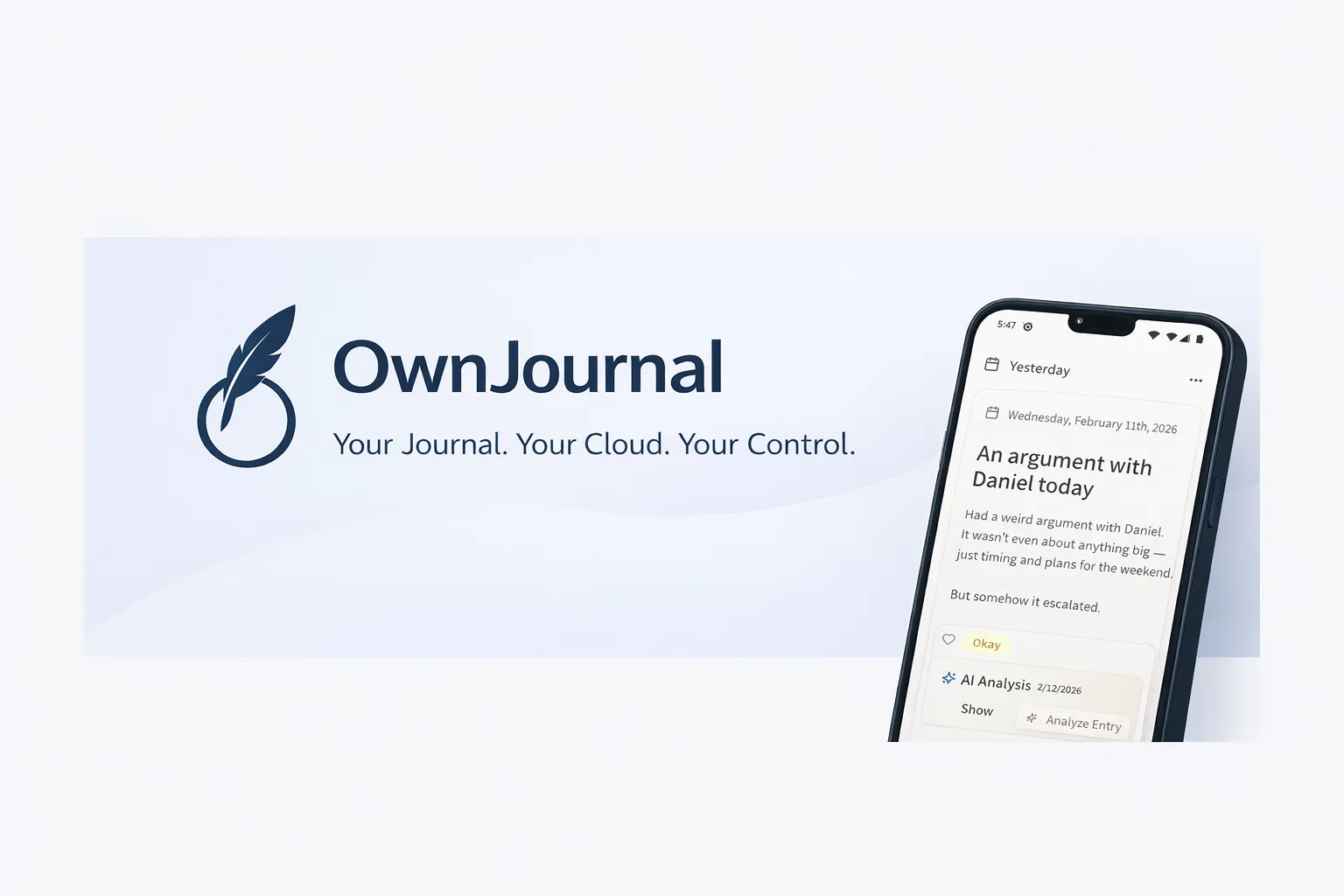
OwnJournal’s servers do not hold your entries. The connected cloud account, devices, backups, and optional encryption setting still determine who else could reach them.
Rather than encrypting your data on their servers, OwnJournal removes itself from the data layer entirely. Entries are stored in your own cloud storage account — Google Drive, Dropbox, Nextcloud, or iCloud — rather than on OwnJournal’s servers.
The company holds no copies of your journal on its servers. That removes OwnJournal’s storage infrastructure from the threat model, but not the connected cloud provider, account credentials, devices, backups, or app-delivery path.
Optional end-to-end encryption is available on top of this storage model. The codebase is published under AGPL-3.0, so reviewers can inspect the intended implementation. Source availability improves transparency but does not replace an independent audit or prove that a distributed build matches the repository.
A recent update added mood tracking and activity features that directly compete with Journey’s mood tools and dedicated mood apps like Daylio. Every entry now has an emoji mood picker (five levels), activity tagging (exercise, social, work, meditation, and more), a mood calendar heatmap, and a statistics dashboard with mood distribution charts, rolling averages, day-of-week analysis, and mood streaks — all on the free tier. The premium tier ($19.99/year) adds Activity-Mood Correlations, showing which activities correlate with better or worse moods.
A few important caveats: OwnJournal is a newer app than Day One or Journey. It has less press coverage and fewer public user reviews than the established apps.
We have reviewed the app directly at app.ownjournal.app, and the core architecture and features work as described. The app has matured substantially, though it has not been through as many years of iteration as Day One and Journey.
Pricing: Free tier and $19.99/year for premium features including AI mood analysis, Activity-Mood Correlations (mood-activity correlations), and PDF/Word export. This makes it the most affordable paid option of the three.
Platforms: Web, Android, iOS (iPhone & iPad), and Desktop.
Best for: Users who want user-owned storage, mood tracking, and activity insights in an inspectable app. Enable optional E2EE when the cloud provider or account access is part of your threat model. The trade-off is a newer app with fewer multimedia features.
Side-by-side comparison
| Day One | Journey | OwnJournal | |
|---|---|---|---|
| Price (full features) | $49.99–$74.99/year | $29.99–$49.99/year | $19.99/year |
| Free tier | Good (unlimited text, E2EE, 1 device) | Poor (60 entries, no formatting) | Available |
| E2EE default | Yes — all tiers including free | No — opt-in only | No — opt-in (BYOS approach provides structural privacy instead) |
| E2EE trade-offs | None | Disables search and AI | None |
| Data location | Automattic servers (USA) | Journey servers (SG) or Google Drive | Your own storage |
| Open source | No | Docker image only | Yes (AGPL-3.0) |
| Platforms | 5 (iOS, Mac, Android, Windows, Web) | 7 (+ Linux, Chrome OS) | 4 (Web, Android, iOS, Desktop) |
| Android quality | Good, but behind iOS | Excellent | Available |
| Guided programs | No | 60+ coached programs | No |
| Mood tracking | No | Yes | Yes (emoji mood + activity tagging) |
| AI features | Gold tier ($74.99/yr) | Membership (varies) | Premium ($19.99/yr) |
| AI requires unencrypted data | Yes | Yes | Yes |
| Book printing | Yes (physical hardcover/paperback) | No (eBook only) | No |
| Security audit | Yes (2017 — outdated) | None | None |
| Mood stats/insights | No | 30-day view | Free stats + paid Activity-Mood Correlations |
| Company age | 15 years | 10+ years | ~1 year |
What do you actually get for free?
Most people will try the free tier before paying. The differences here are significant.
| Day One (Basic) | Journey (Free) | OwnJournal (Free) | |
|---|---|---|---|
| Text entries | Unlimited | 60 entries max (cloud) | Unlimited |
| Journals/notebooks | Unlimited | Limited | Unlimited |
| Devices | 1 device only | Multiple (no desktop) | Multiple |
| Text formatting | Yes | No | Yes |
| Photos | 1 per entry | Limited | Yes (free) |
| E2EE | Yes (all tiers) | No | Yes (optional) |
| Search | Yes | Yes | Yes |
| Daily prompts | Yes | Limited | Activity tagging |
| Mood tracking | No | Limited | Yes (free) |
| AI features | No | 10 questions/day | No |
| Export | Yes | Limited | Limited |
| Coached programs | No | Limited access | No |
| Desktop app | Yes (1 device) | No | Web only |
| Cloud storage | Included | 70MB cap | Your own storage |
Day One’s free tier is the most generous for writing — unlimited entries with no storage cap, but locked to a single device. If you journal on your phone and nowhere else, it is a genuine option.
Journey’s free tier is the most restrictive. The 60-entry cap and lack of text formatting make it essentially a trial rather than a usable long-term plan.
OwnJournal’s free tier is the most permissive structurally — unlimited entries across devices, stored in your own cloud, with emoji mood tracking, activity tagging, a mood calendar heatmap, and mood statistics all included for free.
How private are Day One and Journey, really?
Both Day One and Journey encrypt your data, but in meaningfully different ways that affect what the encryption actually protects.
Day One’s E2EE is the default for new journals. Under its documented model, the company does not hold the journal-content key, so content stored on its servers is ciphertext. That does not cover account information, metadata, devices, backups, or other information the company may hold and could disclose under a valid legal request.
The limitation is that the local device database relies on OS-level encryption, and the 2017 audit has not been updated.
Journey’s E2EE is available but requires opting in, applies only to Journey Cloud Sync (not Google Drive), and fundamentally breaks the app’s most distinctive features — you lose search and Odyssey AI the moment you enable it. The default Google Drive sync means your data is subject to Google’s policies and practices. Most users who install Journey and use the default settings do not have meaningful encryption.
OwnJournal’s BYOS approach is architecturally different. Rather than answering “how do we encrypt your data on our servers,” it answers “how do we avoid holding your data at all.”
This removes OwnJournal’s own storage servers as a source of journal-content exposure. It does not replace encryption: without optional E2EE, the connected cloud account can hold readable entries. The open-source code makes the implementation inspectable; the limitations are that the app is new, unaudited, and unproven at scale.
The privacy verdict, in one paragraph
For most users, Day One’s privacy posture is sufficient and significantly better than Journey’s default. OwnJournal is worth considering when user-owned storage and inspectable code matter, but its E2EE must be enabled; otherwise the connected cloud account holds readable entries.
Which app should you choose?
You should choose Day One if:
- You primarily use Apple devices (iPhone, Mac)
- You want to build a rich, long-term multimedia journal — photos, video, audio, automatic weather and location
- You want end-to-end encryption that works without disabling anything
- You want to eventually print a physical book from your journal
- You are willing to pay $49.99–$74.99/year for the best Apple journaling experience
You should choose Journey if:
- You use Android, Linux, Windows, or Chrome OS as primary devices
- You want structured guidance — prompts, coached programs, mood tracking
- You are an Android user who can get Membership for $29.99/year on Google Play
- You want a map view of your journaling history for travel
- You are comfortable with the privacy trade-offs of Google Drive sync or are willing to sacrifice search and AI for E2EE
You should consider OwnJournal if:
- Data ownership is your primary concern and you want to verify privacy claims in code
- You want mood tracking and activity insights with user-owned storage, and will configure E2EE when needed
- You are on Android or primarily use the web
- The $19.99/year price point and EU/GDPR jurisdiction matter to you
You should look elsewhere if:
- You want completely free with no paid tier: Apple Journal (iCloud E2EE under Apple’s documented account conditions; iPhone, iPad, and Mac only)
- You are on Windows primarily: Diarium (~$9.99 one-time per platform)
- You want mood tracking without long-form writing: Daylio (though OwnJournal now also offers emoji mood tracking and activity tagging alongside journaling)
- You want AI-first journaling: Rosebud or Reflection
Frequently Asked Questions
Is Day One free?
There is a free tier, but it limits you to one device. If you journal on more than one device, you need Silver at $49.99/year.
Is Journey free?
There is a free tier, but it is very restricted — no text formatting, only 60 entries on cloud sync, no desktop access. Most users will need at least a Membership subscription.
Which is better for Android?
Journey is our Android pick because its Android-first history and current feature set better match the criteria in this comparison. That is an editorial judgement, not evidence that it consistently outperforms Day One for every Android user. Test the features and sync path you actually need.
Is Day One encrypted?
Yes — end-to-end encryption is included on all tiers, including the free Basic plan, and has been the default for new journals since 2019.
Is Journey encrypted?
By default, no. End-to-end encryption is available on Journey Cloud Sync but must be opted in to, and enabling it disables search and the Odyssey AI.
Which app is better for mental health journaling?
Journey, primarily because of its coached programs and mood tracking — features that provide therapeutic scaffolding that Day One does not. However, if privacy is your primary concern for mental health journaling, Day One’s default E2EE is a meaningful advantage. For more, see our article on the best journaling apps for anxiety and depression.
Start here
If you read this far, you probably already know which one fits. Here is exactly what to do tonight:
- On Apple and want the best writing experience: Install Day One Basic (free). Write three entries this week before deciding whether Silver ($49.99/yr) is worth it.
- On Android, Linux, or need coached programs: Install Journey. Grab Membership on Google Play for $29.99/yr if you decide to stay — it is the single best value in this comparison.
- Privacy is non-negotiable: Try OwnJournal at app.ownjournal.app. The free tier is genuinely usable; the $19.99/yr Plus tier is the cheapest paid option here.
Give whichever you picked seven days of honest writing before deciding whether to pay. The best journaling app is the one you actually open and write in, and the only way to find that out is to try it with your own words.
Further reading
- The Best Journaling Apps in 2026 — full roundup across all apps, not just these two
- The Best Journaling Apps for Anxiety and Depression — how these apps compare on mental health criteria specifically
- Is Your Journal Actually Private? — deep dive on what encryption actually means for journaling apps
- Journaling Prompts for Mental Health — editorial prompts with the adjacent evidence and limits stated